A content calendar is only as good as the strategy behind it. Before you start with spreadsheets or software, it's essential to define your core strategy: What are your business goals? Who is your audience? And what are your foundational content pillars?
This preliminary work is what gives every piece of content a clear purpose. It ensures you're driving tangible results, not just filling empty slots in a schedule. This is the blueprint that transforms a simple calendar into a high-impact marketing engine.
Building Your Content Strategy Foundation
The most effective content calendars don't begin with a blank template. They start with a fundamental question: "Why are we creating this content?"
Without a clear answer, you risk producing random content that fails to advance your business objectives. A great calendar is more than just a schedule, it’s the operational arm of your entire content strategy, translating your plan into deliberate action.
This strategic alignment separates high-performing content programs from those that merely spin their wheels. The goal is to connect every article, video, and social post back to a specific business objective. When you make this shift, content ceases to be a cost center and becomes a predictable driver of revenue.
A structured approach is non-negotiable as corporate investment in content climbs. Worldwide content marketing revenue is projected to reach USD 107.5 billion by 2026, according to Statista. Organizations are formalizing their content operations, and the spend reflects it.
Define Your Core Business Objectives
Every piece of content you create needs a job. So, what do you need your content to accomplish? Start by defining what success looks like for your business, and then work backward. Are you trying to generate more qualified leads, establish your brand as an industry authority, or enhance client retention?
Your objectives will dictate the type of content you create.
- Lead Generation: A professional services firm might create in-depth white papers, host expert webinars, or develop detailed case studies that require an email signup for access.
- Brand Authority: This goal calls for publishing thought leadership articles, commissioning original research, and securing speaking engagements for your experts at industry events. It's about showcasing your expertise.
- Client Loyalty: To maintain client engagement, you could develop an exclusive newsletter, create best-practice guides for your services, or produce video tutorials that add value post-sale.
Select one or two primary goals to start. This provides a filter for every content idea, keeping your team focused on work that directly impacts the bottom line and preventing them from chasing unproductive trends.
Identify Your Ideal Customer and Their Journey
Once you know your "why," you need to define your "who." A detailed Ideal Customer Profile (ICP) is essential. Go beyond basic demographics to understand their professional challenges, daily responsibilities, and the specific questions they ask at each stage of their buying process.
Mapping your content to the customer journey is a game-changer. By understanding their mindset, from problem awareness to the final decision, you can create targeted content that meets them precisely where they are.
A common mistake is creating an abundance of top-of-funnel, "awareness" style content while neglecting prospects who are much closer to a purchasing decision. A well-balanced content calendar addresses the entire buyer's journey, ensuring you have the right assets to nurture leads from initial curiosity to conversion.
For example, a prospect in the awareness stage might search for "how to improve lead generation," while someone in the consideration stage is looking for "best CRM integration services." Your calendar must include content that serves both. To explore this further, review our guide on content marketing best practices.
Establish Your Content Pillars
Think of content pillars as the core themes your brand will own. These are the broad topics directly tied to your expertise and your audience's most significant pain points.
For a B2B SaaS company, for instance, pillars might include "Workflow Automation," "Team Productivity," and "Data Security."
From these pillars, you can branch out into numerous specific subtopics for blog posts, videos, and social media updates. This model fosters consistency in your messaging and helps establish genuine authority in your niche. It also simplifies brainstorming. Instead of facing a blank page, your team can always return to these foundational pillars for a steady stream of fresh ideas.
Designing a Practical Calendar Template
With your strategy defined, it's time to move from "why" to "how." A content strategy remains a document until you build the engine to bring it to life: the calendar itself. This is where you establish the single source of truth that will guide your operations, ensuring every piece of content aligns with the goals you've set.
This is more than a to-do list with dates. A professional-grade content calendar is a dynamic tool for planning, tracking, and collaboration. The objective is not just to list deadlines, but to build a dashboard that gives your team a clear view of what’s happening, when it's due, and why it matters.
Whether you're a small team using a sophisticated spreadsheet or a larger firm leveraging a project management suite, the principles remain the same. Your template must be flexible enough to accommodate new ideas yet structured enough to keep everyone aligned.
Key Fields Every Content Calendar Needs
The specific details you track will determine your calendar's utility. A frequent error is starting too simple, which forces your team to manage critical information in separate documents or communication channels. This defeats the purpose of having a central hub.
To build a template that works, include fields covering the entire content lifecycle, from strategic intent to final performance. These data points provide context and clarity, transforming a simple schedule into a powerful planning instrument.
A well-designed calendar does more than just schedule posts; it answers critical questions at a glance. What business goal does this serve? Who is it for? And how will we measure its success? If your template doesn’t capture this information, it's not working hard enough for you.
Here are the non-negotiable fields that should form the backbone of your calendar.
- Content Title/Headline: The working title of the piece.
- Content Pillar: The primary strategic theme this piece supports (e.g., "Workflow Automation").
- Target Audience/Persona: The specific ideal customer profile this content is designed for.
- Buyer's Journey Stage: Awareness, Consideration, or Decision. This dictates the tone and call-to-action.
- Content Format: Blog post, video, webinar, case study, social media graphic, etc.
- Primary Channel: Where the content will be published first (e.g., company blog, LinkedIn).
- Author/Owner: The person responsible for creating the content.
- Deadline: The final due date for publication.
- Status: A dropdown or tag to track progress (e.g., Idea, In Progress, In Review, Approved, Published).
- Primary KPI: The key performance indicator that defines success (e.g., Organic Traffic, MQLs).
Including these fields ensures every item on your calendar is directly tied to your strategy, making it easier to plan a balanced and effective content mix.
Your calendar template should serve as a single source of truth, centralizing all vital information. The table below breaks down the essential fields needed to run an effective content program.
Essential Content Calendar Fields
By incorporating these fields, you transform a simple schedule into a strategic tool that aligns every content activity with your overarching business goals.
Structuring Your Calendar for Different Teams
The optimal tool for your calendar depends on your team's size, complexity, and existing technology. There is no single "right" answer; the goal is to pick a platform that facilitates collaboration, not hinders it.
A solo consultant or a small team can operate effectively with a robust Google Sheets template. It's free, highly customizable, and easy to share. You can use color-coding for status updates, add dropdown menus for consistency, and create separate tabs for each month or content pillar.
However, as a team grows, you'll quickly encounter the limitations of a spreadsheet. A larger marketing department will gain more value from a project management tool like Asana, Monday.com, or Trello. These platforms offer advanced features like automated workflows, task dependencies, and integrations. For instance, a blog post's status can automatically update when a draft is moved from "Writing" to "Editing," notifying the next person in the workflow.
If your team is heavily focused on social media, you can explore various social media content ideas to boost engagement that are easily planned and tracked within these tools.
Ultimately, the format should serve your process. Start with the essential fields outlined above and build your template in the tool your team is most likely to use consistently. The most sophisticated software is useless if no one updates it.
A great template is a solid start, but a calendar without a process is just a fancy to-do list. The real power comes from building a clear, efficient editorial workflow to bring your plan to life. This is the engine that turns raw ideas into published content, week after week.
Think of it as the assembly line for your content, mapping out the entire journey for every piece, from the initial idea through research, writing, editing, design, approvals, and finally, publication.
Without this roadmap, you invite chaos. Deadlines slip, approvals become a black hole of back-and-forth emails, and the team ends up scrambling. This isn't just for large marketing departments; even a solo consultant benefits from a structured process to maintain discipline and stay on track.
The goal is to create a repeatable system for success as you transition from high-level strategy to the nuts-and-bolts execution managed by your tools.
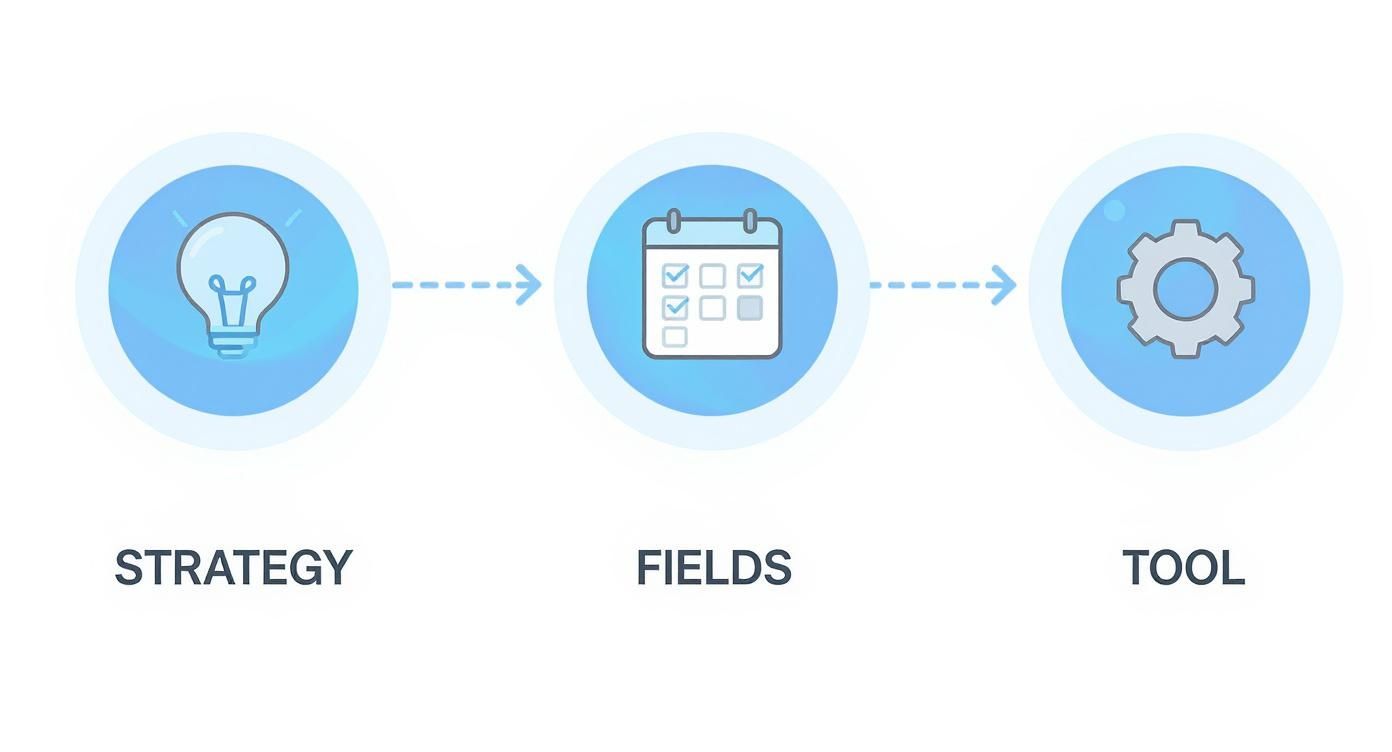
This flow illustrates how your big-picture strategy informs what goes into the calendar, which is then operationalized with the right technology in a seamless loop.
Mapping the Content Journey From Idea to Publication
Every stage in your workflow needs a clear owner and a defined set of tasks. This simple step prevents confusion and maintains momentum. For a B2B services firm, a typical workflow might look like this:
- Ideation & Briefing: The strategist identifies a topic based on keyword research and content pillars, then develops a detailed content brief.
- Drafting: The assigned writer uses the brief to produce the first draft, focusing on the core message and intended audience.
- Editing & Review: An editor polishes the draft, checking for clarity, tone, grammar, and brand voice alignment.
- Design & Visuals: A designer creates any necessary graphics, charts, or social media assets to support the content.
- Final Approval: A subject matter expert or key stakeholder gives the final green light.
- Scheduling & Publication: The content manager loads the finished piece into the CMS and schedules it for publication.
Following a structured path like this ensures every piece of content receives the necessary attention, resulting in a more professional final product. Many teams use project management tools to automate these handoffs. For more information, check out our analysis of Asana vs. Monday.com.
Assigning Clear Roles and Responsibilities
To eliminate the "I thought you were doing that" conversation, everyone needs to know exactly what they own. Ambiguity is the primary killer of an efficient workflow.
A common bottleneck is a lack of clear ownership. When multiple people believe they are in charge of approvals, or worse, when no one is, content gets stuck in limbo for weeks. Defining roles upfront is the single most effective way to keep things moving.
Even if one person wears multiple hats, defining the roles is what matters.
- Strategist: Owns the high-level plan, content pillars, and keyword research.
- Writer/Creator: Responsible for producing the raw content.
- Editor: Ensures quality, consistency, and adherence to brand voice.
- Designer: Creates all visual elements.
- Content Manager: Oversees the calendar, schedules content, and ensures deadlines are met.
Setting a Realistic and Sustainable Publishing Cadence
One of the quickest ways to derail your content program is by setting an unrealistic publishing schedule. Your cadence, how often you publish, must be a balance between audience expectations and your team's capacity.
Consistency will always triumph over frequency.
For a professional services firm, a sustainable content mix might look like this:
- Bi-weekly deep-dive articles (2 per month)
- Daily LinkedIn posts (5 per week)
- A monthly insights newsletter (1 per month)
This approach delivers steady value without causing burnout. It's far better to publish one exceptional article every two weeks than to churn out four mediocre ones to meet a quota.
This holds for social media, where planning is its own discipline. Dedicated scheduling tools keep multi-platform calendars consistent, and the market for them keeps growing as teams manage more channels.
Start conservatively. You can always increase your cadence once your workflow is well-established. It is much more difficult to recover from burnout after overcommitting.
Choosing the Right Content Management Tools
Your content calendar's effectiveness depends on the system that powers it. While a solid strategy and workflow are foundational, the right technology can transform a static document into a dynamic command center for your entire content operation. The goal is to find a tool that fits your team's process and simplifies everyone's job.
The market for these tools has expanded as more businesses commit to organized, scalable content planning. Cloud-based tools lead the category because they make collaboration easy and travel with distributed teams. Small and mid-sized businesses drive a large share of new adoption, drawn to tools that merge planning with analytics. For a wider data set on the trend, see this content marketing statistics roundup on Digital Silk.
This growth provides more options than ever, but it also makes the choice more complex. Let's break down the main categories to help you find the perfect fit.
From Simple Spreadsheets to Integrated Platforms
The spectrum of content calendar tools is wide, ranging from free, basic options to sophisticated, all-in-one platforms. The best choice depends on your team's size, budget, and workflow complexity.
For many startups or solo consultants, a well-structured Google Sheet or Airtable base is sufficient to get started. They are incredibly flexible, easy to share, and cost-effective. With creative use of formulas, color-coding, and different tabs, you can build a surprisingly robust system for tracking deadlines, statuses, and content pillars.
However, as your team and content output grow, the limitations of a spreadsheet become apparent. Manual updates are prone to human error, collaboration becomes messy, and automation is non-existent. This is when dedicated project management and content marketing platforms become essential.
The real inflection point comes when you spend more time managing the spreadsheet than you do creating content. That’s your signal to upgrade to a tool built for the job, one that automates handoffs, centralizes communication, and integrates with your other marketing systems.
Tools like Asana, Trello, and Monday.com are popular because they blend project management power with visual calendar features ideal for content teams. You can create task dependencies, build automated workflows, and keep every conversation and file tied to a specific piece of content. If you're exploring options in this space, our guide on effective alternatives to Monday.com is a valuable resource.
Dedicated Content Marketing Software
For teams requiring a purpose-built solution, dedicated content marketing platforms like CoSchedule or the Optimizely Content Marketing Platform (formerly Welcome, originally NewsCred) offer a more specialized feature set. These tools go beyond simple scheduling to include everything from content ideation and asset management to performance analytics, all within one platform.
These platforms are designed with the entire content lifecycle in mind.
- Centralized Ideation: They often include features to capture, score, and prioritize new content ideas from across the team.
- Integrated Workflows: You can build and automate your specific editorial review and approval processes.
- Direct Publishing: Many integrate directly with your CMS (like WordPress) and social media channels, allowing you to schedule and publish from a single interface.
- Performance Analytics: They can pull in data to show you which content is driving traffic, engagement, or leads.
For many teams, a powerful project management tool is more than sufficient. This screenshot from Asana shows how you can easily configure it into a visual content calendar, with tasks organized by their current status.
The power of this Kanban-style view is that each card represents a piece of content moving through your workflow, from "To Do" to "Complete," giving everyone a clear, at-a-glance update.
To help you decide, let's compare the main types of tools.
Comparison of Content Calendar Tool Types
Choosing the right system depends on where your team is today and where you plan to be in a year. Start with what you need, but be prepared to graduate to a more powerful platform as your operation grows.
The key takeaway is this: selecting a tool isn’t just about picking software. It's about choosing a system that will reinforce the positive habits defined in your workflow, reduce administrative friction, and free up your team to focus on creating high-quality content that drives results.
Measuring Performance to Optimize Your Strategy

Building and launching your content calendar is a significant achievement, but it's not the final step. The most successful content programs treat their calendar not as a static plan, but as a living document that must evolve.
Your calendar is a tool for execution and a powerful feedback loop, provided you commit to measuring what matters. This data-driven approach is what elevates a good content plan to a great one, allowing you to double down on what works and stop investing in content that falls flat.
Moving Beyond Vanity Metrics
First, we must move past metrics that feel good but don't impact the bottom line. Likes, shares, and page views are nice, but they don't generate revenue. For B2B firms, the real value lies in tracking how content directly influences business outcomes.
This means shifting your focus to more meaningful indicators of success.
- Engagement Rate: This shows how well your content connects with your audience. A high engagement rate on a key case study is far more valuable than thousands of passive views on a generic article.
- Lead Quality: Are the right people, your ideal customers, downloading your content or signing up for webinars? Tying your analytics to your CRM is essential here.
- Pipeline Contribution: This is the gold standard of content ROI. Can you trace a new sales opportunity directly back to a specific piece of content you published?
When you begin tracking these metrics, your content's true impact becomes much clearer.
Connecting Content to Your Analytics and CRM
To gain these insights, you must connect your systems. A simple yet powerful practice is to add a primary KPI field to your content calendar for each piece of content. Then, ensure your analytics tools are configured to track it. This creates a direct line of sight from a blog post to a new client.
Set up key event tracking in Google Analytics for actions like form submissions or resource downloads. Use UTM parameters on links within your content to accurately attribute traffic sources. Most importantly, integrate your marketing automation platform and CRM. This allows you to see how leads generated by your content progress through the sales funnel.
A frequent mistake is analyzing content performance in a vacuum. Your data becomes truly powerful when you see the complete story, from the first click on a blog post to the final signature on a contract. This holistic view justifies your content budget and guides future strategy.
Establishing a Quarterly Content Review
Data is useless without action. The best way to make your performance metrics work for you is to establish a regular review cadence. A quarterly content review is the perfect forum for this. It prompts your team to analyze the data and make strategic adjustments to the calendar for the next 90 days.
This meeting should be a strategy session to answer critical questions.
- What were our biggest wins? Identify top-performing content based on your business metrics. What topics, formats, or channels drove the best results?
- What underperformed? Be honest about content that missed its goals. Was it the wrong topic, format, or was promotion lacking?
- Where are the gaps? Based on your analysis, where do opportunities lie? Do you need more content for the decision stage of the buyer's journey? Should you experiment with a new format like video?
This framework helps you replicate successes and fix weaknesses. To delve deeper, we have a helpful guide on the essential digital marketing performance metrics you should be tracking.
By embedding this data-driven review process into your operations, you ensure your content calendar continuously improves, delivering better and more predictable results over time.
Common Content Calendar Questions
Even with a strong strategy, questions arise during content planning. Setting up a content calendar is one thing; mastering its daily rhythm is another. Here are some of the most common questions we receive, with practical advice to help you fine-tune your process.
Consider this your field guide for turning a good calendar into a great one.
How Far in Advance Should I Plan My Content?
For most B2B and professional services firms, planning one full quarter (3 months) ahead is the sweet spot. This provides enough runway to align content with broader business goals and marketing campaigns, while remaining agile enough to pivot in response to market shifts or new trends.
A good practice is to lock in your major "cornerstone" pieces, such as webinars, white papers, or comprehensive guides, on a quarterly basis. Then, leave some weekly or bi-weekly slots open for flexible, reactive content, like a timely take on a new industry report or a video answering a trending customer question.
What Is the Difference Between a Content and Editorial Calendar?
These terms are often used interchangeably, but there's a subtle distinction. Think of it as strategy versus execution.
- A content calendar is your high-level strategic roadmap. It answers the "what," "why," and "when", outlining topics, channels, and publication dates.
- An editorial calendar is the detailed operational workflow behind the strategy. It answers the "how" and "who," detailing who is drafting the piece, review deadlines, and who has final sign-off.
In most modern project management tools, these two functions are blended. However, understanding the difference clarifies each stage of your planning process.
The content calendar sets the destination; the editorial calendar provides the turn-by-turn directions to get there. You need both for a smooth journey from idea to publication.
How Do I Find Enough Ideas to Fill My Calendar?
This is a common fear, but it becomes much easier with a system. Start by breaking down your core content pillars into related subtopics. This step alone can generate months of solid ideas.
Next, use keyword research tools to see what your audience is searching for. Don't forget your best resource: your own team. Talk to your sales and customer support staff. Ask them what questions they are asked repeatedly. Those questions are a goldmine for relevant, high-value content.
Finally, remember to repurpose existing content. A single in-depth webinar can be transformed into multiple blog posts, several short video clips for social media, a detailed infographic, and a handful of quote graphics. This approach maximizes the value of your efforts and keeps your calendar full.
Should Social Media Posts Be in My Main Content Calendar?
This depends on your team's size and workflow. For smaller teams or solo consultants, keeping everything in a single, unified calendar is often the most efficient way to maintain visibility and organization.
For larger companies with a dedicated social media manager, it is usually better to have a separate, more granular social media calendar that links back to the main content plan. This approach prevents the primary strategic calendar from becoming cluttered with daily posts and gives the social media team the space needed to manage their high-volume cadence effectively.
At Twelverays, we specialize in building data-driven marketing strategies that turn content calendars into predictable revenue engines. If you're ready to move beyond guesswork and achieve measurable business growth, learn more about our digital marketing and CRM solutions.