

So, what exactly is CRM automation? In simple terms, it's the technology that handles repetitive sales, marketing, and service tasks within your Customer Relationship Management (CRM) system. It’s a method for managing customer interactions by placing routine processes on autopilot, which frees up your team to focus on what humans do best: building relationships and closing deals.
The Shift From Passive Database To Proactive Engine
Let's ditch the technical jargon for a moment. Think of a standard CRM as a digital filing cabinet, an excellent place to store customer information, but it's passive. You have to manually open the drawers, pull the right file, and decide what to do next.
CRM automation transforms that filing cabinet into a smart, proactive assistant.
This assistant never forgets to follow up. It instantly assigns hot new leads to the right salesperson and sends personalized welcome emails the moment a contact signs up. It operates based on a set of rules you create, ensuring every customer-facing process is handled consistently and efficiently. The goal isn't to replace your talented people but to empower them by removing the administrative grind that bogs them down.
From Manual To Automated
The key difference comes down to one word: action. A standard CRM holds data; an automated CRM acts on it. For any B2B or professional services firm where timely, personalized communication is paramount, this shift is a game-changer. Without it, important tasks fall through the cracks during busy periods. With it, your customer engagement runs like clockwork 24/7.
Here’s a quick look at how CRM automation enhances standard CRM features.
Standard CRM vs Automated CRM at a Glance
As you can see, automation doesn't just make things faster, it builds an intelligent system that executes your strategy flawlessly.
These are just a few examples of the core functions that automation elevates:
- Lead Management: Automatically score, qualify, and route incoming leads to the right sales rep based on criteria you set, like industry, location, or company size.
- Communication: Trigger personalized email sequences to nurture prospects, send follow-up reminders for meetings, and alert team members when a client opens an important document.
- Data Entry: Say goodbye to manual data logging. Automatically update contact records, log calls, and sync information directly from web forms or other apps.
By automating these repeatable processes, you create a system that doesn't just manage relationships but actively cultivates them. It ensures no lead is left behind and every customer interaction is timely and relevant.
This isn't just a trend; it's how modern business gets done. A CRM is no longer just for storing contacts, it’s a central engine for operational efficiency. According to a SoftClouds survey cited by Grand View Research, 80% of organizations now leverage CRM for sales reporting and process automation. Automation has become a top priority for buyers evaluating a new CRM platform.
For a deeper dive into the basics, check out our guide on what are CRM systems and how they function.
How Automated Workflows Drive Your Business
So, what makes CRM automation tick? The engine driving everything is the automated workflow. Think of these as pre-programmed chains of command that kick into action when a specific trigger occurs. It’s here, in the practical, day-to-day application, that the theory becomes a game-changer for B2B firms.
Let's move past the abstract and look at the real-world workflows that power your sales, marketing, and service teams.
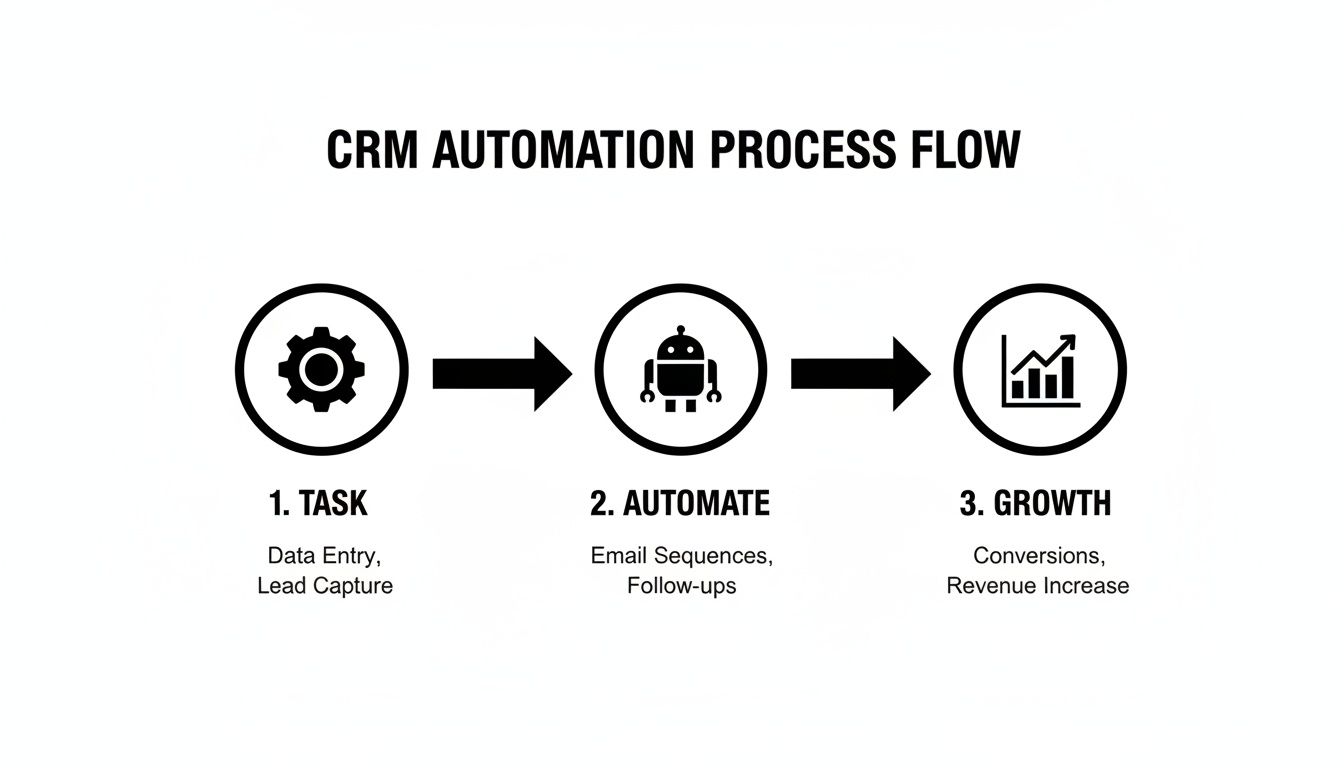
The core idea is simple: automation bridges the gap between manual drudgery and scalable growth. It allows your business to expand without being choked by administrative overhead.
Powering Your Sales Team
For any sales team, speed and precision are everything. Automated workflows ensure opportunities never slip through the cracks and every lead gets the attention it deserves, without anyone having to remember to do it.
A classic, high-value example is automated lead scoring. The system assigns points to leads based on their profile (like industry or company size) and behavior (like visiting your pricing page). Once a lead hits a certain score, it’s automatically flagged as a "hot lead." Instantly, another workflow can assign it to the ideal sales rep.
That instant handoff is critical. A delay of just a few hours can mean the difference between a closed deal and a lost opportunity. Automation puts the right lead in front of the right person at the exact moment they show serious intent.
Furthermore, you can trigger intelligent follow-up sequences. For instance, if a rep sends a proposal and the prospect doesn't open it within 48 hours, the system can send a gentle reminder email or add a task to the rep's to-do list to make a call. This prevents deals from stalling simply because someone got busy.
Activating Your Marketing Efforts
Marketing teams can use CRM automation to deliver highly personalized content at the perfect time, guiding prospects along their buying journey. Forget generic email blasts; automation enables behavior-triggered campaigns that feel truly relevant.
Here are a few common marketing workflows that drive results:
- Welcome Series: When a new contact subscribes to your newsletter, a workflow can trigger a multi-part email series that introduces your brand, shares key resources, and starts building trust.
- Behavioral Nurturing: If a contact downloads a whitepaper on a specific service, the system can add them to a campaign that sends related case studies and articles over the next few weeks.
- Re-engagement Campaigns: For contacts who have gone quiet, an automated workflow can send a special offer or a "we miss you" message to win them back.
These automated touchpoints ensure every lead receives consistent communication tailored to their interests. For B2B firms, this is essential, which is why we created a detailed guide on lead nurturing automation to help you get it right.
Supporting Your Customer Service
Finally, CRM automation is a powerful tool for elevating the customer experience after the sale. A satisfied client is your best source of repeat business and referrals, and automation helps you deliver support that’s both fast and effective.
When a client submits a support request through a web form, an automated workflow can immediately create a service ticket. The system can then analyze the ticket's content and route it to the right department or support agent based on keywords or the client's history.
Simultaneously, the workflow can send an automated email to the client confirming their ticket was received and providing an estimated response time. It's a simple action, but it manages expectations and reassures the client that their issue is being addressed. These real-world examples, easily applicable in platforms from Microsoft Dynamics 365 to Salesforce, show the direct impact automation has on daily operations.
The Real Impact of CRM Automation on Your Bottom Line
Automated workflows are impressive on paper, but their real value is measured in revenue and growth. For decision-makers, the question isn't just "what is CRM automation?" It’s "what will it do for my bottom line?" The answer is clear: it has a direct, measurable impact on client acquisition, retention, and overall profitability.

Think of automation as a multiplier for every stage of the customer journey. It transforms potential into profit and provides the clear business case needed to justify the investment.
Fueling Client Acquisition and Conversion
One of the first places you’ll see a financial gain is in your sales pipeline. With automated lead nurturing, no prospect ever falls through the cracks. By delivering the right content at the right time, triggered by a lead’s behavior, you build trust and stay top-of-mind.
This consistent, personalized communication is what drives up conversion rates. Instead of lukewarm leads getting lost in a spreadsheet, they’re guided systematically toward becoming sales-ready. This frees up your sales team to focus their valuable time on prospects who are genuinely interested and qualified, which dramatically shortens the sales cycle.
Boosting Sales Productivity and Pipeline Velocity
A huge drain on any sales team is the mountain of administrative work. Manual data entry, logging calls, and sending follow-up reminders are necessary but low-value tasks that consume hours every week. CRM automation takes over these tasks, giving that time back to your team.
This isn't just about saving time. It's about reallocating your most expensive resource, your sales team's expertise, to high-impact activities like strategic planning, client consultations, and closing deals.
The data speaks for itself. Companies that properly implement CRM automation see an average 29% increase in revenue and a 34% boost in sales productivity. With around 92% of businesses stating that CRM is vital for achieving their revenue goals, it’s clear that automation is the key that unlocks its full potential.
Enhancing Customer Retention and Lifetime Value
We all know acquiring a new customer costs far more than keeping an existing one. CRM automation is your greatest ally in improving client retention because it helps you deliver a superior post-sale experience.
Automated workflows can trigger satisfaction surveys, schedule check-in calls, or alert account managers to potential issues before they escalate. This proactive approach makes clients feel valued and heard, which is critical for long-term loyalty in the B2B world.
Here’s how automation helps you retain clients:
- Onboarding Sequences: Automatically guide new clients through their first few weeks with helpful resources and check-ins to ensure a smooth start.
- Proactive Support: Flag accounts with declining engagement so a team member can follow up personally, preventing churn before it happens.
- Upsell and Cross-Sell Opportunities: Identify clients who are perfect candidates for additional services based on their usage data and automatically notify the right person on your team.
By nurturing stronger relationships, you not only keep clients longer but also increase their total worth to your business. Our guide on increasing customer lifetime value explores these strategies in much more detail. Ultimately, CRM automation connects efficiency to a healthier, faster-moving pipeline, delivering a clear and compelling return on investment.
Choosing the Right CRM Automation Platform
Selecting the right technology is the foundation of any successful automation strategy. With countless platforms on the market, the choice can feel overwhelming. The key is to look past flashy features and focus on the core capabilities that will support your B2B goals, not just today, but five years from now.
This isn't just about buying software. You're investing in the central nervous system for your entire customer-facing operation. Getting it right means taking a clear-eyed look at your business needs, current tech stack, and growth plans.

Key Factors for Your Evaluation
Before you book a demo, define your non-negotiables. A platform that's perfect for a small e-commerce shop could be a disaster for a complex professional services firm. To cut through the noise, focus on three critical pillars.
Scalability to Grow With Your Business: Your CRM should fuel growth, not become a bottleneck. Can the system handle a massive increase in contacts, more sophisticated workflows, and more users without grinding to a halt? A solution that seems cheap today could become a very expensive problem if it can't keep up with your success.
Seamless Integration Capabilities: Your CRM doesn't exist in a vacuum. It must connect smoothly with other essential systems, like your marketing automation platform, accounting software, and any ERP you use. Poor integrations create data silos, forcing your team back into the manual data entry you were trying to escape.
Industry-Specific Functionality: Generic, one-size-fits-all platforms often fail to address the nuances of B2B sales. Look for features built for your world, such as sophisticated lead scoring, account-based management tools, and the ability to handle complex, multi-step approval workflows for quotes and proposals.
This evaluation is so important that we put together a complete guide on how to choose a CRM system that walks you through every step.
Comparing Major Platform Approaches
While dozens of options exist, the market is led by a few heavyweights, each with its own philosophy. For most B2B firms, the decision often comes down to giants like Salesforce and Microsoft Dynamics 365, which both offer powerful automation but in different ways.
Salesforce is renowned for its massive ecosystem and powerful, out-of-the-box tools like Flow Builder. It excels in environments that demand intricate, custom workflows and deep sales process management. Its key strength is its flexibility; it can be adapted to fit almost any sales scenario.
Microsoft Dynamics 365 shines with its native integration into the broader Microsoft ecosystem, including Microsoft 365 and Power BI. This creates a deeply connected work environment where data flows effortlessly between the apps your team already uses daily. Its automation is robust, with a particular strength in unifying data across the entire business.
The best choice isn't about which platform is "better" on paper. It's about which platform’s strategic DNA best aligns with your existing technology, your team’s daily processes, and your ultimate business goals.
Your Implementation Roadmap
Deploying a CRM automation platform is a major project that requires a plan. A successful launch isn’t about flipping a switch; it's a methodical process designed to ensure the technology is adopted and delivers the expected ROI from day one.
A smart implementation roadmap always includes these key stages:
- Discovery and Planning: Map out your current processes, pinpoint the biggest automation opportunities, and set clear, measurable goals for success.
- Data Migration: Your customer data is a valuable asset. This phase involves cleaning, organizing, and carefully moving your existing contacts, companies, and deals into the new system without data loss.
- Workflow Configuration: Build out the automated workflows you planned, setting up the triggers, conditions, and actions for lead routing, follow-up sequences, and other core processes.
- Team Training and Adoption: Technology is useless if no one uses it. Provide comprehensive training that focuses on how the new system makes your team's jobs easier, not harder, to secure buy-in.
- Launch and Optimization: The work isn’t over at go-live. This final stage involves monitoring performance, gathering feedback from your team, and continuously tweaking your workflows to improve them.
Navigating this process alone can be challenging. Working with a CRM specialist can be the difference between a successful launch and a frustrating, expensive failure.
Common Implementation Mistakes to Avoid
A CRM automation project is exciting, but a successful rollout is less about the tech and more about the strategy behind it. I’ve seen firsthand how a few common, avoidable mistakes can turn a promising initiative into a source of frustration and wasted investment.
Knowing these pitfalls is the first step. Successfully answering "what is CRM automation" in the real world means sidestepping these challenges so your system delivers on its promise from the start.
Launching with Messy or Incomplete Data
This is the most critical mistake. Rushing to automate on top of a foundation of bad data is a recipe for disaster. If your contact records are a mess of duplicates, missing fields, or outdated information, your automation will only amplify those problems.
Think of it this way: automation is a powerful engine. If you fuel it with dirty data, it won’t run smoothly. It will just spread errors across your sales and marketing teams at high speed, completely eroding their trust in the new system.
The golden rule of automation is simple: garbage in, garbage out. A great launch begins weeks or even months earlier with a serious data audit and cleanup. Your workflows are only as good as the data flowing through them.
Designing Overly Complex Workflows
It’s tempting to try and automate everything at once, mapping out elaborate workflows for every conceivable "what if" scenario. The problem? You end up with something so complicated that no one on your team can understand, manage, or fix it when something inevitably breaks.
Instead of being a helpful tool, these convoluted systems become a black box of frustration. When a lead isn't assigned correctly, nobody knows why, and your team's adoption of the new CRM plummets.
A much better approach is to start small. Focus on high-impact, low-complexity wins first. Identify a couple of real pain points and build simple, clean workflows to solve them.
- Start Simple: Automate a basic lead assignment based on territory or industry.
- Test Thoroughly: Have a small group of users test it to ensure it works as expected.
- Gather Feedback: Ask your team what they like and what’s clunky before you build on it.
- Iterate and Grow: Once you prove the value of that first step and your team is comfortable, you can gradually add more layers.
This phased approach builds momentum and confidence, ensuring every piece of automation you introduce is genuinely useful.
Neglecting Team Training and Buy-In
You could have the most powerful, perfectly configured CRM automation platform, but if your team doesn't understand, trust, or use it, it’s a failure. A massive mistake is treating training like a one-off software demo.
Effective training isn't about showing people where to click; it’s about explaining the “why” behind the change. You have to connect the dots for them, show them how this new system makes their jobs easier, helps them hit their targets, and ultimately helps the company succeed. If you skip that part, they’ll just see it as another tedious task being added to their plate.
Getting genuine buy-in is an ongoing process. It requires clear documentation, patient support, and, most importantly, celebrating early wins to prove to everyone that this new system is an ally, not an obstacle. This is where people and strategy are just as critical as the technology. For a deeper dive on rolling this out effectively, take a look at our guide on strategic CRM implementation.
Measuring Your Success and Planning Next Steps
Getting your CRM automation up and running is a huge accomplishment, but it’s not the finish line. The real magic happens when you treat it less like a one-time project and more like a continuous improvement engine for your business.
The most powerful automation strategies aren't static; they evolve with your company, guided by real performance data.
This is where the conversation shifts from "what is CRM automation?" to the much more important question: "is our CRM automation actually working?" The answer is in your Key Performance Indicators (KPIs). These metrics turn your efforts from hopeful guesses into a data-backed strategy that proves its value.
Key Metrics to Track for Automation ROI
To truly grasp the value your automated workflows are delivering, you must track metrics tied directly to sales performance, client satisfaction, and operational efficiency. Vague goals lead to vague results, so let's get specific.
Here are the essential KPIs you should have on your dashboard:
Lead-to-Customer Conversion Rate: This is the ultimate report card for your sales and marketing efforts. When this number starts climbing, you know your automated lead scoring and nurturing campaigns are effective, guiding prospects from initial interest to a signed contract.
Sales Cycle Duration: How long does it take to turn a new lead into a paying client? Automation should significantly shorten this timeline by triggering instant follow-ups and eliminating administrative delays. A shorter cycle means revenue in the bank, faster.
Customer Retention Rate: This metric tracks the percentage of clients who remain with you over time. Automated onboarding sequences, proactive check-in emails, and smoother support workflows all contribute directly to client satisfaction and loyalty. In the B2B world, that loyalty is everything.
Effective automation is never a 'set it and forget it' project. It is an evolving strategy that requires ongoing analysis and optimization to deliver maximum value.
Your Next Step Toward Smarter Growth
Once you start monitoring these KPIs, you’ll uncover powerful insights. You might find that a specific email sequence is converting exceptionally well, or that one stage of your sales pipeline is a major bottleneck. This is the data that empowers you to refine your workflows, double down on what’s working, and fix what isn’t.
Your journey can start with a simple audit. Take an honest look at your current sales and client service processes. Identify the single biggest time-sink, the most repetitive manual task, or the most common point of friction for your clients.
That’s your first target for automation.
Ready to transform your client relationships from a manual grind into a predictable engine for growth? The team at Twelverays can help you map out a CRM automation strategy built specifically for your business goals.
Frequently Asked Questions
Even after you understand what CRM automation is, a few common questions often arise. Getting clear answers is the best way to feel confident about your strategy. Here are some of the most frequent ones we hear from leaders in B2B and professional services.
What Is the Difference Between CRM Automation and Marketing Automation?
This is an excellent question, as the two absolutely overlap. The easiest way to think about it is that marketing automation is a specialist, focused on the top of the sales funnel. Its primary job is to attract new leads and nurture them with email campaigns, social media, and lead capture forms.
CRM automation, however, plays a much broader role. It oversees the entire customer journey, from the first marketing touchpoint through sales and ongoing service. It handles sales tasks like automatically assigning leads and sending follow-up reminders, but it also manages service functions like creating support tickets or sending client satisfaction surveys. When they work together, it's a seamless handoff from marketing to sales to long-term client success.
Think of it this way: Marketing automation is the opening act that builds the crowd. CRM automation is the main event that manages the relationship with that crowd for the entire show.
How Much Technical Skill Is Needed to Set Up CRM Automation?
Honestly, it depends on your goals. Modern CRMs like Salesforce or Dynamics 365 have made significant strides in user-friendliness. They now feature no-code builders that allow you to create simple automations without a background in software development. Setting up a rule to send a welcome email when a new contact is added is something most users can learn quickly.
However, complex, multi-step workflows are a different story. If you need to integrate your CRM with another core system, like an ERP, or design processes that can scale as your business grows, you'll want an expert in your corner. For most B2B firms, partnering with a CRM specialist is the smartest move to ensure everything is built correctly and delivers the results you expect.
Can CRM Automation Feel Impersonal to Customers?
It can, but only when implemented poorly. Good CRM automation isn't about removing the human touch; it's about making every human interaction more meaningful and timely. It uses customer data to deliver the right message at the right moment, so clients feel understood, not like just another entry in a database.
The key is to automate the right tasks. Let the system handle the repetitive, administrative work that bogs your team down. This frees them up to have the high-value, personal conversations that truly matter, the ones a machine could never replace. Done correctly, automation doesn't detract from the customer experience; it makes your team more consistent, responsive, and ultimately, more human.
Ready to build a CRM automation strategy that's tailored to your business goals? The team at Twelverays has the expertise to guide you. Discover how we can help you drive measurable growth.


