

A website redesign is one of the most significant marketing investments a business can make, yet many projects prioritize aesthetics over performance. This approach often leads to a beautiful new site that fails to generate qualified leads or support business goals. A successful redesign is a strategic initiative, grounded in data and a deep understanding of your customer. It demands a methodical process that aligns technology, user experience (UX), content, and search engine optimization with measurable outcomes.
This comprehensive website redesign checklist offers a 10-step framework for B2B and professional services firms looking to achieve a tangible return on investment. We're moving beyond visual updates to focus on building a high-performance digital asset that drives sustainable growth.
This checklist will guide you through every critical phase, from initial stakeholder alignment and auditing your current site's performance to complex CRM integrations with platforms like Microsoft Dynamics 365 and Salesforce. You'll also learn how to execute a flawless launch and establish a post-launch optimization plan. This is your roadmap to transforming your website from a simple online brochure into a powerful engine for client acquisition.
1. Discovery: Conduct Stakeholder Interviews & Audit Current Performance
Before a single wireframe is drawn, a successful redesign must begin with a deep, objective understanding of your current digital landscape. This foundational discovery phase is the most critical step in any website redesign checklist, as it aligns the project with tangible business goals. It involves gathering internal wisdom through stakeholder interviews and analyzing external user behavior via a comprehensive performance audit.
For B2B and professional services firms, this means moving beyond aesthetics. Interview key personnel from sales, marketing, and leadership to uncover critical insights. What are the primary lead generation bottlenecks? Where do prospects drop off in their journey? These conversations reveal the true purpose the new website must serve.
Actionable Implementation
Simultaneously, a data-driven audit provides an unbiased look at your site’s performance. By analyzing metrics from platforms like Google Analytics and using heatmapping tools, you can identify underperforming pages, confusing navigation paths, and missed conversion opportunities.
Key Insight: The goal is to create a clear "before" snapshot. This baseline not only guides design and development priorities but also provides the benchmarks you will use to measure the redesign's success, such as improving lead quality or reducing bounce rates on key service pages.
How to Get Started:
- Structure Your Interviews: Use a consistent template with open-ended questions like, "If the website could do one thing better to help you close deals, what would it be?" to uncover nuanced pain points.
- Segment Your Analytics: Don't just look at overall traffic. Segment data by user type, device, and traffic source to find specific areas for improvement.
- Document Everything: Create a centralized discovery document that synthesizes interview notes, key performance indicators (KPIs), and user behavior findings. This becomes the project's single source of truth.
A thorough audit is non-negotiable for setting a clear direction. For a detailed guide on this process, explore this in-depth resource on how to properly audit your website. This initial investment in discovery ensures the final product is a strategic business asset, not just a digital facelift.
2. UX Strategy: Map Customer Journey & Define User Personas
After establishing business goals, the next step in your website redesign checklist is to shift focus to your customer's reality. An effective user experience (UX) is built on a deep understanding of who your users are, what they need, and the path they take to find a solution. This involves creating detailed user personas and mapping their end-to-end journey.
For B2B companies, this process is particularly vital. B2B decisions often involve multiple stakeholders, extended timelines, and a need for substantial educational content. You must understand the distinct motivations of a CMO, a marketing manager, and an IT director, all of whom might interact with your site. Mapping their unique journeys clarifies where, when, and how to deliver the right information to build trust.

Actionable Implementation
This strategy is put into practice by consolidating data from stakeholder interviews and your analytics audit. This research forms the basis for creating semi-fictional representations of your ideal customers, or buyer personas. Each persona should detail demographic information, goals, challenges, and motivations. Subsequently, you map the complete journey for each key persona, from initial awareness of a problem to post-purchase advocacy.
Key Insight: The true value of this exercise is identifying friction points and opportunities. By visualizing the customer's path, you can pinpoint where your current website fails to answer a critical question, presents confusing navigation, or lacks a compelling call-to-action, allowing you to design a new experience that directly addresses these shortcomings.
How to Get Started:
- Validate with Real Data: Ground your personas in reality. Interview 5-8 actual customers for each proposed persona and enrich their profiles with data from your CRM system like Salesforce or Dynamics 365.
- Map the Full Lifecycle: Don't stop at the point of sale. Include post-purchase touchpoints like onboarding and support, which are crucial for retention and advocacy.
- Segment Your Journeys: Create distinct journey maps for different personas and market segments. The path a prospect in healthcare takes will differ significantly from one in the financial sector.
- Identify Touchpoint Gaps: Note where users interact with your brand both online (e.g., social media, search engines) and offline (e.g., trade shows, sales calls) to ensure a cohesive experience.
For a deeper dive into this foundational process, see this guide on how to create effective buyer personas. This strategic approach ensures your new website is built for your users, not just for your organization.
3. Content Strategy: Develop SEO-Optimized Content Framework & Audit Existing Assets
A redesign isn't just about changing visuals; it’s a critical opportunity to re-architect your content for maximum SEO impact. An effective content strategy, a key pillar of any website redesign checklist, ensures your new site speaks to your audience's needs while satisfying search engine algorithms. This process involves auditing existing assets, identifying content gaps, and building a topic cluster framework to establish topical authority.
For B2B firms, this means moving toward a cohesive content ecosystem. Instead of simply migrating old content, you must strategically decide what to keep, improve, or discard. The goal is to create a library of resources that positions your firm as an industry leader, addresses buyer pain points, and ranks for high-intent keywords that drive qualified leads.
Actionable Implementation
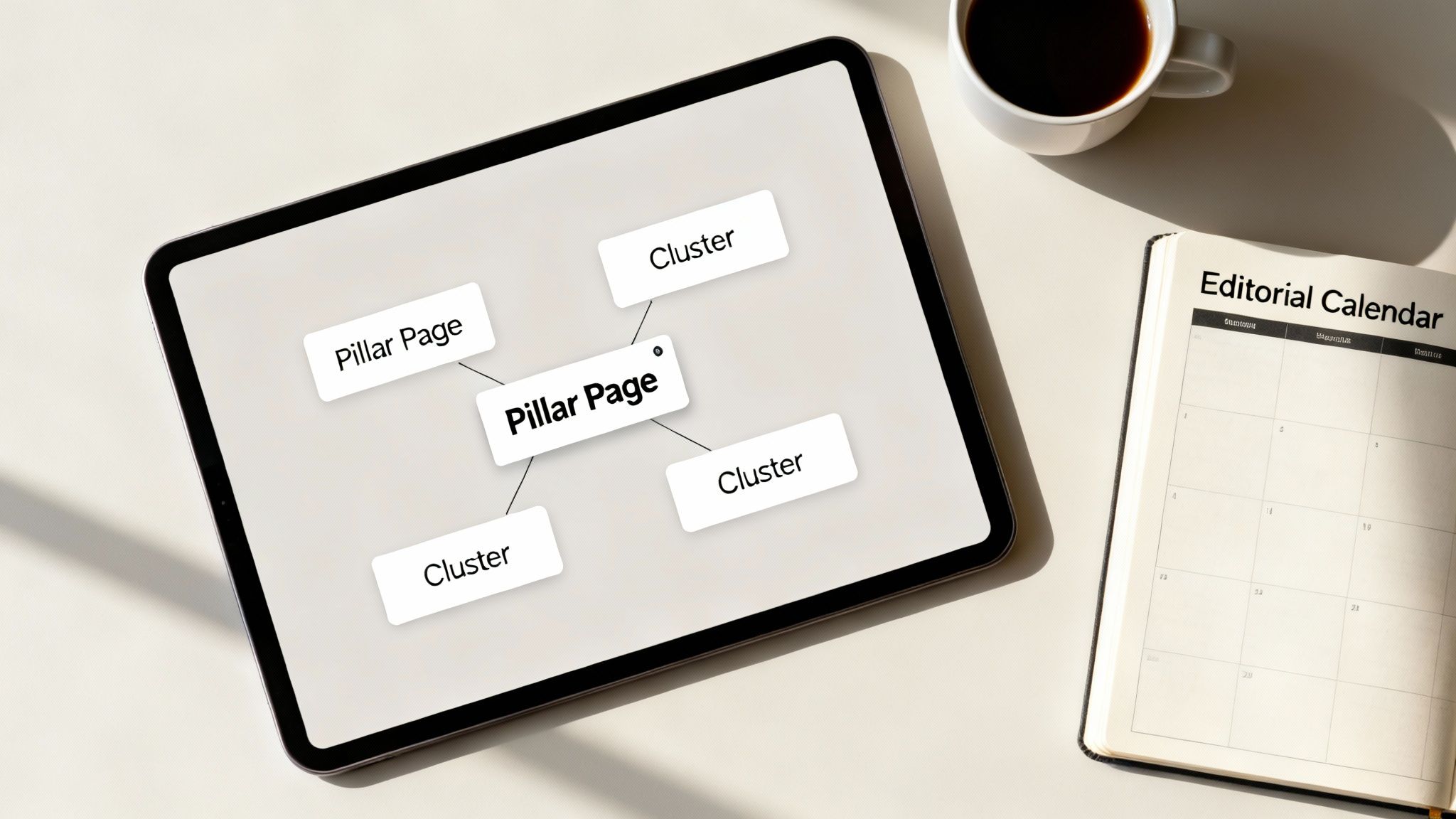
Begin with a comprehensive content audit, using tools like Ahrefs or Semrush to identify your highest-performing pages and under-optimized articles. This data informs your new information architecture and helps you build a topic cluster model. This model involves creating a central "pillar page" for a core topic and linking out to more specific "cluster" articles, creating a powerful internal linking structure that signals expertise to Google.
Key Insight: Your redesigned website's success is directly tied to the quality and strategic organization of its content. A robust content framework doesn't just attract organic traffic; it nurtures prospects, demonstrates expertise, and fuels your lead generation engine.
How to Get Started:
- Conduct a Content Audit: Categorize every URL on your current site into one of three buckets: Keep (high-performing), Improve (good topic, poor execution), or Remove (outdated, low-value).
- Develop Pillar & Cluster Pages: Identify 3-5 core service or solution topics as your pillar pages. Then, brainstorm related subtopics for each pillar to create your cluster content, addressing specific long-tail keywords.
- Integrate Conversion Points: Embed relevant calls-to-action (CTAs), downloadable resources, and contact forms within your content to capture leads directly from your highest-traffic pages.
- Establish Editorial Standards: Create a content style guide that defines tone, voice, formatting, and on-page SEO best practices to ensure consistency and quality across all new content.
4. SEO Foundation: Technical Audit, Site Structure & Mobile Optimization
A visually stunning website is ineffective if prospects can't find it. Technical SEO is the invisible framework that ensures your site is discoverable and crawlable by search engines, making it a non-negotiable part of any website redesign checklist. This step involves a deep technical audit, a logical site architecture, and a commitment to mobile-first design to capture valuable organic traffic.
For professional services, technical excellence directly translates to lead generation. Prospects often begin their research on mobile devices, and a slow or poorly structured site creates a negative first impression. By prioritizing technical health, you ensure the new design performs as well as it looks, supporting every stage of the buyer's journey.
Actionable Implementation
The process starts with a comprehensive site audit using tools like Screaming Frog or SE Ranking to diagnose issues like broken links, indexation errors, and slow page speeds. From there, you architect a logical site structure with clear URL paths (e.g., /services/managed-it/network-security) that guide both users and search engine crawlers. Finally, every page must be designed and built for a flawless mobile experience.
Key Insight: Your technical foundation is the bedrock of long-term organic growth. A redesign is the perfect opportunity to resolve legacy technical debt and implement best practices like structured data (schema markup), which helps search engines understand your content and can result in enhanced search listings like FAQ snippets.
How to Get Started:
- Benchmark Core Web Vitals: Aim for Google's recommended performance targets: Largest Contentful Paint (LCP) under 2.5 seconds, Interaction to Next Paint (INP) at or below 200 milliseconds, and Cumulative Layout Shift (CLS) under 0.1.
- Map Your URL Redirects: Before launch, create a comprehensive 301 redirect map from all old URLs to their new counterparts. This is critical for preserving existing search engine authority and preventing 404 errors.
- Prioritize Mobile-First Indexing: Run Lighthouse in Chrome DevTools to confirm your pages are fully responsive. All critical content and functionality available on desktop must also be accessible and easy to use on mobile devices.
Building a strong technical SEO foundation is essential for visibility. To dive deeper into this critical area, explore our comprehensive guide on B2B search engine optimization. This preparation ensures your new website launches with the best possible chance to rank and attract qualified leads.
5. Development: Set Up CRM Integration, Marketing Automation & Data Architecture
A modern B2B website is more than a digital brochure; it's a lead generation engine. This development phase moves beyond visual design to build the critical data architecture that connects your website to your core business systems. It ensures every form submission, download, and interaction is captured and routed effectively through integrated CRM and marketing automation platforms.
For professional services firms, this integration is the difference between a website that generates noise and one that produces qualified leads. Strategic planning for connecting with platforms like Salesforce or Dynamics 365 is essential. The goal is a seamless data flow where lead information captured on the website instantly populates your CRM with the context needed for sales to have meaningful conversations.
Actionable Implementation
This step involves mapping every data point, from a contact form submission to a webinar registration, directly to corresponding fields in your CRM. You’ll configure marketing automation triggers, such as adding a prospect to a specific email nurture sequence after they download a whitepaper. Platforms like HubSpot and Pardot can automate complex nurturing campaigns at scale, ensuring no lead falls through the cracks.
Key Insight: The focus is on creating a closed-loop system. Proper data architecture determines whether your new website simply collects leads or actively generates business intelligence. It allows you to track a lead from their first website visit to a closed deal, providing invaluable ROI metrics for marketing efforts.
How to Get Started:
- Create Data Mapping Documents: Before writing any code, document exactly which website form fields map to which CRM fields to prevent data loss and ensure consistency.
- Implement Progressive Profiling: Use smart forms that ask for new information on subsequent visits. This gradually builds a rich prospect profile without creating high-friction forms that deter conversions.
- Configure Lead Scoring: Work with your sales team to define what constitutes a "qualified lead" and build a scoring model in your marketing automation platform that reflects these criteria.
- Use Hidden Fields: Automatically capture crucial data like traffic source, campaign name, or initial search term in hidden form fields to provide sales with valuable context on every new lead.
6. Development: Build Responsive Design, Performance & Usable Standards
With the backend and CRM connections planned, development must focus on a user-centric front-end. This involves prioritizing three pillars of modern web development: responsive design, high performance, and clear, usable interfaces. For B2B firms where trust and professionalism are paramount, a seamless experience across all devices is non-negotiable. This step in the website redesign checklist translates the approved designs into a fast, readable, and reliable digital asset.
This process ensures your site looks and works perfectly on any device, from a large desktop monitor to a smartphone. It also means optimizing for speed, as outlined by Google's Core Web Vitals, and designing for readable type, sufficient color contrast, and sensible keyboard navigation. These elements directly impact user engagement, conversion rates, and brand perception.
Actionable Implementation
The core principle is building with a "mobile-first" mindset, starting with the most constrained view (mobile) and progressively enhancing for larger screens. This approach leads to cleaner, more efficient code. Performance is managed by setting strict "performance budgets" to keep page load times minimal, while usability is checked through automated tools and manual testing.
Key Insight: A fast, readable, responsive website is a direct reflection of your firm's attention to detail and commitment to client experience. It demonstrates that you value every visitor's time, which is a powerful brand signal that builds trust before the first sales call.
How to Get Started:
- Test on Real Devices: Go beyond browser emulators. Test the website on actual iPhones, Android devices, and tablets to catch platform-specific bugs and accurately assess the user experience.
- Automate Optimization: Implement tools that automatically compress images and use modern formats like WebP. Use responsive image techniques (
srcset) to serve appropriately sized images based on the user's screen. - Check Usability: Review readable type, sufficient color contrast, and logical keyboard navigation order during development. Pair automated checks with hands-on review.
- Establish Coding Standards: Create a clear set of coding guidelines for your development team to ensure the final product is clean, maintainable, and easy to update in the future.
By integrating these disciplines, you ensure the final build is not only visually appealing but also robust and easy to use. For a deeper look into creating a user-focused site, explore these best practices for web design.
7. Testing: QA, User Testing & Performance Validation Across Devices
Launching a redesigned website without comprehensive testing is like opening a store with broken doors. This critical pre-launch phase validates that every element functions as intended, the user experience is seamless, and the site can handle real-world traffic. It’s a multi-layered process moving from internal quality assurance (QA) to external user acceptance testing (UAT), ensuring the final product is stable and ready to convert visitors.

For B2B firms, this step is non-negotiable. A broken lead form or a slow-loading services page directly impacts revenue and damages credibility. The testing phase is the final checkpoint in your website redesign checklist that prevents these costly errors from ever reaching your prospects.
Actionable Implementation
A successful testing strategy involves several distinct stages. Start with internal QA to catch functional bugs, from broken links to form submission errors. Then, move to user acceptance testing with a small group of stakeholders or real customers to validate that the site is intuitive. Finally, performance and load testing simulate high-traffic scenarios to ensure the site remains fast and responsive under pressure.
Key Insight: The objective isn't just to find bugs; it's to validate the entire user journey. Testing all critical conversion paths, such as a "Request a Demo" or "Contact Us" flow, ensures the new design successfully achieves its core business objectives and that data flows correctly into your CRM.
How to Get Started:
- Create Detailed Test Cases: Map out every critical user workflow, such as submitting a contact form or downloading a whitepaper. Document the exact steps to follow and the expected outcome for each case.
- Test on Real Devices: While emulators are useful, nothing beats testing on a variety of actual physical devices (iPhones, Androids, tablets) to uncover device-specific quirks.
- Verify CRM Integrations: Submit test entries through every form on the website. Log into your CRM (like Salesforce or Dynamics 365) to confirm that the lead data is captured accurately and mapped to the correct fields.
- Simulate Real-World Conditions: Use tools to test the website's performance on slow network connections, as many mobile users will not be on high-speed Wi-Fi.
8. Pre-Launch: Set Up Monitoring, Analytics, Goals & Success Metrics
Launching a new website without a robust measurement framework is like flying blind. This pre-launch step in your website redesign checklist ensures that from day one, you have the infrastructure to track performance, measure against objectives, and prove the project's ROI. It involves configuring analytics platforms, defining goals, and establishing the key metrics that will define success.
For B2B firms, this goes beyond simple traffic numbers. You need to configure advanced event tracking in platforms like Google Analytics 4 (GA4) for every critical user interaction, from a demo request to a case study download. This setup provides the granular data needed to understand how the new design influences the buyer's journey and contributes to the sales pipeline.
Actionable Implementation
The core of this step is translating your discovery-phase goals into trackable, digital events and conversions. This means setting up specific goals in GA4 for different conversion types (e.g., MQLs vs. SQLs), ensuring all marketing campaign links use consistent UTM parameters for accurate source attribution, and building out custom dashboards for different stakeholders.
Key Insight: The goal is to move from reactive analysis to proactive monitoring. By setting up automated alerts for critical issues like a sudden drop in conversion rates, a spike in 404 errors, or a significant increase in page load times, you can identify and address problems before they impact lead generation.
How to Get Started:
- Establish a Baseline: Before the old site goes offline, document its key performance metrics. This "before" data is crucial for an accurate comparison post-launch to demonstrate improvement.
- Implement Event-Based Tracking: Configure GA4 events for all meaningful interactions: form submissions, key button clicks, video plays, and file downloads for a deep understanding of user engagement.
- Test All Tracking: Use Google Tag Manager's preview mode or similar tools to rigorously test every goal and event. Confirm that conversions are firing correctly before you go live.
- Define Reporting Cadence: Create a reporting schedule for 30, 60, and 90 days post-launch. This ensures you are consistently analyzing performance against the objectives set at the beginning of the project.
9. Launch: Managed Rollout, Redirect Strategy & Traffic Monitoring
The website launch is a critical transition that must be managed with precision to protect SEO authority and lead generation. This phase of the website redesign checklist treats the launch as a staged, monitored process. For B2B firms, where a single lost lead or a drop in search rankings can have a significant revenue impact, a botched launch is not an option.
A managed rollout mitigates risk by gradually introducing the new site to your audience. This involves a meticulous redirect strategy to preserve search engine equity, real-time monitoring to catch issues instantly, and a prepared rollback plan. The goal is to make the transition seamless for users and search engines alike, ensuring that the hard-earned domain authority from your old site is fully transferred to the new one.
Actionable Implementation
Executing a staged rollout allows you to validate performance in a live environment with a small segment of traffic before committing to a full launch. By starting with 5-10% of users and incrementally increasing the volume, you can identify and resolve bugs with minimal business disruption. This is paired with an ironclad 301 redirect map that guides search engines from every old URL to its new equivalent.
Key Insight: Treat your launch as a controlled experiment, not a single event. The objective is to de-risk the process by establishing clear success criteria at each stage, monitoring performance, and having a well-defined plan to revert if critical KPIs degrade unexpectedly.
How to Get Started:
- Implement a Staged Rollout: Use a load balancer or DNS service to split traffic, starting with a small percentage (e.g., 5%). Monitor key metrics like bounce rate and conversion rate for this segment before increasing traffic.
- Execute a Flawless Redirect Strategy: Map every single URL from the old site to its new counterpart using permanent 301 redirects. Use tools like Google Search Console's URL Inspection tool to test redirects before the launch.
- Establish Real-Time Monitoring: Have a dedicated team on-call to monitor server logs, analytics, and CRM integrations for errors in the first 24-48 hours. Set up alerts for critical issues like a spike in 404 errors or a drop in form submissions.
A careful launch protects your investment. To ensure your SEO is fully protected during this transition, review this comprehensive website migration SEO checklist for detailed guidance.
10. Post-Launch: Optimize Based on Data, Content Updates & Continuous Improvement
Launching your new site is the starting line, not the finish. The real work begins now, shifting from a project mindset to a continuous improvement cycle. This final step in the website redesign checklist transforms your website from a static brochure into a dynamic asset that evolves with user behavior. It involves a systematic process of analyzing data, testing hypotheses, and refining content to maximize performance.
For B2B firms, this is where you turn initial success into long-term ROI. The post-launch phase is about validating the assumptions made during the redesign with real-world user data. By consistently monitoring behavior, running controlled tests, and updating content, you ensure the website remains a powerful tool for client acquisition.
Actionable Implementation
Post-launch optimization is a structured habit. It starts by analyzing the tracking and analytics you implemented earlier to see how users are interacting with the new design. Use tools like heatmaps and session recordings to identify friction points, then develop a conversion rate optimization (CRO) roadmap to test solutions methodically. This continuous feedback loop ensures your digital presence stays effective.
Key Insight: A website is never truly "finished." Leading companies treat their websites as living products, constantly testing content to improve rankings and user experience. Allocating resources for ongoing optimization is a non-negotiable investment in sustainable growth.
How to Get Started:
- Create a CRO Roadmap: Prioritize A/B tests based on potential impact and implementation effort. Start with high-traffic pages like your homepage or key service pages to gather data quickly.
- Analyze User Journeys: Use heatmaps and session recordings to visualize where users click, scroll, and drop off. These insights often reveal unexpected usability issues that analytics alone can't explain.
- Establish a Content Refresh Schedule: Identify your top traffic-driving pages and schedule them for a content review and update every quarter. This keeps information relevant and signals freshness to search engines.
- Monitor and Benchmark: Track your core KPIs weekly, such as organic keyword rankings, conversion rates, and lead quality. Compare your funnel metrics against industry benchmarks to identify areas for improvement.
10-Step Website Redesign Comparison
Transforming Your Website from a Brochure into a Growth Engine
A comprehensive website redesign is an intricate, multi-stage initiative. It’s far more than a visual refresh; it's a strategic overhaul of your most critical digital asset. The detailed website redesign checklist we've outlined provides a structured pathway, transforming what can be a chaotic process into a manageable, data-driven project designed for measurable success. By addressing each phase, from discovery and UX strategy to technical SEO and post-launch optimization, you move beyond guesswork and into intentional, high-impact digital marketing.
The core principle is a fundamental shift in perspective. Your website is not a static brochure. It is a dynamic platform engineered to attract, engage, and convert your ideal clients. This transformation happens when every decision is anchored in data, user needs, and clear business objectives. It’s the difference between a site that simply looks good and one that actively generates leads and drives revenue.
Key Takeaways for a Successful Redesign
Reflecting on the checklist, several critical themes emerge as non-negotiable for B2B and professional services firms:
- Discovery is Your Foundation: Skipping stakeholder interviews or a thorough performance audit is like building a house with no blueprint. This initial phase provides the "why" behind every subsequent decision.
- The User Journey is Paramount: A beautiful design is ineffective if it fails your users. Mapping customer journeys ensures your new site structure, content, and calls to action are intuitive and address audience pain points.
- Integration is Not an Afterthought: Deeply embedding your CRM (like Salesforce or Dynamics 365) from the beginning is crucial. This integration turns your website into an intelligent lead-nurturing machine.
- Launch is a Beginning, Not an End: The real work begins after your new site goes live. A structured post-launch plan, focused on monitoring analytics and continuously optimizing, separates a good website from a great one.
Your Actionable Next Steps
Armed with this comprehensive checklist, you can approach your website redesign with clarity and confidence. The next step is to internalize this framework and begin applying it to your unique context. Start by assembling your project team, initiating the discovery phase, and documenting your primary business objectives for the redesign.
Embracing this structured approach demystifies the process and empowers your team to make smarter, more strategic decisions. You are not just launching a new website; you are building a resilient, scalable growth engine. By following this website redesign checklist, you ensure that your investment of time and resources yields a powerful asset that consistently delivers tangible business value.
Navigating every detail of a comprehensive website redesign requires deep expertise in strategy, design, development, and SEO. If you're ready to execute a flawless redesign that aligns with your business goals, the team at Twelverays can provide the strategic guidance and technical execution needed to transform your digital presence. Explore how our data-driven approach can turn your website into a powerful client acquisition tool at Twelverays.


