Key Takeaways
- What is enterprise resource planning? ERP is software that unifies a company's core operations, finance, HR, supply chain, manufacturing, and sales, into one system with shared, real-time data.
- What is ERP software? It's the single source of truth that replaces disconnected spreadsheets and one-off tools with one connected platform.
- Integrated business management software is another name for ERP: every module reads from and writes to the same database.
- An ERP database is that single shared database: one set of records for orders, inventory, invoices, and customers, which is what makes one version of the truth possible.
- Cloud ERP is a vendor-hosted subscription model with lower upfront cost and automatic updates; on-premise ERP is the self-hosted alternative that gives more control over data and configuration.
- Signs you need ERP are siloed data, manual reconciliation, and reporting that cannot keep up with growth.
- The global ERP market is $66 billion and growing 11.3% a year, per Gartner, while McKinsey finds only 20% of companies capture more than half their projected ERP benefits.
What Is Enterprise Resource Planning? An ERP Software Definition
What is enterprise resource planning? ERP is software that unifies a company's core operations, finance, supply chain, HR, manufacturing, and sales into one connected system built on shared, real-time data. If you have typed what is erp software into a search bar, this is the short version: ERP replaces disconnected spreadsheets and point solutions with a single source of truth every department can trust. Companies running ERP gain accurate, real-time visibility into what is happening across the business, which supports better data-driven marketing decisions and faster operational calls.
These systems also increase visibility into external relationships such as vendors, distributors, and customers by connecting an organization's activities across sales, finance, and manufacturing in one place. The result is fewer reconciliation errors, less waste in the supply chain, and higher customer satisfaction because everyone works from the same numbers.
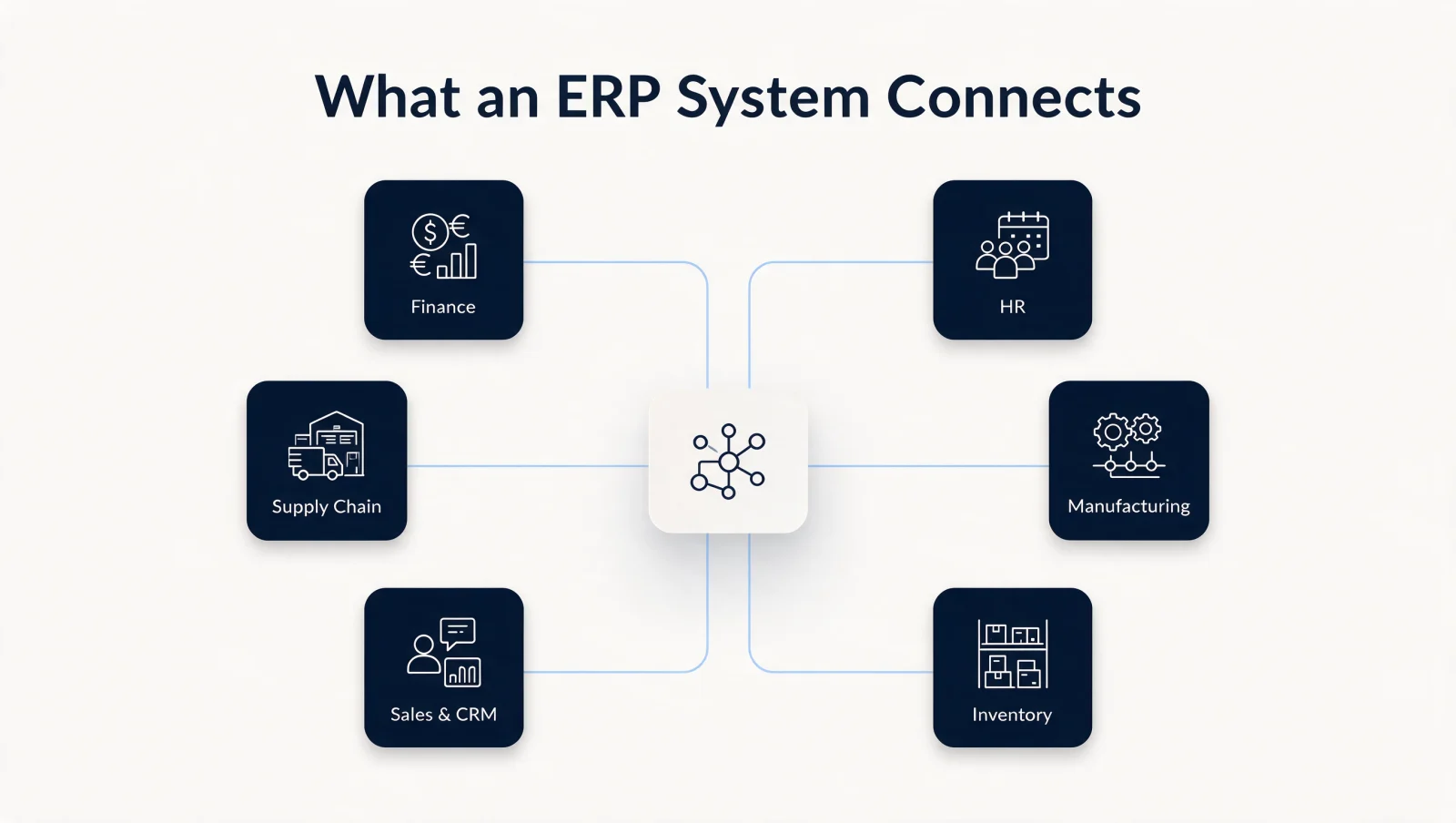
The term "ERP" gets used generically to cover a wide range of business applications tied to B2B digital marketing and automated decision-making, but the core idea stays the same: one platform, one dataset, one version of the truth. An ERP system bundles core resource planning with customer relationship management, supply chain management, inventory control, financials, and other systems such as HR and product lifecycle management. The process begins with capturing data about goods in motion, from suppliers to customers through warehouses and distribution centers, then triggering the next step, whether that is order processing, production scheduling, or inventory management.
The right ERP setup for a given company depends on its size and industry. A manufacturer, a retailer, and a services firm each configure ERP differently, and factors like customer geography, regulatory requirements, company culture, and legacy systems all shape the build. In a typical order flow, a customer buys widgets from an e-commerce storefront, and ERP automation runs the steps behind the scenes: inventory checks, payment processing, warehouse routing, and shipment.
ERP Definition: What Does ERP Stand For?
ERP stands for enterprise resource planning. Define ERP in one sentence: integrated software that runs a company's core processes, finance, HR, supply chain, manufacturing, and sales, on one shared database. Gartner coined the term in 1990 as an extension of MRP II (manufacturing resource planning), and the category has covered the whole back office ever since.
The ERP software definition covers the commercial platforms, SAP S/4HANA, Oracle NetSuite, Microsoft Dynamics 365, Sage Intacct, that package those processes into modules a company licenses and configures. To define ERP in business terms: the system of record. When the board asks for revenue, inventory, or headcount, the ERP number is the answer. A tool that manages one department in isolation, accounting software, a standalone CRM, a warehouse app, does not meet the definition. The test is integration: one database, shared by every function, updated in real time.
What Is ERP in Business? Integrated Business Management Software for Growth
At its foundation, ERP is integrated business management software: every module, finance, inventory, HR, reads from and writes to the same database, so nobody works from stale numbers. If a company relies on separate systems for inventory, customer service, and a handful of other tasks, keeping each one current becomes its own job. ERP consolidates that maintenance into one platform.
Enterprise resource planning is an integrated suite of applications used by companies of every size to manage core functions such as manufacturing, finance and accounting, human resources, and procurement. These functions let organizations operate more intelligently and decide faster, with access not just to internal data but to supplier, distributor, and customer information as well.
ERP is built for managing enterprise-wide processes that involve both people and technology. This spans human resources activities such as recruiting, training, and succession planning; financial services; supply chain management; manufacturing inventory control and distribution; quality assurance programs; and production scheduling improvements. ERP systems play a vital role in the success of any business by keeping every one of those processes visible and connected.
What Is an ERP Database?
An ERP database is the single shared data store at the center of the system. Every module reads from and writes to the same records. When sales enters an order, finance invoices against that exact record, the warehouse picks from it, and reporting counts it, with no export, sync, or re-key in between.
Almost every ERP database is relational: structured tables for customers, orders, items, invoices, and general ledger entries, linked by shared keys. SAP builds S/4HANA on its in-memory HANA database; most other vendors run on standard relational databases or managed cloud data platforms. You rarely pick the database directly. You pick the platform, and the database comes with it.
The database is what separates ERP from a stack of point solutions. Standalone tools each keep their own copy of customer and product data, and middleware syncs the copies until they drift. An ERP database holds one copy, so a report queries one dataset and every department defends the same numbers.
How ERP Impacts Business: Growth, Efficiency, and Smarter Decisions
Software like ERP can be the difference between a company that struggles to grow and one that outpaces larger competitors. Businesses using ERP make sharper calls about where to invest their time and resources. ERP systems are used for:
- Tracking orders and inventory.
- Managing finances.
- Scheduling production.
- Forecasting demand before it becomes a problem.
McKinsey's research on enterprise resource planning found that only 20 percent of companies capture more than half the benefits they projected from their ERP investment, which is why the rollout and change management matter as much as the software itself.
For example, a company weighing expansion into Asia or Africa can use ERP data to compare staffing and operating costs against opening in Europe instead. Businesses also lean on ERP for forecasting sales volume and demand before ordering inventory from vendors, which cuts spend on supplies that would not sell.
How ERP impacts business comes down to compounding gains: finance management, capacity planning, supply chain analytics, and customer relationship visibility all improve at once.
What Is ERP System? Recognizing When Your Business Needs One
If your business shows any of these signs, it is a strong candidate for ERP software:
- Lack of scalability in current systems or processes.
- Poor integration between departments (HR, manufacturing, marketing) and their data sources.
- Rising demand for faster order processing that current systems cannot support.
- No real-time data, which limits decisions that depend on current numbers.
- Outgrowing the current system, or launching a new business that needs management and growth support from day one.
Not every organization needs ERP right away. Manufacturing, for instance, needs a more complex system than retail, where point-of-sale systems already cover daily transactions. Smaller companies with lower volume can run on basic desktop software and add a full system once growth justifies the investment.
Smaller businesses start with accounting and operations tools rather than a full ERP system. These are not ERP platforms, but they cover core finance and project work until growth justifies more:
- FreshBooks, an easy-to-use accounting and invoicing tool for freelancers and small businesses, handling invoicing, billing, and expense reports from one dashboard.
- Wrike, a project and work management platform with pricing plans for small and mid-sized teams and an interface you can tailor to your workflow.
- Zoho, a broad suite of business applications, including CRM, finance, and HR, with pricing that scales as a company grows.
- Xero, cloud accounting software, live since 2006, built around straightforward day-to-day bookkeeping.
- QuickBooks, widely used accounting software that handles invoicing, expenses, and reporting for small businesses.
Gartner's 2024 market share analysis put the ERP software market at $66 billion, up 11.3 percent from the year before, and that growth keeps pulling more established players into the true ERP category. Established ERP providers include Microsoft (Dynamics 365 Business Central and Dynamics 365 Finance and Supply Chain Management, the successors to Dynamics NAV and AX), Oracle (NetSuite and Fusion / E-Business Suite), SAP (S/4HANA and Business One), and Sage (including Sage Intacct).
- Oracle serves both small companies and large enterprises with a full ERP suite and expert support throughout an implementation.
- NetSuite's web-based applications let businesses stay focused on running operations instead of managing software; the platform is built to grow and adapt as a business changes.
- Microsoft Dynamics 365 Business Central, the successor to Dynamics NAV, is one of the longest-standing ERP lineages. Microsoft's business-applications platform has been around for more than 25 years. For a broader look at what the platform covers beyond ERP, see what D365 actually is.
- QuickBooks Enterprise handles core accounting needs, with inventory control, customer service management, and add-ons for further customization.
- Sage 50 Accounting, Sage's cloud-connected accounting product, fits small businesses that do not want the expense of an in-house system.
Pros and Cons of an ERP System
Pros
- ERP systems provide a centralized database of information from suppliers, customers, and other departments, updated in real time. A single source of truth eliminates data collisions.
- The system manages inventory and materials flow while closing gaps in production orders.
- Cloud-hosted ERP shifts security patching and infrastructure hardening to the vendor, which is one reason more businesses are moving off self-hosted systems.
- ERP gives a clearer picture of how inventory moves through the business.
- Manufacturers get timely production-efficiency reports from ERP, which helps protect profit margins.
- Modern ERP interfaces are graphical and do not require coding knowledge, so a new user learns the core functions quickly.
- Many ERP vendors ship AI features that streamline core business processes automatically.
- Plenty of free how-to resources exist online for teams researching or upgrading an ERP system.
Cons
- ERP systems require a real investment in time and budget, which can strain small businesses or new companies without established processes.
- The system needs constant updates as the business changes, which means ongoing work from people who know the platform.
- Some organizations have real concerns about how much control an ERP vendor holds over their data, even when the risk is manageable.
- Partners may hesitate to work with a company running ERP without solid backup procedures for its central databases.
- Every change to data in the ERP has to conform to a relevant standard or process.
- Updating for new scenarios pulls in multiple stakeholders, which can stretch out development cycles.
- Heavier customization adds complexity, both within individual modules and across the system as a whole, which makes it harder to maintain, roll out changes, or integrate new data sources.
- Implementation is often complex and requires real training investment for users.
- Some ERP systems are built for a specific industry or process and carry limited functionality outside it.
What Is a Cloud ERP System?
Cloud ERP is delivered through cloud computing providers such as Amazon Web Services or Microsoft Azure, so companies get started for a predictable monthly fee instead of a major upfront investment.
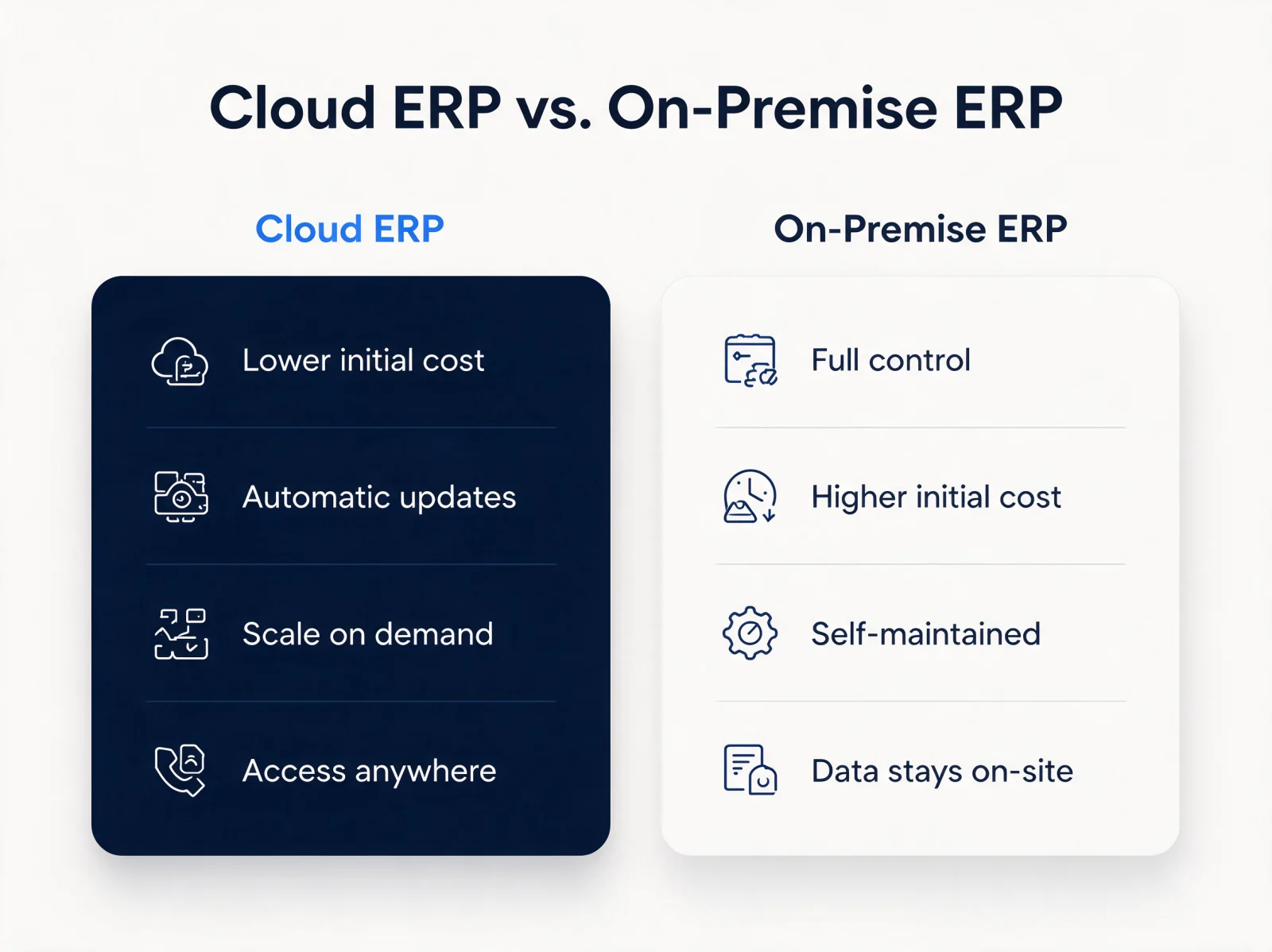
| Cloud ERP | On-Premise ERP |
|---|---|
| Lower upfront cost | Higher upfront cost |
| Vendor-managed, automatic updates | Self-maintained updates |
| Scales on demand | Scales through added hardware |
| Accessible from any device, anywhere | Data and access stay on-site |
These web-based systems are accessible from any device, at any time, whether or not employees are on the clock, and most cloud ERP platforms run 24/365. Because there is no on-site hardware to install, cloud ERP deploys faster than an on-premises system, with less IT overhead. Multi-device access, from a phone to a tablet to a laptop, also removes the worry that hardware will go obsolete as long as the connection holds.
Elasticity is the other advantage business owners notice most: adding employees, leasing space, or buying equipment can scale operations up or down without touching the ERP platform itself. Cloud ERP also automates work that would otherwise need manual effort, including data entry, validation, transaction processing, and production reporting, which reduces the IT headcount needed to keep the system running.
ERP shows up across nearly every industry, from HR-heavy service firms to manufacturing plants, so there is very likely a configuration built for your business.
Before signing anything, ask three questions:
- What am I trying to accomplish?
- Do I have enough funding available?
- What kind of support will I receive after deployment?