

You've heard about Google's search algorithm updates. Page experience is one of them, and it is no longer a future change to brace for. Google rolled it out across mobile in 2021 and desktop in early 2022.
Today page experience lives inside Google's core ranking systems, not as a separate switch. As part of this effort, Google introduced Web Vitals, a set of standards for measuring real user experience on the web.
So what is page experience, and what should you do about it? Let's take a closer look.
The Page Experience in a Summary
Page experience describes how it feels to use a page, and how good or painful that is for the visitor.
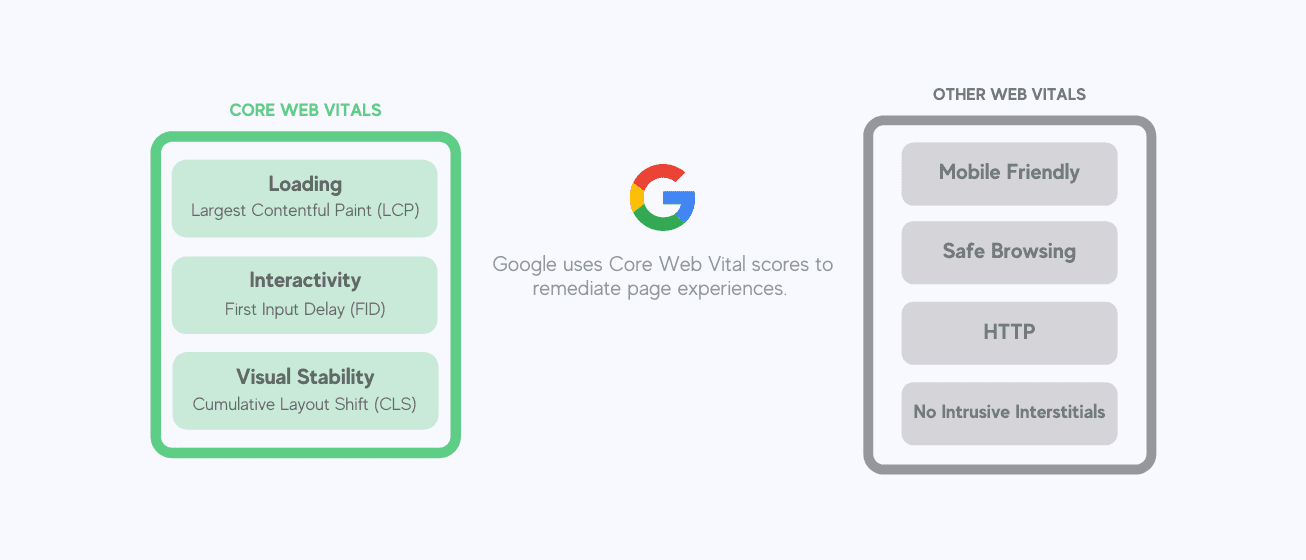
It includes core Google Search signals: mobile-friendliness, safe browsing, HTTPS, and intrusive interstitial rules.
The measurable part is Core Web Vitals. As of 2026 the three metrics are LCP, INP, and CLS. They track loading, interactivity, and visual stability. Google measures each one at the 75th percentile of real visits, split by mobile and desktop.
- Largest Contentful Paint (LCP) measures loading. It marks when the largest content element becomes visible. Aim for 2.5 seconds or less.
- Interaction to Next Paint (INP) measures interactivity. It captures how quickly the page responds across all clicks and taps during a visit, then reports the worst one. Aim for 200 milliseconds or less. INP replaced First Input Delay (FID) as a Core Web Vital on March 12, 2024.
- Cumulative Layout Shift (CLS) measures visual stability. It scores how much content jumps around unexpectedly as the page loads. Aim for 0.1 or less.
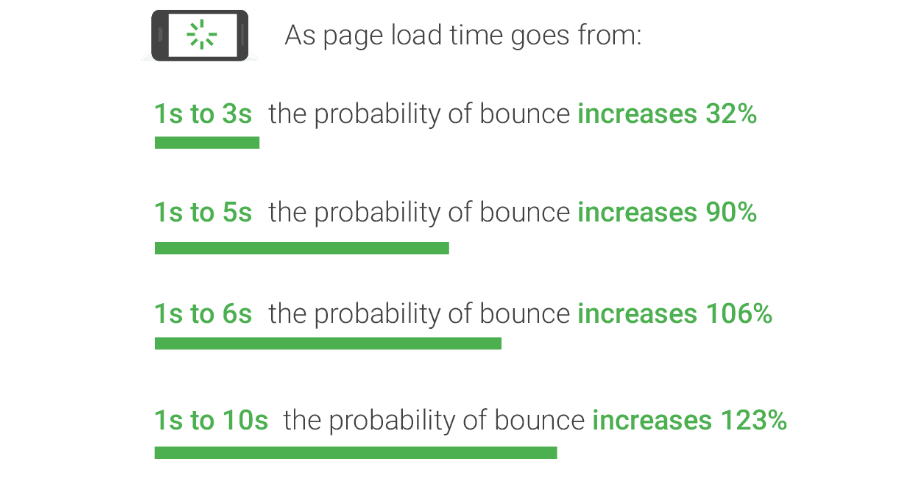
You may already have optimized for several of these. Google's own research found that as page load time climbs from one second to 10 seconds, the probability of a mobile visitor bouncing rises 123%.
The same study found that as the number of elements on a page grows from 400 to 6,000, the probability of conversion drops 95%. Speed and simplicity decide whether visitors stay.
Google folds these signals and others into its core ranking systems, where they shape organic search results.
RELATED: Google Map Pack: 5 Small & Local Business Strategies

The Badge That Never Shipped
Google once floated a visual badge for pages that pass page experience. The old "mobile-friendly" labels and AMP icons led many to expect one.
No badge ever shipped. The mobile-friendly label is gone, and Google sunset its Mobile-Friendly Test in December 2023. Optimize for users and real metrics, not for an icon that does not exist.
Page experience also is not everything. If you read this far and concluded that fixing every parameter above guarantees a traffic surge, that is not how it works. Content is still king. Everything starts there.
Google says it plainly: a great page experience does not replace great content. When several pages are similar in relevance, the better page experience wins the tiebreaker.
RELATED: How to Grant User Access in Google Analytics
Why You Should Understand This Algorithm Update
The new page experience metrics deserve attention from designers and everyone working on search rankings. Page experience is not a single magic signal. Google is direct about this: there is no one factor pages must pass.
Core Web Vitals are the part directly used in ranking. HTTPS, mobile-friendliness, and avoiding intrusive interstitials are baseline good practice that keep visitors happy, but on their own they do not push a page higher.
Relevance still comes first. Google's core ranking systems weigh many factors, and a strong page experience helps when pages are otherwise comparable.
For site owners, learning these signals and making the needed changes is a priority. A slow, unstable page gets left behind.
Learning What Bad Page Experience Is
Before fixing page experience, name the problems. Three patterns cost you the most.
Slow load and slow response: A visitor clicks a result and waits. A few seconds feels like forever, and they leave. Slow interactions hurt just as much. A tap that does nothing for half a second reads as broken.
Confusing layout: Even a fast page can be hard to use. Cluttered design, stacked pop-ups, and content with no clear structure make people hunt for what they came for. Finding details becomes like looking for a needle in a haystack.
No engagement: Too many sites treat the visitor as a transaction. Today's buyer expects clarity and a page built around their question, not yours.
RELATED: How to Grant Someone Access to Your Google Ads Account
Actions You Can Take
You do not need a six-month runway. The update is live. Audit your pages and fix the gaps now. There are no excuses for putting it off.
Here are some things to consider:
- Get fluent in the metrics Google uses. These are LCP (Largest Contentful Paint), INP (Interaction to Next Paint), and CLS (Cumulative Layout Shift). Google publishes the definitions and thresholds, which help you master them.
- Run a site audit. Optimize for the ranking signals that matter: page load speed, responsiveness, mobile functionality, and stable layout. PageSpeed Insights and the Core Web Vitals report in Search Console show your real field data.
- A fast, stable site is a team effort. Bring SEO, design, and engineering into the same room on priorities. These teams need to align on goals and the work ahead.
4 Ways to Improve Page Experience
You have the overview: what page experience means, what it changes for developers and stakeholders, and the first moves to make. Here is the granular work that lifts page experience.
1. Maximize for Mobile and Tablet Search
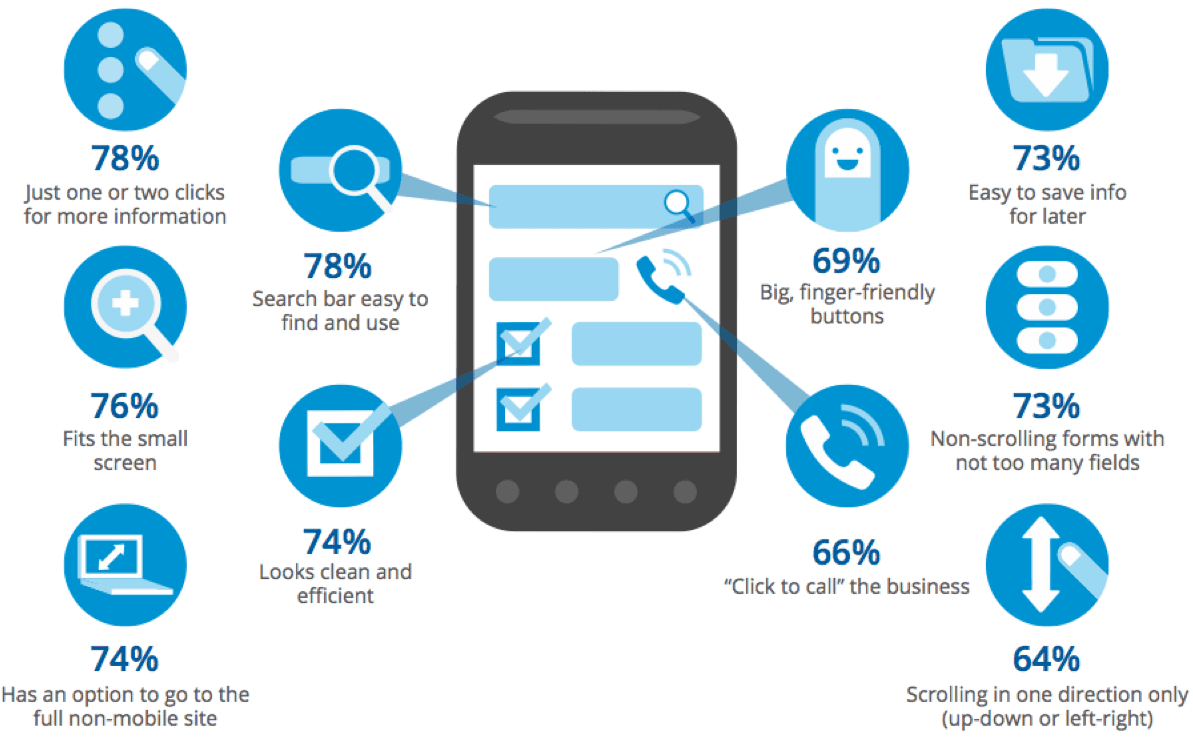
Mobile is now the majority of global web traffic, and Google ranks pages using the mobile version of your content. These numbers cannot be ignored. Mobile-first is not optional.
Make the page mobile-ready: minimize code, leverage browser caching, and cut redirects. The layout must be responsive and easy to read on smaller screens. Structure the page so the core content loads fast and reads clean on a phone.
RELATED: How to Add a User to Google Search Console
2. Enhance and Optimize Page Speeds
Speed drives conversions. Akamai's research found a 100-millisecond delay in load time can cut conversion rates by 7%. A fraction of a second is all it takes.
Target an LCP of 2.5 seconds or less at the 75th percentile. One way to get there is to reduce HTTP requests. Every element on the page adds render time.
Load non-critical scripts asynchronously so the browser is not blocked while it works top to bottom. Use that loading order to your advantage.
Then tighten JavaScript execution and server response times. Look at compression, caching, and image file sizes. Each one buys back milliseconds.
RELATED: How Google Analytics Works
3. Try Different CTAs
Mobile and speed are the foundation. Calls to action shape what visitors do once the page performs, and they lift both engagement and conversion.
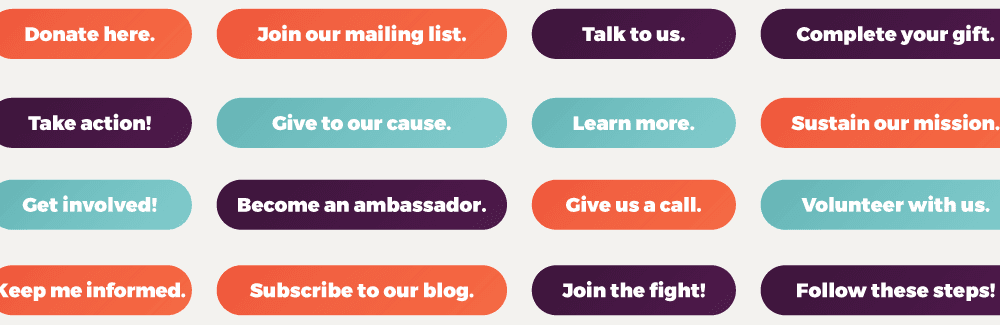
Almost every site has CTAs in some form. Visitors are asked to subscribe, sign up, book a call, or buy.
Different visitors arrive in different mindsets, so tailor the CTA to the moment.
Keep it short, specific, and clear about the action. State the benefit. Tell the reader what they get: an answer, a result, or a fix.
Design counts too. CTA buttons should be visible, well shaped, and well placed. Make the next step obvious.
RELATED: Google Grows Shopify Partnership
4. Implement Alt Text for Images
We covered image compression as a way to deliver a faster loading experience. There is one more factor that touches both experience and image discovery.
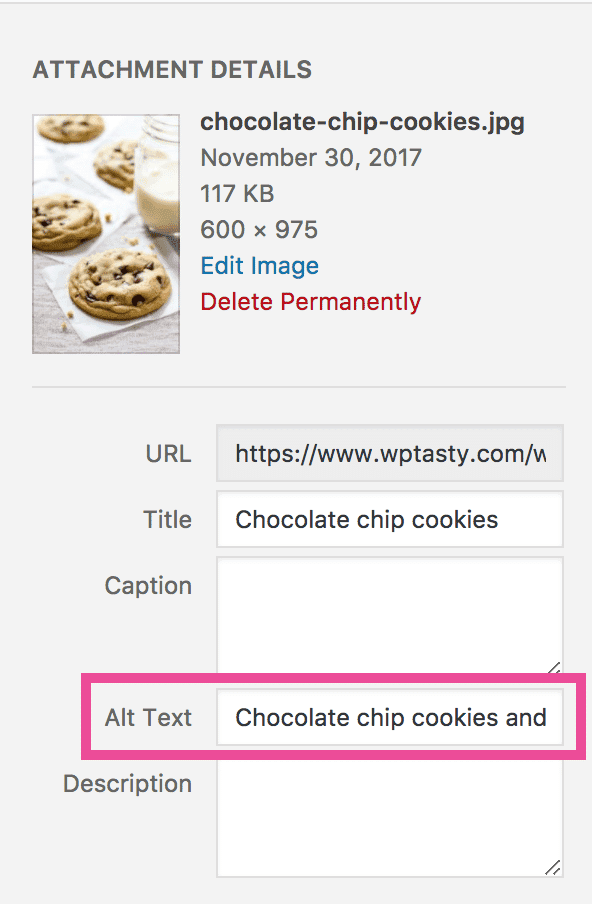
It is alt text. Used in the HTML, it describes the look and function of an image. The alt text shows when the image fails to load, so visitors keep the context. Screen readers rely on it, which makes your pages accessible.
Crawlers also use alt text for image-search context. Keep descriptions short and specific, and include a relevant term when it fits naturally. This supports accessibility and image discovery. It is a minor signal, not a shortcut to higher rankings for the page itself.
RELATED: What exactly is E-A-T and why does it matter to Google?
Lastly Focus on The Content
We touched on this earlier, and it is worth repeating. Teams get so deep in metrics and technical fixes that the most important part slips to second place.
Great content decides rankings. It must be clear, answer a real need, and stand apart.
Write content that earns the visit, then optimize it against Core Web Vitals. That combination moves you up the results page.


