Monday.com is project management software that helps businesses manage their projects, tasks, and team workflows on a single platform, and it also ships a dedicated CRM product built for sales teams. Before comparing it to a single-purpose CRM, most buyers ask a simpler question first: is monday.com free? The honest answer is yes, with a genuine monday com free plan for up to two seats, though the picture changes once you need the dedicated CRM tools this article covers next.
- monday.com's core work-management product is not a single-purpose CRM, but the company offers monday CRM (also called monday sales CRM), a dedicated product with contact management, lead tracking, pipeline management, and sales forecasting.
- So monday.com gives you both project-management tools and a real CRM product on one platform: task management, collaboration tools, advanced reporting, and full sales-pipeline tracking.
- Ultimately, monday.com is a flexible work-management platform that includes a real CRM product, so it can serve as your CRM depending on your needs.
Key Takeaways
- The monday com free plan is a genuine permanent tier: 2 seats, 3 boards, unlimited docs, and 1,000 items for free forever.
- Is monday.com free forever? Yes, for the base Work Management product. "Free forever" does not mean "scalable forever."
- The monday.com Basic plan is the first paid tier, and every paid plan carries a 3-seat minimum.
- Is monday.com free for students is answered directly by the vendor: it recommends the standard Free Plan, not a separate education tier.
- monday.com free for nonprofits is a real, verified program: eligible 501(c)(3) organizations get 10 free seats plus 70% off every seat after.
- monday CRM, the dedicated sales product this article covers, has no permanent free plan at all, only a 14-day Pro trial.
Is Monday.com a CRM?
Monday.com is a flexible work-management platform, and monday CRM, its dedicated CRM product, lets you manage leads, clients, and marketing campaigns. It offers the capability to create custom sales dashboards, providing a clear overview of sales activities, pipeline, and performance metrics.
These dashboards can be tailored to specific needs, allowing teams to track progress and make data-driven decisions. With Monday.com, users can receive real-time insights into sales activities, customer interactions, and campaign performance. This allows for better decision-making and the ability to quickly adjust strategies based on current trends and customer behavior.
RELATED:Alternatives to Monday.com: 5 Best Picks
What is Monday com used for?
Monday.com is a versatile platform that offers a wide range of uses for team management, project tracking, and CRM capabilities. With its user-friendly interface and flexible features, it is an ideal tool for managing tasks, projects, workflows, and customer relationships.
- One of the key features of Monday.com as a CRM is the ability to automate routine tasks, such as sending follow-up emails, updating client records, and assigning leads to sales representatives. This streamlines processes and allows team members to focus on high-value tasks.
- For team management, Monday.com provides collaboration tools, communication features, and customizable workflows to ensure everyone is on the same page and working efficiently. Project tracking is made easy with visual timelines, calendars, and Gantt charts to monitor progress and deadlines.
- The CRM capabilities allow users to track leads, manage customer interactions, and automate sales processes. monday.com is a work-management and CRM platform, not an ERP, though it integrates with finance, HR, and inventory tools when you need them.
The platform's flexibility allows for customizing workflows, automating repetitive tasks, and adapting to various project and team needs. Overall, Monday.com is a comprehensive solution for team collaboration, project management, and customer relationship management.
RELATED:Monday.com Pricing, Plans, and Features Explained
Is monday.com Free? The monday com Free Plan Explained
monday.com does offer a genuine free tier, not a trial and not a time-limited demo, but a permanent plan you can use indefinitely. So if you are asking is monday.com free, the answer is yes, partially, with real constraints worth understanding before you build a CRM workflow on top of it.
What the Free Forever Plan Includes
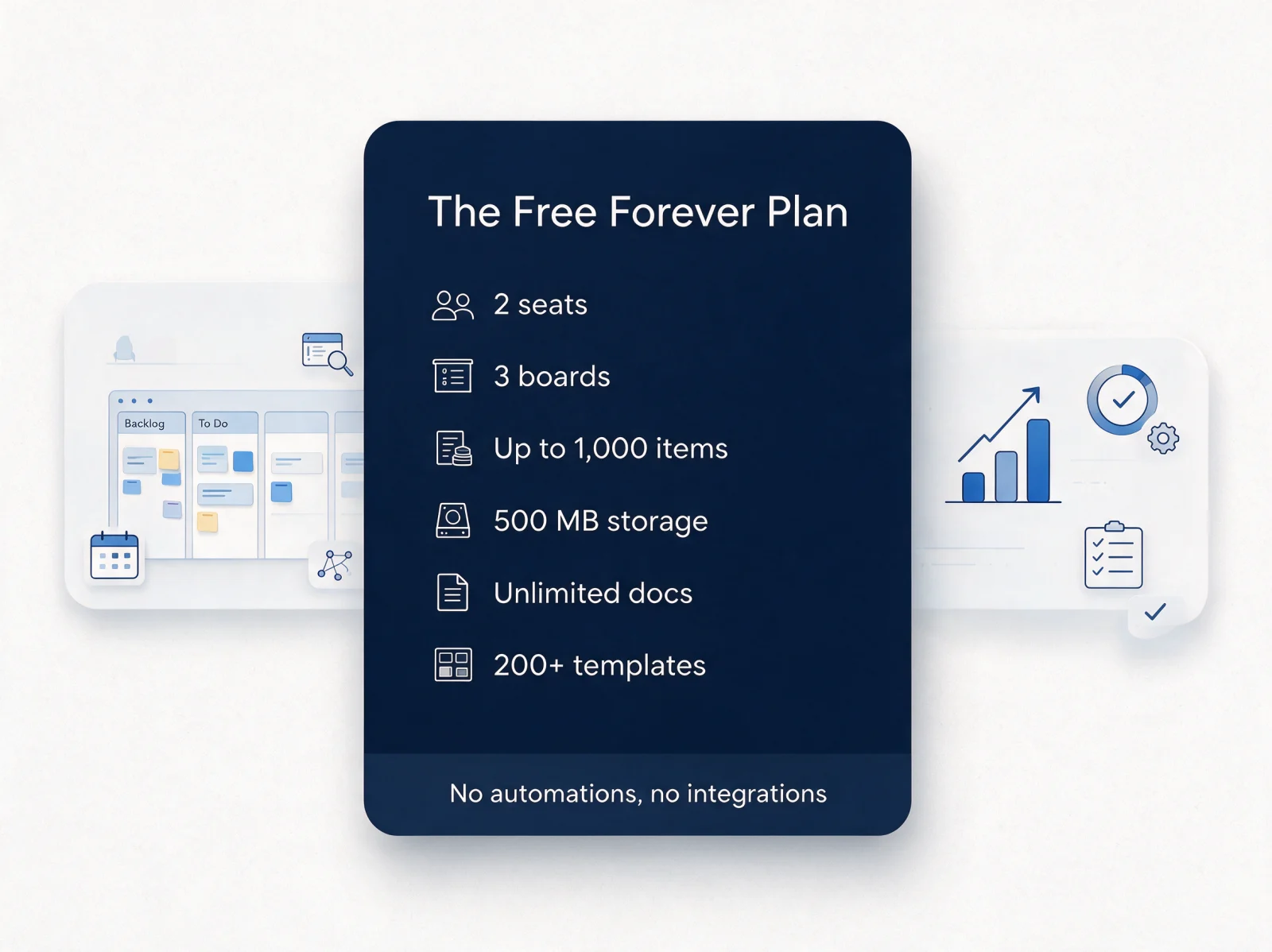
The Free Forever plan supports up to 2 seats, a functional starting point for a solo operator or a two-person team. What you get, verified directly against monday.com's pricing page, is lean but real:
- 2 seats, no more and no less
- 3 boards to organize your work
- Unlimited docs for notes and collaborative writing
- 200+ templates to jumpstart common workflows
- Up to 1,000 items across every board combined
- 500 MB of file storage
Where the Free Plan Falls Short for CRM Use
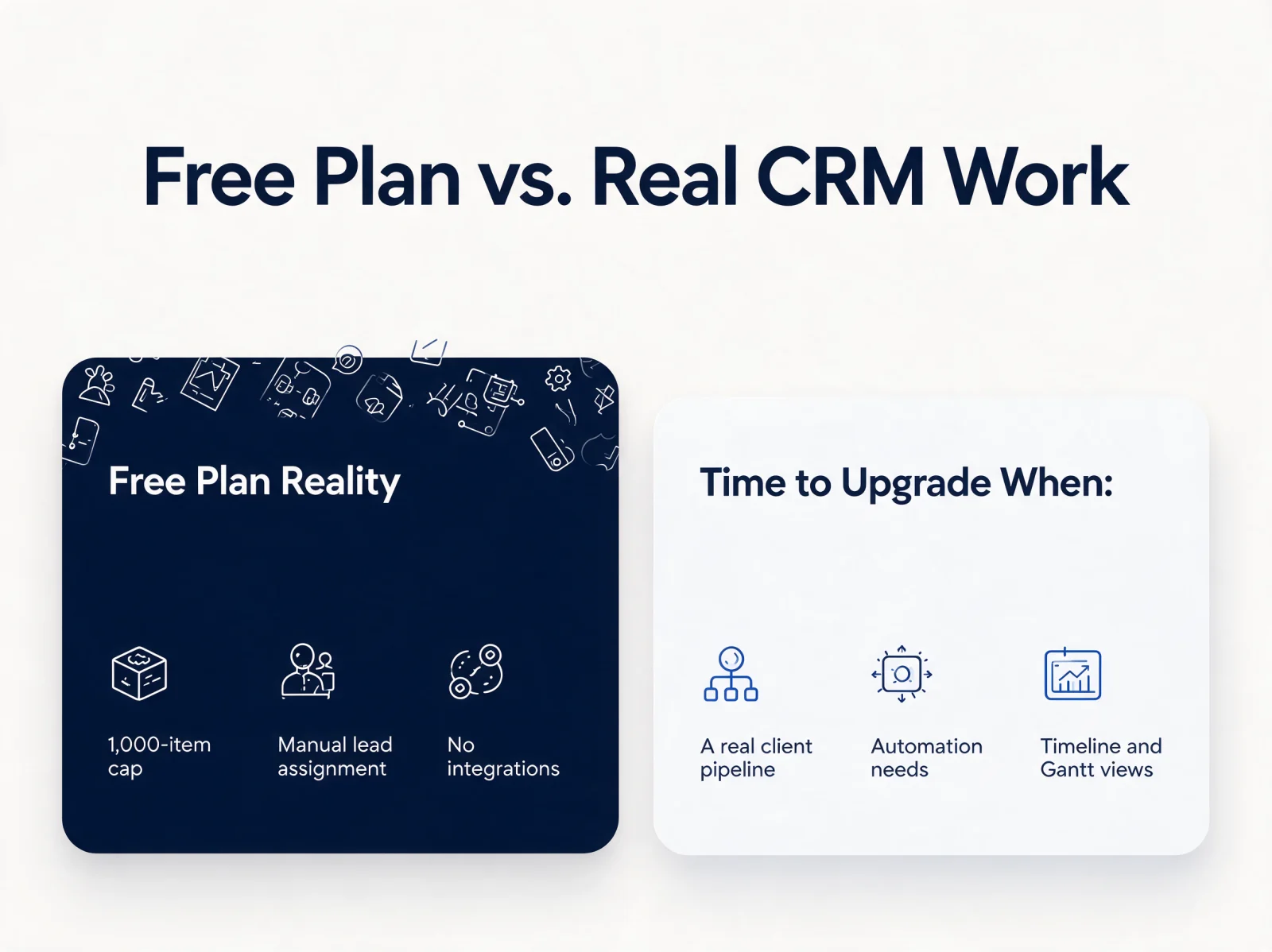
A permanent plan and a capable CRM are different things. Every task, sub-item, and row counts toward the 1,000-item cap, and one real client pipeline can brush against it within weeks. The free tier locks out Timeline and Gantt views, and ships with zero automations and zero integrations, so contact records and lead assignment stay manual. That is a deliberate boundary, one that pushes real sales teams toward monday CRM or the paid tiers.
Is monday.com Free for Students and Nonprofits?
Is monday.com free for students comes down to what monday.com itself recommends: the standard Free Plan, not a separate upgraded program. monday.com's own student support page points students to the Free Plan and asks them to contact support directly if their needs outgrow it, rather than promising a distinct education tier.
monday.com free for nonprofits is a stronger, better-documented offer. Eligible 501(c)(3) organizations can apply through monday.com's nonprofit program for the first 10 seats entirely free, plus a 70% discount on every seat after that, effectively paid-tier access at no upfront seat cost for a team of ten.
monday com pricing tiers: Free vs Basic vs Standard vs Pro
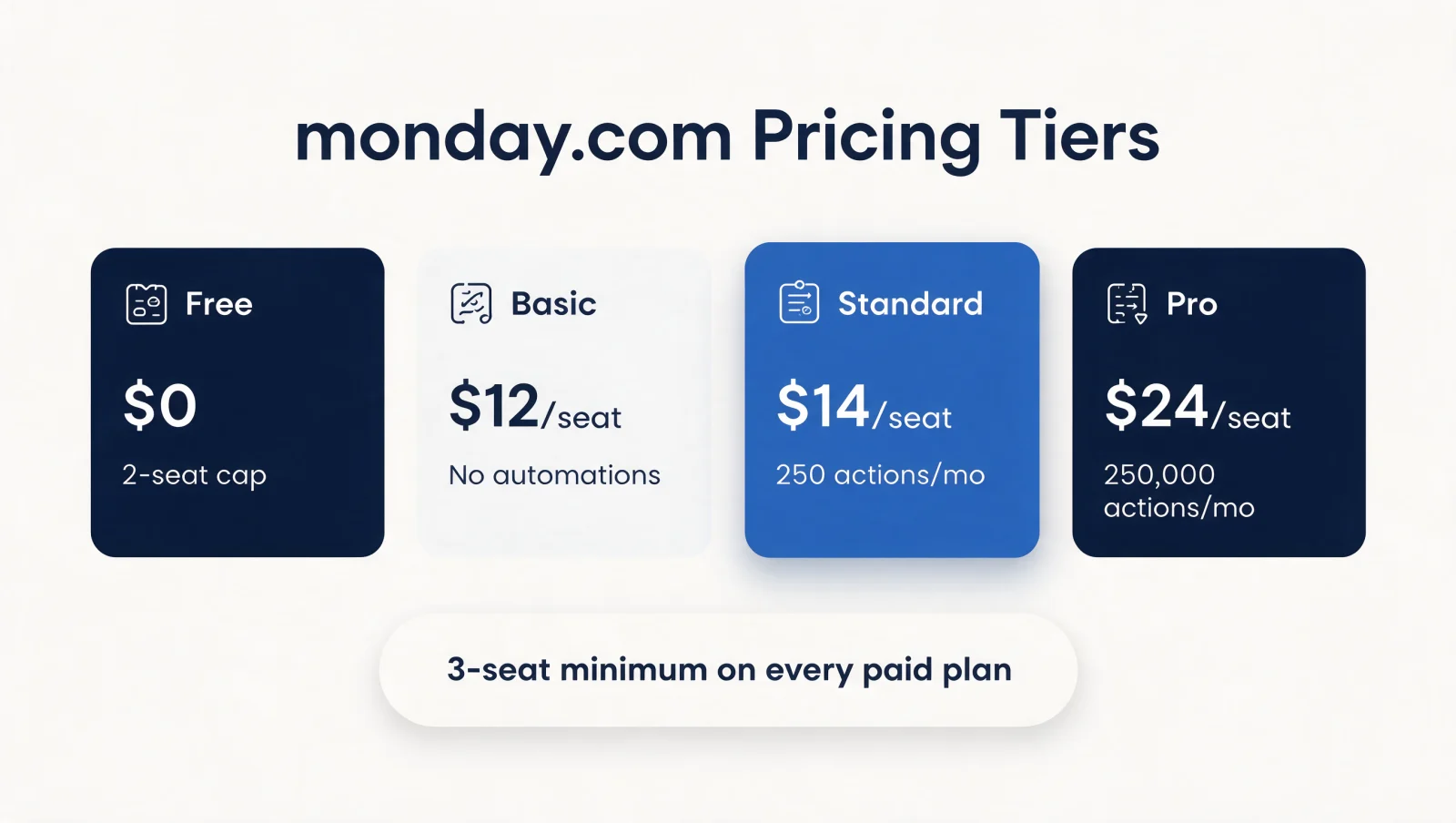
When the free plan runs out of room, the paid tier structure is the clearest signal of what monday.com actually costs at scale. Here is the current breakdown, verified against monday.com's live pricing page:
| Plan | Price (monthly billing) | Seats minimum | Automations & integrations | Timeline & Gantt views |
|---|---|---|---|---|
| Free | $0 | 2 (cap) | None | Not included |
| Basic | $12/seat | 3 | None | Not included |
| Standard | $14/seat | 3 | 250 actions/month | Included |
| Pro | $24/seat | 3 | 250,000 actions/month | Included |
| Enterprise | Custom | 3 | Custom | Included |
The 3-seat minimum is the detail most teams overlook. Every paid plan, including Basic, requires a minimum purchase of three seats, even if your actual team is two people. That changes the math immediately: you are paying for at least three seats to unlock features, not one.
Basic removes the item and board caps and adds 5 GB of storage plus priority support, but still has no automations. Standard is where the platform earns its reputation: 250 automation and integration actions a month plus Timeline and Gantt views, the most popular tier among business users. Pro raises that ceiling to 250,000 actions a month.
Separately: monday CRM is priced on its own ladder (Basic, Standard, Pro, Ultimate) and carries no permanent free plan, only a 14-day Pro trial. Budget for monday CRM's pricing if CRM functionality is the actual goal, not the Work Management free tier.
Monday.com vs Project Management Tools (Asana & Trello)
Monday.com stands out from popular project management tools like Asana and Trello with its focus on work management and development into a full sales CRM. The key difference is that Monday.com offers more advanced features similar to CRM platforms, whilst Asana and Trello are more suited for those who just want simplicity.
Monday.com offers a suite of interconnected products designed to streamline work processes. Monday.com also provides a highly customizable interface, allowing users to create unique workflows tailored to their specific needs.
In comparison, Asana is known for its user-friendly interface and simple collaboration tools, making it a popular choice for teams seeking a seamless project management experience. Trello is praised for its simplicity and visual approach to task management, ideal for small teams and individuals.
Integrations are another key aspect to consider. Asana and Trello offer a wide range of integrations with other tools, while monday.com focuses on building its own ecosystem of connected products. Depending on specific needs, teams can find the right fit among these project management tools.
When the Free Plan Stops Being Enough for CRM Work
A free board and a real CRM system are not the same investment, and the gap shows up the moment a second person joins the pipeline. According to Salesforce's State of Sales research, sales reps spend 60% of their time on non-selling tasks like manual data entry, exactly the work monday.com's free tier leaves manual. The global CRM software market grew to $128 billion in 2024, a sign of how much businesses value getting contact and pipeline management right.
Most teams do not fail because they chose the wrong platform. They fail because the setup was never structured to support growth: a board duplicated to dodge a seat limit, a status column repurposed as a budget tracker, workflows that cannot be automated because the free tier never had automations. Poor CRM setup and alignment are among the most common and costly reasons workflows stall, even when the software is capable.
CRM implementation and connected system design are the next step once monday.com's boards need to reflect real customer pipelines or feed reporting dashboards. Twelverays turns that complexity into clean, connected systems that avoid the most common setup failures, following the same architecture covered in our step-by-step CRM implementation guide.
At Twelverays, we help our clients choose and implement the right CRM or work-management tool, then build the workflows around it. monday.com is a strong contender: its user-friendly interface, customizable features, and excellent support make it a valuable asset for managing customer relationships and driving business growth. Reach out today to learn more about implementing monday.com CRM for your business.