

Salesforce to HubSpot migration is the transfer of agreed customer data and operating processes into HubSpot, followed by a controlled switch in where your team works. Your Salesforce to HubSpot migration plan should identify what must remain usable after that switch. A Salesforce to HubSpot migration checklist then connects those requirements to evidence: records, relationships, ownership, history and reports that business users can inspect.
The buying decision is what the partner will preserve, transform or leave in an approved archive. A completed import is one part of that decision. Your sales team also needs to recognise an active opportunity, find its contacts and understand what happened before the move.
This article assumes you intend to move the agreed processes. If the platform decision remains open, use the Salesforce and HubSpot comparison first. An ongoing connection between two live systems has a different scope from migration and cutover.
Define the preservation scope before you migrate Salesforce to HubSpot
A preservation register is the list of information and business behaviour that must remain available after the move. Include active pipeline, customer relationships, record ownership, relevant activities, communication preferences and the reports your team relies on. Name the business owner who can accept each item.
Distinguish information that must work inside HubSpot from material that only needs to remain retrievable. A salesperson may need recent account activity on the customer record, while older supporting documents may belong in an approved archive. The choice depends on how your organisation uses the information and its retention requirements.
Do not assume the platforms will represent every process identically. A status may need a new definition, an activity may need a different representation and a custom structure may need redesign. Ask the partner to show the intended result for representative records before pricing the entire migration on an assumed direct copy.
Bring the register to a discussion about Twelverays HubSpot services. It gives the scoping conversation a concrete starting point without implying that a standard package includes every historical record or custom process.
Map Salesforce to HubSpot data migration by business meaning
Field mapping defines where a source value goes. Business mapping defines what that value should mean when users work with it in the destination. Document both, including transformations, approved exclusions and the evidence that will establish correctness.
| Source requirement | Proposed destination decision | Transformation to agree | Acceptance evidence |
|---|---|---|---|
| Active opportunity | Agreed deal and pipeline stage | Stage definitions and values | Sales owner can continue the next action |
| Customer and contacts | Company and contact relationships | Identity matching and association rules | Correct people appear against the intended customer |
| Record ownership | Intended responsible HubSpot user | User matching and inactive-owner handling | Named owner can find and work the record |
| Historical activity | Supported activity or approved archive | Type, date, author and relationship treatment | Selected history remains understandable and retrievable |
According to HubSpot's import file requirements, required properties, unique identifiers and associations determine how records can be created, updated and connected. Use those rules to assess the proposed mapping. Existing records need an appropriate identifier for updates; a spreadsheet row is not enough to establish the intended identity.
The same guidance notes that blank cells do not clear an existing property value during import. If your migration requires a value to be removed, ask for an explicit supported method and approval. A blank source field and an instruction to delete a destination value are different operations.
Check custom objects, association labels and activities against the purchased HubSpot capabilities and chosen method. Do not accept a blanket statement that every Salesforce custom relationship has a direct equivalent. The Salesforce data migration guidance provides broader preparation questions.
Approve cleanup, archives and exclusions before the transfer
Have the partner identify duplicate candidates, invalid values, orphaned relationships and records with unclear ownership. Decide which corrections are required for the agreed destination process and which can be handled separately. Assign customer approval where the work merges records, removes data or changes business meaning.
Record the selection rules and their expected effect before applying them. Inactivity alone does not establish that a record is a duplicate or safe to delete. Avoid adopting a generic age threshold without considering active relationships, reporting needs and the customer's retention decisions.
An exclusion from the migration is not necessarily a deletion from Salesforce. State whether the source remains available, whether an archive is created and who can retrieve excluded material. Price archive preparation and access where they form part of the work. A folder of export files is only useful if someone can locate and interpret the required information.
Treat attachments, audit records and activity history as named scope items. Ask what the selected method can extract, where each item will be stored and how it will remain connected to the relevant customer. An activity converted to a note may lose behaviour your users need. Approve such substitutions explicitly rather than calling them automatically equivalent.
Keep cleanup effort visible in the proposal. It may be bundled commercially, but its boundaries, assumptions and acceptance criteria should still be clear.
Rehearse the Salesforce to HubSpot migration checklist
A migration rehearsal is a trial of the proposed transfer and its acceptance checks before the final switch. Choose an environment or controlled method appropriate to your available entitlements and data procedures. Do not assume every account includes a suitable sandbox or that a small record count removes the need to test a complicated mapping.
Select records that cover the difficult business cases: multiple contacts at one customer, inactive owners, unusual deal stages, historical activities and records intentionally left out. Agree expected results before loading them. Include common records too, so the test reflects both routine work and exceptions.
Reconciliation is the comparison of the expected transfer with the records and relationships that actually arrived. Record counts help, but the expected totals must account for approved merges, exclusions and transformations. Then check important values, dates, ownership and relationships. A matching total can still contain the wrong customer associations.
Ask business users to perform the actions they will need after cutover. A salesperson should locate an opportunity and continue the next step. A manager should run a selected report using agreed filters and definitions. Record the results, defects and acceptance decision instead of relying on an import success message.
Choose sample coverage based on business risk and data variation. There is no universal two-to-five-percent sample that establishes success for every migration. Include all critical scenarios and document why the remaining sampling is sufficient for your acceptance decision.
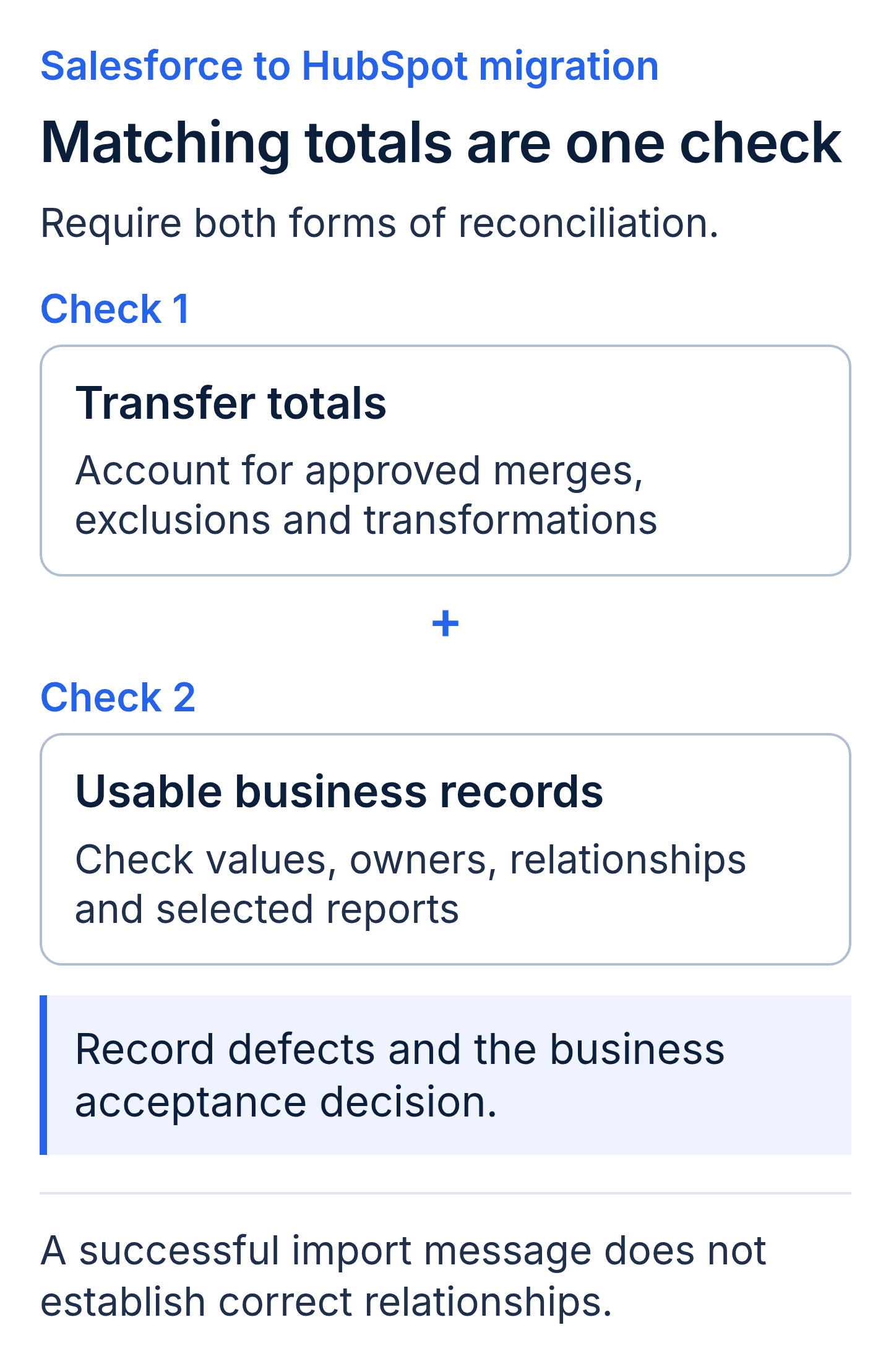
Use both checks during the migration rehearsal. Matching record counts can coexist with incorrect customer relationships.
Write the Salesforce to HubSpot migration plan for cutover
Cutover is the controlled change in where users and connected processes perform the agreed work. Document who authorises it, which activities pause and how changes made after the rehearsal will be captured. A freeze may apply to selected records or workflows; it does not have to stop every activity in both systems.
According to Salesforce's data export guidance, Data Export Service and Data Loader are export methods with different operating requirements. Data Export Service completion timing is not guaranteed, and its downloadable ZIP files are deleted 48 hours after the notification email. Assign someone to retrieve and secure those files within that window. Choose and rehearse the extraction method before depending on it for a fixed cutover window.
Define the final sequence: communicate the change, capture the agreed source position, process final updates, reconcile the result and obtain launch approval. Assign ownership of open deals, scheduled campaigns and other work affected by the switch. Identify which integrations and automations must be redirected, replaced or stopped.
Agree conditions for pausing, continuing with documented exceptions or returning to an earlier operating process. A fallback plan must address new work already performed in HubSpot and changes already sent to other systems. Restoring an export does not automatically reverse every downstream effect.
Keep Salesforce access and archive availability aligned with the approved transition plan. Subscription cancellation and account closure should follow the customer's commercial and retention decisions, after the required evidence and access have been confirmed.
Compare migration proposals on reruns and handover
Ask each candidate what happens when a record fails or a mapping needs correction. Require a method for identifying affected records and deciding whether a rerun will create, update or duplicate data. Confirm the included effort and the approval process for additional work. According to HubSpot's import error guidance, operators can review error details and download an error file. Require that evidence for unresolved records rather than treating the import completion message as business acceptance.
According to HubSpot's multi-object import documentation, creating records and updating existing records are distinct import choices. It also states that existing emails, meetings, notes and tasks cannot be updated through import. That limitation matters when a partner proposes to fix historical activities by rerunning the same file. Request a supported correction plan before accepting that assumption.
Compare deliverables beyond the import itself. Ask for the approved mapping, transformation rules, reconciliation results, exception register and operating handover. Identify who controls migration credentials and where the customer receives the documentation needed to understand the result.
Training should follow the tasks each role performs. Use the HubSpot implementation guide for broader setup planning, then specify the migration-related training and checks you want included. Agree responsibility for user questions and mapping defects during the first relevant operating cycle.
Define how long that support lasts, what it covers and what closes the engagement. A first sales reporting cycle can be a useful checkpoint to negotiate; it is not a universal included service or a promise of immediate productivity improvement.
Salesforce to HubSpot migration glossary
- Unique identifier: a value used to distinguish and match a record under the chosen import method.
- Association: the relationship linking records, such as a contact and its company.
- Archive: an approved, retrievable store for information that will not operate as live data in HubSpot.
- Final delta: the changes made after the baseline extraction that still need to be captured before cutover.
Key takeaways
- A Salesforce to HubSpot migration must preserve approved business meaning, relationships and ownership as well as field values.
- Cleanup and exclusions need customer approval, including a decision about how archived information remains accessible.
- Migration acceptance requires representative business tests and reconciliation of relationships as well as record counts.
- The cutover plan should name launch authority, supported correction methods and ownership of post-move work.
Salesforce to HubSpot migration buyer FAQs
Can all Salesforce history move into HubSpot?
Assess each data type and relationship against the destination capabilities and migration method. Some information may need transformation or an archive. Ask for a demonstrated example of important activities, attachments and custom records. Avoid accepting notes or flat exports as equivalent without checking how users need to work with that history.
When should Salesforce records be cleaned before a HubSpot migration?
Resolve issues that affect matching, required fields and business meaning before the final transfer. Use the rehearsal to expose additional problems. Agree which corrections happen in the source, in a controlled preparation file or in the destination. Preserve traceability between the original record and the approved result.
How do we verify that a Salesforce to HubSpot migration succeeded?
Compare expected and actual records, relationships, ownership and selected reports. Account for approved exclusions and merges when reconciling totals. Have business users execute the agreed scenarios and approve documented exceptions. Keep that evidence with the mapping and handover, so the acceptance decision can be reviewed later.
Does a Salesforce to HubSpot migration need a rehearsal and fallback plan?
Include testing and recovery planning proportionate to the process and data at risk. A small, highly customised dataset can need careful rehearsal. Ask what happens if the final validation fails and how new work will be handled if the team returns to the previous operating process.
Discuss your migration scope with Twelverays
Bring your Salesforce object inventory, must-keep reports and examples of history your users need to retrieve. Include the intended cutover boundary and systems that depend on Salesforce today. Contact Twelverays to discuss the HubSpot migration scope, acceptance evidence and handover your team needs.


