

In today's business landscape, many companies operate on a patchwork of disconnected software. There's one system for sales, another for accounting, and perhaps a third for managing operations. This creates data silos, inefficiencies, and significant headaches. This is precisely the problem Microsoft Dynamics 365 was engineered to solve.
Simply put, Dynamics 365 is not a single piece of software; it's a comprehensive suite of intelligent business applications that unify customer relationship management (CRM) and enterprise resource planning (ERP) capabilities into one cohesive platform. The goal is to eliminate the need to jump between separate, siloed systems.
What's Really Under the Hood of Dynamics 365?
Think of Dynamics 365 as the central nervous system for your entire organization. It's designed to break down the traditional walls between departments, allowing information to flow seamlessly from the initial marketing contact with a prospect through to the final invoice and financial reporting. This provides a complete, real-time view of your business operations in one centralized place.
A key advantage is its modular nature. You don't need to purchase a monolithic, one-size-fits-all package. Instead, you can start with the specific applications you need now, such as Sales and Customer Service, and add more as your business grows and your needs evolve. This approach optimizes costs and ensures you only pay for the functionality you use.
Tearing Down the Walls Between Departments
What does this unified approach mean in practice? It means your teams are finally synchronized and working from the same data.
- Your sales team can see if a customer has an open support ticket before making a call.
- The marketing department can craft campaigns based on actual sales data, not just assumptions.
- Your finance team gains instant access to project costs and revenue as they are generated.
- Operations managers can analyze the sales pipeline to forecast inventory needs accurately.
When everyone operates from a single source of truth, they make smarter, faster decisions. By connecting these once-separate worlds, you achieve a holistic view of your business. To delve deeper into the customer-facing aspect, explore our guide on what are CRM systems.
A Platform That Just Works Together
The true power of Dynamics 365 is amplified by its seamless integration with the tools your team uses daily, such as Microsoft 365 (formerly Office 365) and Power BI. This allows employees to access powerful D365 data and insights directly from within Outlook or Excel, eliminating the need to constantly switch between applications and boosting productivity.
Dynamics 365 is more than just software. It’s a strategic platform that provides the data and tools to automate processes, create exceptional customer experiences, and drive sustainable growth.
This integrated power is driving its rapid adoption. Leading global enterprises like Coca-Cola and HP rely on Dynamics 365 to manage their complex operations, a testament to the platform's power and reliability.
Now that we have a foundational understanding of what Dynamics 365 is, let's examine its core components.
Microsoft Dynamics 365 Core Components at a Glance
To truly grasp how Dynamics 365 works, it's helpful to see how its components fit together. The platform is broadly divided into CRM-focused applications (for managing customer interactions) and ERP-focused applications (for managing core business operations). The table below provides a clear breakdown.
This table illustrates that D365 is not a single product but a connected ecosystem of tools. By combining customer-facing data from CRM modules with back-end operational data from ERP modules, you gain a complete, 360-degree view of your business.
Exploring the Core Applications Within D365
The power of Dynamics 365 becomes evident when exploring its individual applications. Think of the platform not as a single, monolithic piece of software, but as a professional's toolkit. Instead of one large, unwieldy tool, you get a collection of specialized instruments, each designed for a specific job. Businesses select the apps that solve their most pressing problems, creating a custom solution that fits their needs perfectly.
This modular design allows you to start small and scale. You might begin with an app to streamline your sales process and later add another to manage your finances. The best part? They are all designed to work together seamlessly from day one.
Driving Revenue with D365 Sales
At the core of any business is its ability to sell. D365 Sales is the application built to manage the entire sales pipeline, from the initial conversation with a lead to the final closed deal. It provides sales teams with a central hub to track opportunities, nurture customer relationships, and forecast revenue with greater accuracy.
For example, a B2B technology firm can use D365 Sales to log every interaction with a prospect, every email, call, and meeting is captured. This gives sales managers a clear, real-time dashboard view of the entire pipeline, enabling them to identify bottlenecks and coach their team more effectively. This visibility helps shorten sales cycles and improve win rates.
Building Customer Loyalty with D365 Customer Service
Once a sale is made, the customer journey continues. D365 Customer Service equips your support teams with the tools needed to resolve issues promptly and maintain customer satisfaction. The application consolidates all customer inquiries, from phone, email, social media, or web chat, into a single, organized queue.
This unified view ensures that no customer request is overlooked. HP Inc. uses Dynamics 365 Marketing to give support agents a real time, 360 degree view of each customer, helping deliver a more personalized support experience.
This diagram shows how D365 acts as the central hub connecting all the customer-facing (CRM) and back-office (ERP) parts of the business.
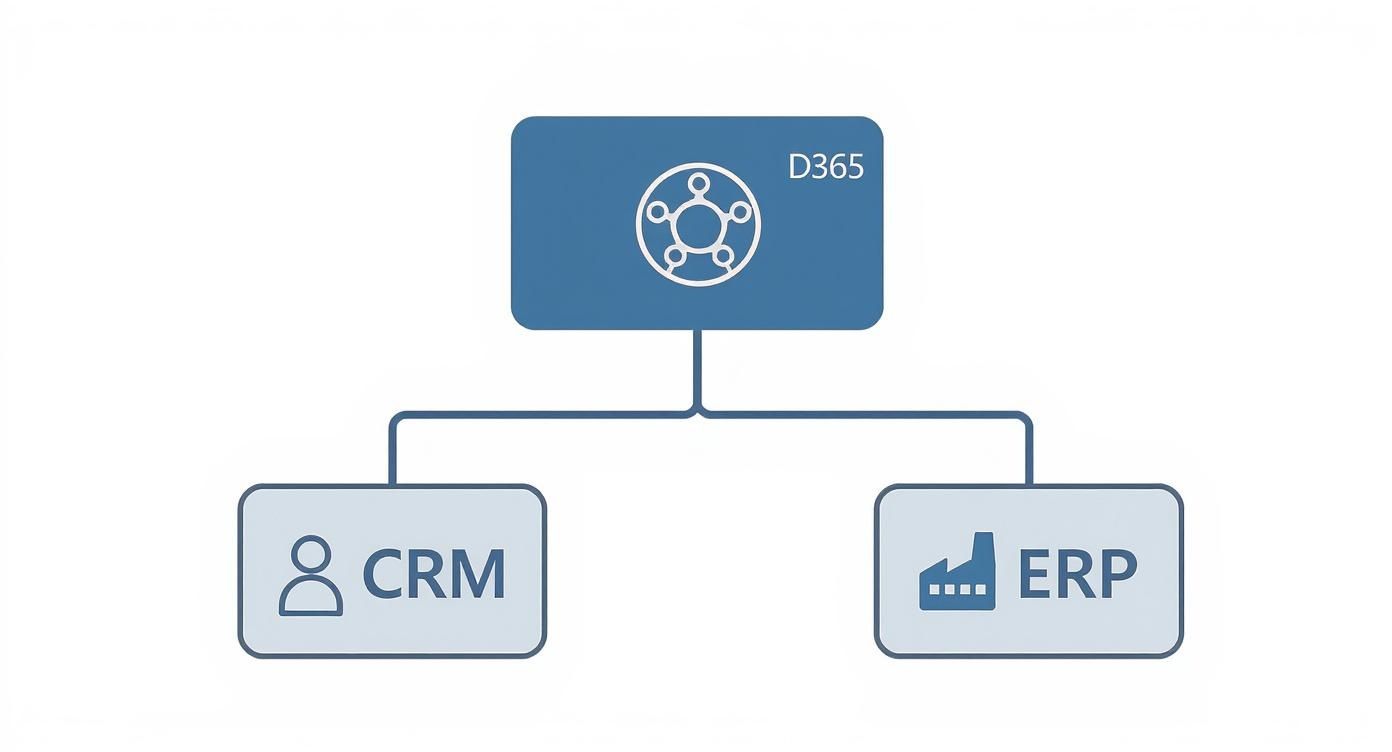
It’s not just a random collection of apps. As you can see, it’s a strategically integrated system designed to give you a complete, 360-degree view of your business.
Connecting with Audiences Through Customer Insights - Journeys
A sales engine requires fuel in the form of qualified leads. Dynamics 365 Customer Insights - Journeys (the app that absorbed the former Dynamics 365 Marketing) is designed to generate them. It builds, runs, and automates campaigns across multiple channels, handling customer journey orchestration, email, and event management. Microsoft retired the legacy outbound marketing module in May 2026, so the current app centers on real-time, journeys-based engagement.
Imagine a professional services firm using Customer Insights - Journeys to set up an automated campaign to nurture new website leads. The system scores these leads based on their engagement with the content. Once a lead reaches a certain score, it is automatically flagged as "sales-ready" and passed to the sales team in D365 Sales. Simple and effective.
Managing Core Operations and Finances
Beyond the customer-facing applications, Dynamics 365 provides robust tools to manage the back-office operations essential for business continuity.
- D365 Finance: This is your central accounting and financial management hub. It helps you manage the general ledger, accounts payable and receivable, budgeting, and financial reporting, with capabilities for complex multi-company and multi-currency scenarios.
- D365 Supply Chain Management: For businesses dealing with physical products, this application is indispensable. It helps optimize inventory, manage warehouse operations, plan production, and streamline the entire logistics chain from procurement to fulfillment.
These applications form the operational backbone of the business. To extend their capabilities further, consider exploring our guide on what is Microsoft Power Platform, which integrates deeply with D365 to enable custom app development and workflow automation.
At its core, Dynamics 365 provides a tailored solution for nearly every department. It replaces a disjointed collection of software with a single, intelligent platform where data flows seamlessly, empowering teams to make better-informed decisions.
Finally, for small and mid-sized businesses (SMBs) seeking an all-in-one solution, D365 Business Central combines finance, sales, service, and operations into a single, comprehensive application, offering a powerful yet accessible entry point into the D365 ecosystem.
How D365 Unifies Your Front and Back Office
The terms CRM and ERP have long been part of the business lexicon. For years, these systems operated in separate worlds, creating communication gaps that led to inefficiencies and costly mistakes. The true innovation of Dynamics 365 is its ability to bridge this historical divide.
Your business can be viewed as having two critical halves. The CRM represents the 'front office', teams that interact directly with customers, such as sales, marketing, and customer service. The ERP represents the 'back office,' the operational engine that manages finance, inventory, and supply chains.
Traditionally, these two halves operated independently. The sales team, working in the CRM, had no visibility into inventory levels managed by the ERP. Meanwhile, the finance team had to rely on manually pulled reports to understand sales performance. This disconnection is a classic recipe for inefficiency.

From Disconnected Data to a Single Source of Truth
Dynamics 365 transforms this dynamic by creating a unified platform where information flows automatically between the front and back office. This establishes a single source of truth, ensuring that everyone, from the sales floor to the warehouse, is working from the same real-time data.
Consider a practical example. A salesperson closes a significant deal using the D365 Sales app (the CRM side). The moment the deal is marked as "won," a seamless chain reaction begins:
- The system instantly communicates with the D365 Supply Chain Management app (the ERP side) to check and reserve the necessary inventory.
- It then automatically instructs the D365 Finance app to generate an accurate invoice for the new customer.
- Simultaneously, the order is transmitted to the warehouse team to schedule and fulfill the shipment.
This entire process unfolds without manual data entry, saving time, reducing the risk of human error, and shortening the order-to-cash cycle. For a deeper dive into this distinction, refer to our guide on the differences between CRM and ERP systems.
By connecting customer-facing activities directly to core business operations, Dynamics 365 ensures that a win for the sales team is immediately translated into action for the finance and operations teams.
Comparing Standalone CRM/ERP vs Unified D365
This integration does more than just accelerate processes; it fundamentally changes how decisions are made. With all your data in one place, you gain a clear, 360-degree view of your entire business. The table below highlights the difference between managing separate systems and operating on a unified platform like D365.
Ultimately, unifying your front and back office with D365 shifts your business from being reactive, constantly fixing errors and chasing down data, to being proactive. You can finally anticipate customer needs and make strategic decisions based on a complete and accurate picture of your operations.
Choosing Your D365 Deployment and Licensing Model
You're convinced of what Dynamics 365 can do. The next critical step is determining how to integrate it into your business. This involves two key decisions: how you want to deploy the software and which licensing model is best for your team.
Making the right choices here is crucial for a successful D365 implementation, ensuring the platform aligns with both your operational needs and your budget.
First, let's discuss deployment. You have three main options, each with different implications for maintenance, scalability, and cost.
Selecting the Right Deployment Environment
The way you host D365 directly affects how your IT team manages it. The most popular choice today is the cloud (SaaS) model. In this scenario, Microsoft manages everything, servers, security, and updates. It offers maximum flexibility with minimal hardware overhead.
Alternatively, some organizations opt for an on-premises deployment, hosting the software on their own servers. This provides complete control over data and infrastructure but also means you are responsible for all maintenance, security, and updates.
A hybrid approach combines both models. You might keep sensitive financial data on your own servers while running your customer-facing sales application in the cloud. This can offer a balance of control and flexibility but may add complexity to IT management.
The decision often comes down to balancing control with convenience. The cloud model prioritizes ease of use and scalability, while the on-premises route offers greater direct control over the environment.
Understanding the Licensing Tiers
Once you have chosen a deployment model, it's time to license your users. D365 licensing is tiered, allowing you to pay only for the level of access each employee needs. This approach is a significant factor in controlling costs.
Here’s a breakdown of the main license types:
- Full User Licenses: These are for your power users, individuals who work extensively within the system daily. This includes sales managers running forecasts, financial controllers closing the books, or supply chain planners managing inventory. They require comprehensive access to their specific D365 applications.
- Team Member Licenses: This is a more limited and cost-effective option for users who do not need the full suite of tools. These licenses are ideal for employees who primarily need to view data, run basic reports, or perform light tasks like updating a contact record or submitting a timesheet.
Finding the right mix of licenses is key to optimizing your investment. A detailed analysis can clarify which tier fits each role in your organization. To better understand the costs involved, review our in-depth guide to Microsoft Dynamics 365 pricing. By carefully mapping user roles to the appropriate license type, you can avoid overspending while ensuring your team has the tools they need.
The Real-World ROI of Dynamics 365
Let's move beyond features and technical specifications. The most important question is: what tangible value does Dynamics 365 bring to my business? How does it impact the bottom line?
This is where the conversation shifts from a software expense to a strategic investment. D365 is designed to deliver a strong return by improving key performance indicators (KPIs) that matter to leadership and stakeholders. It unifies your data and automates workflows, resulting in measurable improvements across the entire company.

Unlocking Your Team's Productivity
For sales and service teams, the impact is almost immediate. When sales reps have a single, unified view of every customer, including purchase history, open support tickets, and recent marketing engagement, every conversation becomes more relevant and effective. This clarity translates directly into higher productivity and improved sales figures.
Similarly, customer service agents with a complete case history at their fingertips can resolve issues on the first call, a significant driver of customer loyalty. Instead of searching through multiple systems for information, your teams can focus on their core responsibilities: selling and providing support.
When you break down data silos and automate manual tasks, businesses consistently see a significant lift in sales team productivity and a clear improvement in customer satisfaction scores. It’s a fundamental change in how your people operate.
Slashing Operational Costs and Inefficiency
A major benefit of an integrated system like D365 is its ability to eliminate operational waste. Manual data entry, redundant processes, and the resulting errors are significant drains on resources and efficiency. D365 automates these workflows, minimizing human error and freeing up your team for more strategic, high-value work.
For instance, a professional services firm using D365 Project Operations can automate everything from time tracking to invoicing. This streamlined process shortens billing cycles and reduces errors, which means faster cash flow through intelligent automation. You can explore more in our full guide on the top benefits of Dynamics 365.
This trend toward unified, cloud-based platforms is accelerating. Microsoft Dynamics 365 Business Central, the preferred ERP for small and mid-sized companies, now powers over 50,000 companies globally. That milestone, announced at Directions EMEA in November 2025, underscores the value businesses find in integrated platforms that connect finance, sales, and operations within the Microsoft Cloud. You can read more about Business Central's growth on erpsoftwareblog.com.
Making Smarter Decisions with Real-Time Insights
Perhaps the most powerful long-term benefit is the visibility D365 provides. With built-in AI and seamless integration with Power BI, your leadership team gains access to real-time dashboards tracking the KPIs that truly matter. This data-driven approach removes guesswork from strategic planning.
You can get instant, clear answers to critical questions such as:
- Which marketing campaigns are generating profitable leads?
- Where are the biggest bottlenecks in our supply chain?
- What are our most profitable products or service lines?
This level of insight empowers you to be proactive and make informed decisions that drive growth. By tracking these improvements directly within the system, D365 continuously demonstrates its value, transforming it from a cost center into a strategic engine for your company.
Planning Your Next Steps with Dynamics 365
You now have a solid understanding of what Dynamics 365 is and the value it can deliver. The next step is to translate this knowledge into a concrete action plan.
Implementing a platform like Dynamics 365 is more than a technology project; it's a fundamental shift in your business operations. Success requires strategic thinking, careful planning, and a focus on achieving the greatest impact with the smoothest transition.
The key takeaway is this: Dynamics 365 is a unified platform designed to help you build a smarter, more connected, and highly efficient business. View this not as another challenge, but as a significant competitive advantage waiting to be seized.
Start with a Business Process Review
Before you can solve a problem, you must understand it completely. The best starting point is a thorough business process review. This involves taking an honest look at your current operations to identify sources of friction and inefficiency.
Where are the bottlenecks slowing you down? What manual tasks are consuming your team's time? Where do disconnected data silos lead to confusion or costly mistakes? Answering these questions provides a clear roadmap, enabling you to prioritize the issues that will yield the biggest and fastest returns for your business.
A successful Dynamics 365 adoption begins with understanding your business challenges, not the software's features. Identify your pain points first, and then map the technology to solve them.
Partner with an Expert for a Clear Strategy
Once you have identified your biggest challenges, it's time to find the right guide for your journey. Partnering with a certified Microsoft Partner is critical. A seasoned partner brings years of industry-specific knowledge and deep technical expertise, helping you craft a strategy that works.
A good partner will help you:
- Select the right applications to address your identified pain points.
- Design a phased implementation plan to manage change effectively and deliver value in stages.
- Ensure the solution is configured to fit your unique business workflows, not the other way around.
Implementing D365 without an expert is like navigating a new city without a map. A skilled partner will get you to your destination faster and with fewer detours.
For professional services firms, MSPs, and B2B companies ready to make this leap, an experienced guide is essential. At Twelverays, we specialize in helping businesses like yours navigate the complexities of a D365 adoption. Our focus is on turning your operational headaches into strategic advantages, ensuring your investment delivers real, measurable results.
Got Questions About D365? We’ve Got Answers.
Even with a comprehensive overview, questions are natural. Understanding what d365 is involves more than just features; it's about seeing how it fits into your specific context and what it means for your team's daily work. Let's address some of the most common questions we hear from business leaders.
This section will clarify some final points to give you a complete and confident picture of the platform's capabilities.
Is D365 Just for Large Enterprises?
A common misconception is that Dynamics 365 is only for large, global corporations. While it certainly has the power to run global enterprises, its modular design makes it highly accessible for small and mid-sized businesses (SMBs) as well.
The key is D365 Business Central, an all-in-one application that combines finance, sales, service, and operations. It provides a powerful yet affordable starting point for smaller companies. The platform is designed to scale with you, allowing you to begin with Business Central and add more specialized applications as your needs grow.
How Does AI Factor into Dynamics 365?
Artificial intelligence is not an add-on; it's integrated into the core of D365 through Microsoft Copilot. This AI provides predictive insights and automates complex tasks across every application.
Here are a few real-world examples:
- In D365 Sales, Copilot can analyze customer emails and meeting notes to predict which deals are most likely to close.
- In D365 Customer Service, it can instantly suggest optimal solutions to agents based on historical case data.
- In D365 Finance, AI helps automate invoice processing and provides data-driven budget recommendations.
This built-in intelligence transforms D365 from a data repository into a system that actively helps your teams make better, faster decisions.
The platform's AI capabilities are designed to augment human expertise, not replace it. Copilot handles the repetitive, data-heavy tasks, freeing your team to focus on strategy and building customer relationships.
What Is the Learning Curve for Employees?
Any new software involves a learning curve, but D365 is designed to feel familiar. Its user interface intentionally mirrors other Microsoft products like Office 365 and Teams, significantly reducing the time it takes for employees to adapt.
The deep integration further smooths the adoption process. Since D365 works directly within tools like Outlook and Teams, your team can perform key tasks without switching applications, making their workflow more natural and less disruptive. Proper training and a phased rollout, guided by an experienced partner, are essential for ensuring your team feels confident from day one.
Navigating a D365 implementation isn't something you should do alone. It requires a partner who truly gets your business goals. At Twelverays, we specialize in helping professional services firms, MSPs, and B2B companies transform their operations with Dynamics 365. Let's build a strategy that delivers real, measurable results for your business.


