

Bitdefender license renewal is a seat-count problem wearing a billing costume. The invoice is the easy part. What catches IT managers out is discovering, three days before expiry, that the device count on the quote no longer matches the estate, that half the seats are held by machines nobody has switched on since last year, and that renewal has to go through a channel they did not expect.
This guide covers how to renew Bitdefender in either console, what a Bitdefender renewal cost actually looks like at each tier, and what to do when a Bitdefender license expired before anyone noticed. Whether you need to renew a Bitdefender license before it lapses, extend a Bitdefender license as the estate grows, or cancel Bitdefender auto renewal deliberately, the mechanics below come from Bitdefender's own documentation, checked August 2026.
Bitdefender license expired: what actually happens
Expiry is not a soft warning. When the license lapses, the protection modules on your endpoints deactivate, and those endpoints show the status Expired modules in the Endpoint issues column of the Network page. You can confirm it per machine: click the endpoint name, open the General tab, and the Protection Layers section shows each module as Expired.
Two details matter more than the headline.
Add-ons die with the base license. Bitdefender licenses each add-on with its own key, usable only alongside a valid basic license. If the main license is invalid, the documentation is explicit that you will still see the feature settings but be unable to use them. So a lapsed base license takes Patch Management, Full Disk Encryption, and the rest down with it, even though those keys have their own dates.
Seat exhaustion looks identical to expiry. The same Expired modules status appears when every seat is occupied, because a new endpoint cannot pick up a valid license. Your license is fine; you have simply run out of room. Bitdefender lists a third cause too: an endpoint that cannot reach GravityZone Control Center never receives updated license information, so a firewall change can imitate a licensing failure.
Check which one you are looking at before you buy anything. In the cloud console, open your profile in the upper-right corner, select My company, and read the License usage details on the Licensing tab.
How to renew Bitdefender depends on how you bought it
This is the step that derails renewals, and it is worth knowing before the last week.
Bitdefender routes renewal by purchase channel. On its Renew and Upgrade page, buyers who purchased online are sent to the console to renew directly. Buyers who purchased through a partner or reseller are sent to commercial support, not to a self-serve checkout. Companies moving up from a home-user product go to the sales team. Bitdefender states these requests are handled within the next 48 business hours.
Two practical consequences.
If you bought through a reseller, the console will not renew it for you. Bitdefender's cloud documentation is explicit that the in-console Purchase section, the one holding Add seats and Renew, is visible only to companies that bought exclusively from Bitdefender, and that it stays hidden once a company has bought anything from a partner. For renewals and extra seats, Bitdefender's own guidance is to contact Bitdefender or your preferred partner. Both routes are real, and neither is a self-serve checkout. That routing is Bitdefender's, not a restriction anyone invented, and it is why an unresponsive reseller is an operational risk rather than a procurement annoyance.
If you no longer remember how the product was bought, Bitdefender has a path for that as well, and it also routes to commercial support. Sorting it out in week one of the renewal window costs nothing. Sorting it out on expiry day means a 48-business-hour clock you did not budget for.
Recount seats before you approve a number
Most renewals get quoted at last year's quantity. That number is almost always wrong, usually in both directions at once.
Decommissioned machines keep holding seats. A laptop that was wiped, sold, or retired still occupies its license until you release it, and releasing it takes two steps rather than one: uninstall the agent from the endpoint, then remove the endpoint from the Network inventory in GravityZone. Skip the second step and the seat stays consumed. Bitdefender assigns licenses automatically to endpoints whenever valid seats are available, so freeing seats is genuinely all it takes to fix an over-quota estate.
Then count what is actually there. Split it three ways, because the categories price differently:
- Workstations, meaning desktops and laptops
- Servers and virtual machines
- Mobile devices
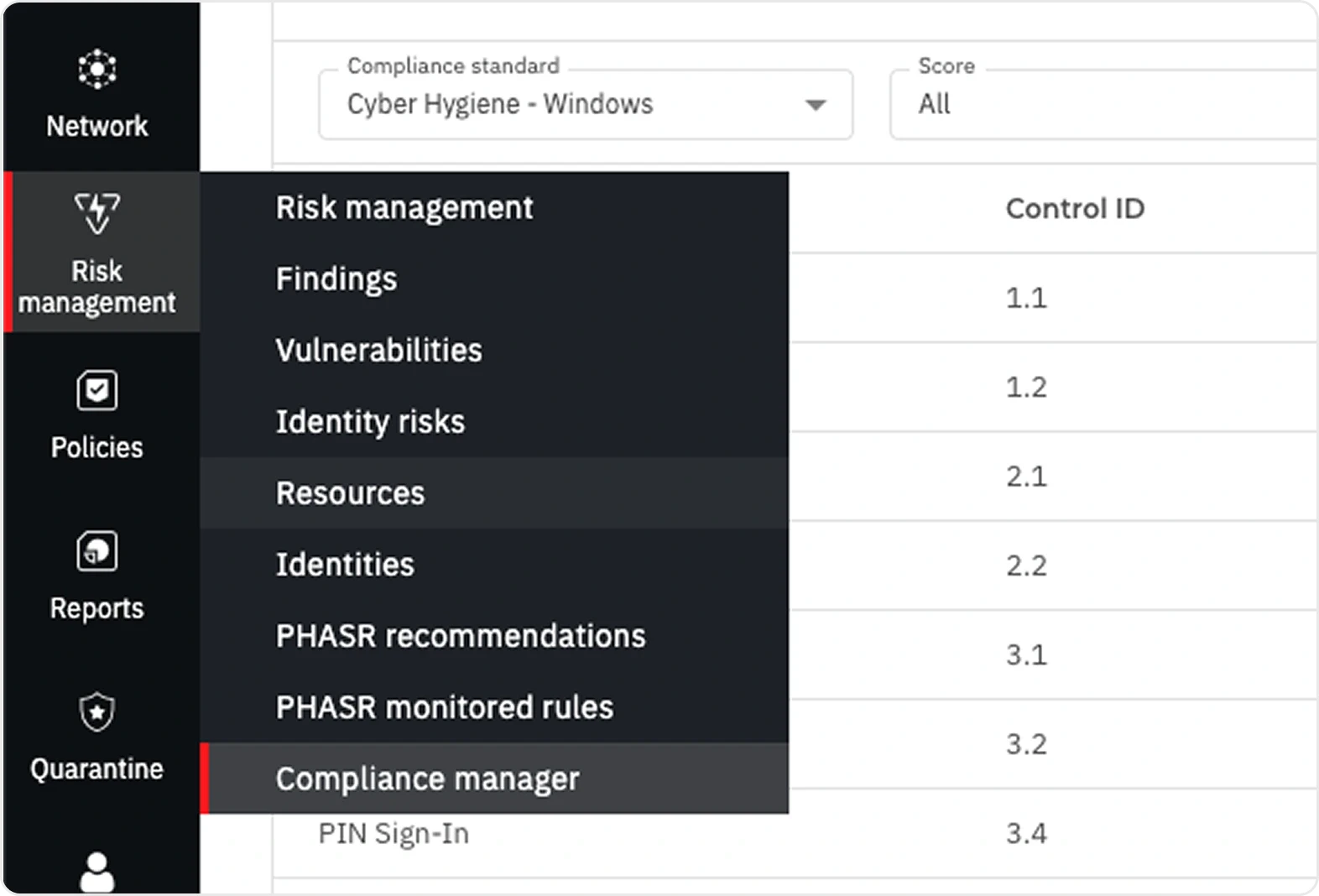
That third row is the one that surprises people. GravityZone sells mobile protection as a separate add-on rather than including it, so mobile devices are not covered by the seat count you are renewing.
Servers carry their own rule. Bitdefender's pricing states that the price includes protection for desktops and laptops and up to 30% file servers. A file-server-heavy estate crosses that share sooner than you would expect, and the conversation changes at that point. Our Bitdefender pricing guide works through the counting rules in more detail.
How to renew Bitdefender license keys in the console
The console path differs by platform, and mixing them up wastes an afternoon.
On the cloud platform, licensing lives under your profile, in My company, on the Licensing tab. On on-premises GravityZone, license keys are managed from Configuration > License in Control Center, where you click Add, choose the registration type, and enter the key. Offline registration is supported when there is no internet connection, but it needs the offline registration code associated with that license key, so retrieve it before you start.
Now the gotcha, and it bites on both platforms. A new key replaces the active one rather than adding to it. Bitdefender's cloud documentation spells out the consequence: activating a 10 endpoint license on top of a 100 endpoint license does not give you 110, it cuts you to 10. The on-premises documentation states the same rule differently, that you can enter several license keys for the same service but only the last key you enter will be active. Either way, if you paste a renewal key while an add-on or a second purchase is meant to remain live, check what actually ended up active rather than assuming both are. Also worth knowing: on-premises GravityZone includes Control Center free with any security service, so the console is never the thing you are paying to keep.
Bitdefender does warn you first. When a license key approaches expiry, a message appears in the console telling you it needs renewing. Treat that message as the start of the process rather than the reminder to pay an invoice.
Bitdefender renewal cost at each tier
Bitdefender publishes list pricing for the self-serve business tiers at ten devices on a one-year term:
| Tier | List | Per device, per year |
|---|---|---|
| GravityZone Small Business Security | $324.99 | $32.50 |
| GravityZone Business Security | $384.99 | $38.50 |
| GravityZone Business Security Premium | $879.99 | $88.00 |
Those are list figures from Bitdefender's business comparison page. A 30% vendor promotion was running at the time of writing, which is Bitdefender's promotion rather than a partner discount.
Two things to hold in mind at renewal.
Self-serve checkout stops at 100 devices. Past that, Bitdefender's comparison page routes buyers to its own business inquiry form, while its product pages point buyers to the official partner network through a partner locator. Both routes exist, so an estate that grew past 100 during the year is not stuck, it just stops being a checkout transaction.
Multi-year terms usually lower the effective annual rate, but longer is not automatically cheaper. At some device counts the three-year figure works out worse than the two-year one. Price the specific term at your specific quantity instead of assuming the longest term wins.
Bitdefender GravityZone license renewal: re-fit the tier
Renewal is the one moment each year when changing tier costs nothing extra in effort. The estate has already been counted and the paperwork is already open.
The tiers stack. Each one adds layers on top of the one below rather than swapping in a different product. Business Security adds Network Attack Defense, Web Access Control, Device Control, and Endpoint Risk Analytics on top of Small Business Security, for roughly six dollars more per device per year. Premium adds HyperDetect tunable machine learning, Sandbox Analyzer, Fileless Attack Defense, and Exchange coverage.
One correction worth carrying into the conversation, because it is widely misunderstood: endpoint detection and response is not in Premium. Bitdefender describes Premium as early advanced attack prevention without additional detection and response capabilities. EDR arrives in GravityZone Business Security Enterprise. If somebody renewed into Premium expecting EDR, the renewal window is when to fix that. Our tier comparison guide covers which tier replaces what.
Mixing tiers across the estate is normal and usually the cheapest correct answer: Premium on the machines that handle sensitive data, Business Security everywhere else.
Renewal is also the natural moment to sanity-check the platform itself rather than only the tier. If the question in the room is whether to stay at all, our comparisons with Microsoft Defender for Business and CrowdStrike Falcon both work through the licensing math at real device counts. Switching costs real effort, so it deserves a decision rather than a default.
How to cancel Bitdefender auto renewal, and whether you should
Auto-renewal protects against the one failure mode that actually hurts, which is silent lapse. It also quietly re-buys last year's quantity at last year's shape.
The mechanism follows the same channel split as renewal itself. Bitdefender's Renew and Upgrade page documents a "Change or cancel a subscription" path: businesses that bought online go to the online renewals team, businesses that bought through a partner or reseller go to commercial support, and companies that came up from a home-user product go to sales. There is no single self-serve toggle that covers every purchase route, so the first step is confirming which route you are on.
The workable compromise is to leave auto-renewal enabled as a safety net and put a calendar reminder 60 days before the date. That reminder is when the seat recount happens, when the tier gets re-examined, and when a quote gets requested. If nothing needs to change, auto-renewal does its job. If something does, there is time to change it deliberately.
Never disable auto-renewal without immediately booking the manual renewal. An intentional lapse and an accidental one look exactly the same to your endpoints. The same discipline applies to the rest of the security stack, which our cybersecurity best practices guide covers.
Your renewal checklist
- Start 60 days out. Renewal quoting, seat cleanup, and channel confirmation all take longer than the console suggests.
- Release dead seats before you renew the Bitdefender license. Uninstall the agent, then remove the endpoint from the Network inventory. Both steps.
- Recount, split by workstations, servers, and mobiles. Check file servers against the 30% share and remember mobile is a separate add-on.
- Confirm your renewal channel now. A partner-sourced license loses the console's self-serve renewal, so it goes through your reseller or Bitdefender's commercial support.
- Re-fit the tier while the estate is fresh in mind. Especially if you need EDR and are sitting on Premium.
- Price the term at your real quantity. Multi-year usually helps, but check rather than assume.
- Verify the key took effect. A new key replaces the active one rather than adding to it.
Questions IT managers ask us
How long do we have after expiry before protection stops? Do not plan around a grace window. Once the license expires, the protection modules deactivate and endpoints report Expired modules. Bitdefender does warn in the console ahead of the date, which is the signal to act on.
We bought through a reseller who has gone quiet. What now? Bitdefender's Renew and Upgrade page routes partner-purchased renewals to commercial support, and there is an explicit path for buyers who do not remember how they purchased. Start there, and start early, because those requests are handled within 48 business hours.
Can we add seats mid-term instead of waiting for renewal? Yes, and it follows the same channel split: online buyers add seats in the console, partner-sourced customers go through commercial support. If endpoints are showing Expired modules purely from seat exhaustion, freeing decommissioned seats may solve it without buying anything.
Does renewing change our license key? Expect to enter a new key and verify it is the active one. A new key replaces the current one rather than stacking on top of it, so seats do not add up the way you might assume. Check the console after renewal rather than assuming the change applied cleanly.
Do you cover the US as well as Canada? Both. We are a Bitdefender Reseller Gold Partner working with businesses across the United States and Canada, and licensing, deployment, and renewals run the same way in either country. That Gold status is what makes the pricing work: it opens deeper partner discounts across the GravityZone catalog, and that room goes into your quote.
Should we move to a longer term? Usually, but price it. Multi-year terms generally lower the annual rate, though at some device counts a three-year term prices worse than a two-year one. This is worth a quote rather than a rule of thumb.
The short version
- Expiry deactivates protection modules and takes every add-on with the base license.
- Seat exhaustion produces the same Expired modules status as expiry. Check which one you have first.
- Decommissioned machines hold seats until you both uninstall the agent and remove the endpoint from inventory.
- Renewal channel follows purchase channel. Reseller-sourced licenses lose the console's self-serve renewal and go through the reseller or Bitdefender's commercial support.
- A new license key replaces the active one rather than adding to it. Verify after renewing.
- Mobile is a separate add-on and file servers are capped at 30% of licensed devices.
- Renewal is the cheapest moment to re-fit the tier, especially if you need EDR and are on Premium.
Send us your device count split by workstations, servers, and mobiles, plus your renewal date and current tier, and we will come back with a right-sized quote at partner-tier pricing and flag anything in the current setup that no longer fits. We are a Bitdefender renewal partner serving Canadian businesses nationwide, with US coverage available. Gold is a discount tier rather than a badge, so the requote comes back at deeper partner pricing than the renewal notice shows, and renewals, seat changes, and tier moves run through one team that already knows the estate. Our Bitdefender Gold Partner practice in Canada covers how we run deployments. The same consolidation thinking runs through our workflow automation practice, and if you are weighing GravityZone against what Microsoft already bundles, our comparison with Defender for Business covers that decision.


