

Salesforce HubSpot integration is the exchange of selected records and changes between two systems that remain in use. The decision behind a HubSpot and Salesforce integration is which information each team needs, which system can change it and who handles failures. Define that operating agreement before approving a HubSpot Salesforce sync. Installing a connection does not settle the ownership of your customer data.
Consider a proposed handoff: marketing captures a demo request in HubSpot, sales receives the agreed details in Salesforce, and marketing later receives an approved sales outcome. Decide which records qualify, what the receiving team needs and how you will verify the handoff. You do not have to make every record or field part of that flow.
This is an ongoing integration decision. If you are still choosing a primary platform, the Salesforce and HubSpot comparison addresses that separate question.
Define Salesforce HubSpot integration ownership by field
A source of truth is the system or business process authorised to establish a value. It can differ by field. Sales operations might approve account ownership, while marketing manages the source information associated with an enquiry. Treat these as proposed business responsibilities, then verify how the connection can implement them.
Write down the record, field, authoritative source, permitted direction, update trigger and conflict behaviour. Add a named business owner who can resolve ambiguity. A rule such as “Salesforce owns sales data” leaves too much undecided when both teams can edit a contact's phone number or status.
| Proposed information flow | Business decision | Behaviour to verify | Approver |
|---|---|---|---|
| Qualified enquiry to sales | Which requests are ready for follow-up? | Eligible record reaches the intended destination | Marketing and sales operations |
| Sales ownership back to marketing | Who decides account or contact responsibility? | Supported owner matching and update behaviour | Sales operations |
| Customer status for segmentation | What event establishes a customer relationship? | Agreed value reaches the correct associated contact | Revenue operations |
| Communication preference | Which process authorises the value? | Mapping, exclusions and downstream use | Customer's responsible data owner |
These are requirements to assess, not a claim that the native connector supports arbitrary rules. Record any mismatch between your intended policy and the product's actual behaviour before selecting the design.
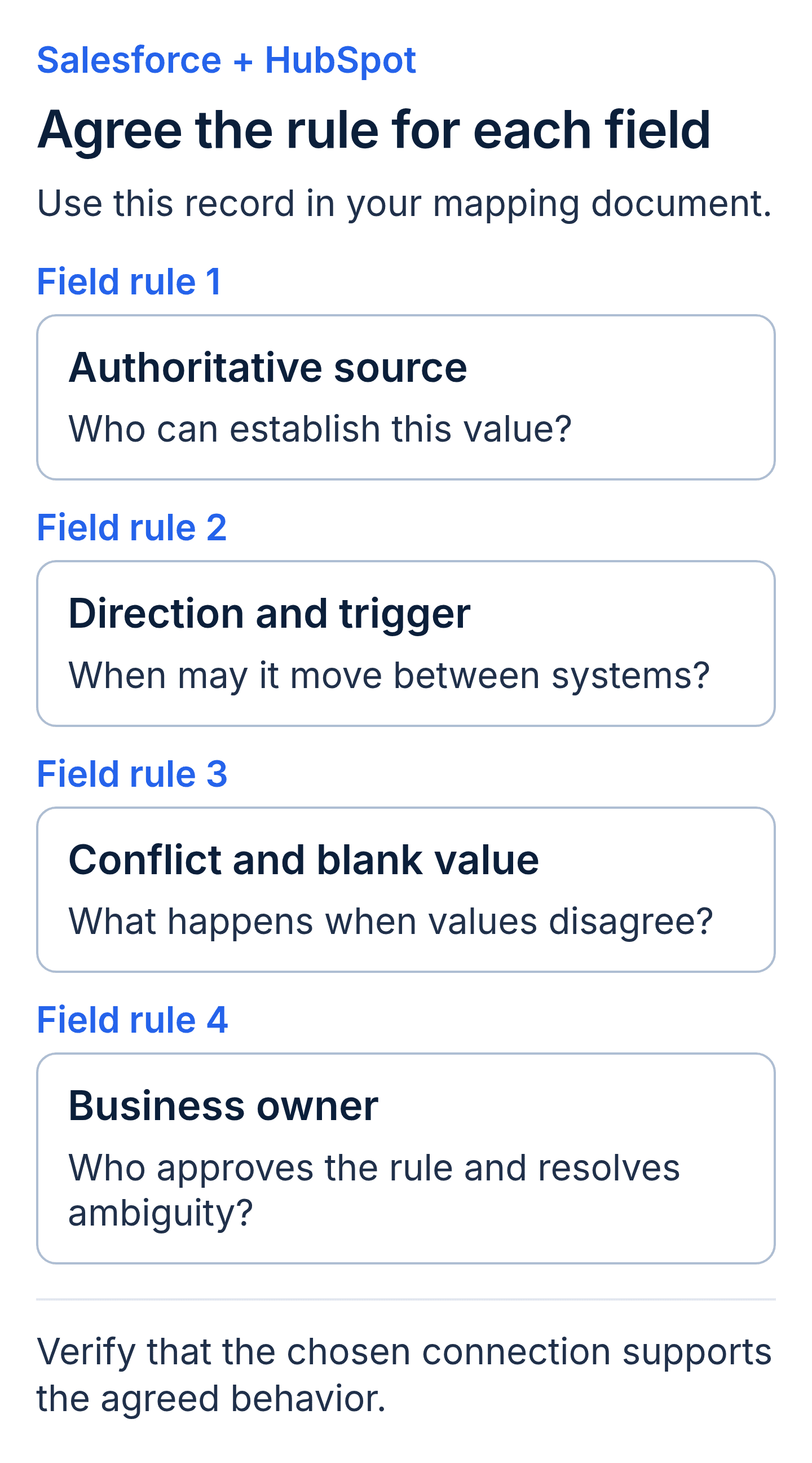
A proposed per-field ownership record. Business requirements and the connector’s supported behavior both need to be checked.
Review HubSpot Salesforce integration field mapping exceptions
According to HubSpot's Salesforce field mapping documentation, mapping rules can prefer Salesforce values, use Salesforce values, sync two ways or prevent sync. The selected rule affects overwrites and cleared values. Two-way mapping uses the most recent value under the documented behaviour; it is not an instruction to decide which team was commercially correct.
Owner mapping deserves a separate review. HubSpot documents that this mapping is two-way, even when the interface displays a Salesforce preference, and that owner values must match. Do not promise one-way owner control just because that is the business requirement. Ask how the proposed design will reconcile the requirement with the supported behaviour.
The documentation also states that adding a mapping does not retroactively sync existing values. Include the initial population and any resync in the scope, with approval for the values it may overwrite. HubSpot also documents a limit of 500 field mappings per object. For a large proposed field map, check that limit before estimating the connection as a single standard setup.
For every important field, test a populated value, a blank value and an update from each system. Review picklist meanings and data types. A field called “qualified” may represent a marketing decision in one system and a salesperson's assessment in the other. Copying the label does not make the meanings equivalent.
Keep record deletion separate from clearing a field. Ask what happens to the record, its associations and its eligibility for future sync. Capture the supported behaviour and your chosen operating response instead of assuming deletion has the same effect everywhere.
Select a Salesforce HubSpot connector against your requirements
Evaluate the vendor connector first where it appears to meet the required flow. Compare middleware or custom work when you have a documented gap, such as a transformation, an unsupported relationship or a process spanning another system. Keep price, maintenance and customer expertise in the comparison.
| Approach | Evidence to request | Operating responsibility to clarify |
|---|---|---|
| HubSpot's Salesforce integration | Current support for your objects, fields and sync rules | Configuration ownership and sync error review |
| Middleware workflow | Demonstration of the required transformations and exceptions | Workflow changes, vendor charges and monitoring |
| Custom integration | Documented interfaces, permissions and tested failure handling | Code maintenance, credentials and release responsibility |
According to HubSpot's installation requirements, setup depends on the applicable subscriptions, Salesforce access and permissions. They also describe API call constraints and note that records do not all automatically sync simply because setup is complete. Have the proposal identify the applicable requirements for your accounts.
An application programming interface (API) is the interface software uses to exchange requests and data. Ask which API limits the design depends on and how other integrations share that capacity. Do not assume one changed contact always consumes one request or that a bulk backfill behaves like a routine update.
For custom work, request a supported authentication approach, access limited to the necessary operations and a plan for handling rejected or throttled requests. More custom code is not evidence of better reliability. Ask for a demonstration of the behaviour your business needs and a credible owner for its upkeep.
Test the HubSpot Salesforce sync with an acceptance dataset
User acceptance testing (UAT) is the business team's check of the integration against agreed requirements. Prepare expected results in both systems before the test. Use controlled records that represent your actual data patterns and can be handled under your organisation's data procedures.
Include a new enquiry, an existing customer, a changed owner, a duplicate candidate and a deliberately excluded record. Add a record with a missing required value and a safely simulated failure. Do not disrupt production credentials to create a test failure; agree an appropriate test environment or controlled procedure.
For each scenario, identify the expected destination record, values, associations and owner. Record the observed result and how long the test took. Establish an acceptable business delay rather than describing the integration as instantaneous.
According to HubSpot's record sync guidance, automatic triggers and periodic checks determine when eligible updates are processed. It also describes Sync Health errors. Use those documented behaviours when designing acceptance tests and deciding where operational issues will be reviewed.
Ask the data owner to verify communication preference fields and the processes that use them. A successfully copied value does not by itself establish permission for a campaign or settle retention requirements. Record who approves the mapping and its intended use.
Test reporting with the same records. If marketing reports a sales-qualified lead while sales reports an opportunity, document how those measures relate. Matching totals are only meaningful when the filters, dates and definitions are comparable. The guide to CRM integration provides broader background on these connected workflows.
Assign failures, retries and reconciliation after launch
An integration has an ongoing operating workload. Someone must review failures, determine their cause and verify recovery. Specify the review frequency according to business impact and expected volume. There is no universal weekly cadence or first-90-days rule suitable for every handoff.
Ask the partner to identify the error view, alert destination and escalation route. According to HubSpot's Salesforce integration settings guide, Sync Health shows API usage over the last 24 hours and lets you allocate Salesforce API calls to HubSpot. Review that allocation alongside other integrations using the same Salesforce allowance. Clarify which failures retry automatically, which require intervention and how the operator can tell that a corrected record reached the destination. Reconciliation is the comparison of expected transfers with actual results, including missing records that may not appear as an obvious error.
Separate a delivery defect from bad source data and an approved business-rule change. Each may need a different person and commercial treatment. For example, an invalid picklist value may require a data correction, while a newly approved qualification stage may require mapping and workflow changes.
Request a record of configuration decisions, access ownership and approved changes. Agree what documentation the customer receives and who updates it. Access should remain available to the roles responsible for operating the connection, with credential changes handled through the customer's established process.
Define how to pause the flow if an unexpected overwrite occurs. Ask what can be restored, what requires a corrective update and how the affected records will be identified. Stopping a sync prevents further processing; it does not automatically undo completed changes.
Compare the HubSpot and Salesforce integration operating cost
Request separate visibility into initial design, configuration, historical population, data remediation, licenses and ongoing changes. A bundled fee can still be assessable if its scope and assumptions are clear. Ask what would cause additional charges and which responsibilities remain with your team.
Data cleanup needs a defined boundary. Matching features may help identify or reconcile records, but they do not approve which customer identity is correct or repair every inconsistent business value. Specify the sample review, merge decisions and exceptions included in the delivery work.
Discuss the first-party data responsibilities behind the integration. Establish which team maintains source data and who approves its use across the customer lifecycle. That decision affects the ongoing work you need to fund.
Ask candidates to price the same acceptance dataset and handover requirements. Compare what happens after a mapping changes, a user leaves or an API permission is removed. These concrete scenarios are more useful than a claim that the connection will be easy to maintain.
Salesforce HubSpot integration glossary
- Field mapping: the correspondence between a HubSpot property and a Salesforce field, including the supported update rule.
- Sync eligibility: the conditions that determine whether a record enters the agreed exchange.
- Conflict policy: the rule used when corresponding values disagree, subject to the connector's supported behaviour.
- Picklist: a field whose value is selected from a defined set of options.
- Middleware: software between systems that runs defined connections, transformations or workflows.
- Sync health: the operational view of transfers, failures and processing status used to maintain the connection.
Key takeaways
- A Salesforce HubSpot integration needs approved field authority and record eligibility before configuration.
- The connector design must account for documented exceptions, including owner mapping and initial field population.
- Integration acceptance tests should verify records, relationships and safely simulated failures in both systems.
- Ongoing integration support needs an owner for errors, reconciliation and approved mapping changes.
Salesforce HubSpot integration buyer FAQs
Should every Salesforce and HubSpot record sync?
Only include records needed for the agreed process. Define eligibility, exclusions and historical population, then verify the connector can apply the required rules. Test excluded records explicitly. Broad sync may be appropriate for some designs, but it should be a deliberate decision with understood consequences.
Should Salesforce or HubSpot own lead assignment and lifecycle stages?
Your operating process should establish responsibility. Document who decides each value and which users or workflows may change it. Then check the connector's actual behaviour, including owner matching and supported directions. Avoid assuming a preferred business policy is automatically an available setting.
Does the Salesforce HubSpot connector eliminate data cleanup?
No. Assess its documented matching behaviour, but assign someone to resolve ambiguous identities, inconsistent values and unclear ownership. Decide which corrections are necessary before launch and which can follow through a controlled process. Do not describe the connector as either repairing everything or having no matching capabilities.
Who should own Salesforce HubSpot sync errors?
Name an operational owner and a technical escalation contact. Define review frequency, business priorities and the evidence required to close an issue. Confirm which tasks are included in ongoing support and which require separate approval. The integration should remain operable when individual staff or suppliers change.
Discuss your integration scope with Twelverays
Bring a sample field map, your lead handoff requirements and any known sync failures to a discussion about Twelverays HubSpot services. Contact Twelverays to define the Salesforce and HubSpot integration scope and acceptance evidence your teams need.


