

A Salesforce Experience Cloud implementation is a project to deliver agreed portal tasks, content and record access for external users. For a Salesforce customer portal implementation, those decisions determine the records, content and integrations in scope. Ask an Experience Cloud implementation partner to explain the proposed design and the evidence your team will review before launch.
Experience Cloud is Salesforce's product for creating connected digital experiences, including sites and portals for customers and partners. Salesforce's Experience Cloud basics describe those uses and the available configuration and development approaches. A portal purchase still needs a precise business purpose: product capability alone does not define the implementation deliverables.
Start the Salesforce customer portal implementation with user tasks
List the tasks customers should complete without contacting an internal employee. A support portal might let them submit a case, review its status and find approved instructions. A partner portal might serve different tasks and record types. These are illustrative use cases; confirm the functionality and license requirements for the selected design.
For each task, name the audience, starting information, permitted action and expected result. "Customers can manage their account" is too broad to estimate. Specify whether they can change contact details, invite colleagues, view invoices or request a change that an employee must approve.
Define launch scope separately from later ambitions. If the first release serves existing customers, a public marketing-site redesign may be unnecessary. If public content is required, identify it explicitly. The statement of work can include several workstreams, but it should show where portal delivery depends on changes to the internal CRM or another website.
Salesforce's Experience Cloud planning guidance covers site purpose, templates, licensing, content, security and rollout. Use those areas as prompts, then ask candidates to explain the choices for your portal.
Define identity and record access before approving the design
Identity establishes who a user is. Authentication checks that identity at sign-in, while authorization determines what the user can access or change. A successful login does not establish that the user has the correct record access.
Create an audience table for the proposal. The example below describes business roles, not a promise that each role maps to a standard Salesforce license or configuration.
| Audience | Intended access | Question to resolve |
|---|---|---|
| Guest visitor | Approved public information | Which pages, files and actions are available without signing in? |
| Customer contact | Their permitted support records | How is the person connected to the correct customer account? |
| Customer administrator | Agreed account-level responsibilities | Can this person manage colleagues or view their cases, and under what rules? |
| Internal support user | Work needed to respond to customers | Which updates become visible externally, and which remain internal? |
An object is a category of Salesforce records, such as cases. A field is a piece of information on a record. Access decisions need to cover permitted objects, fields and individual records, as well as the actions users can perform.
Salesforce's Experience Cloud security planning guidance explicitly distinguishes authenticated and unauthenticated access, external sharing settings, field-level security and object permissions. Ask the partner to translate your audience table into the appropriate configuration and explain how it will be tested.
Include the identity lifecycle in scope: invitation, registration, account association, changes in employment and deactivation. If customers use an external identity provider, specify who owns it and who can approve configuration changes. Single sign-on, or SSO, allows users to authenticate through an identity provider; its presence does not settle record-sharing requirements.
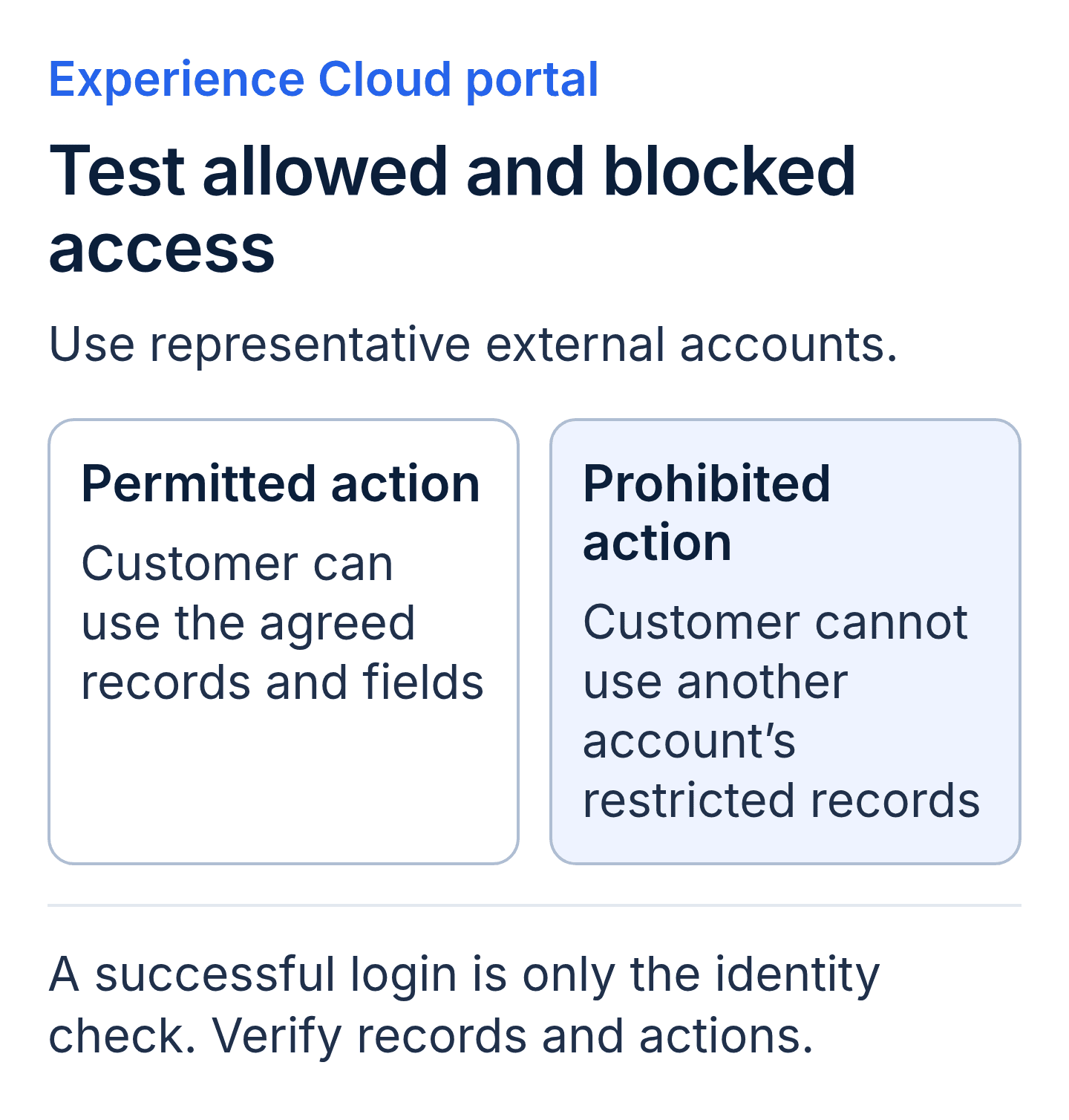
Proposed portal acceptance cases. Check permitted and prohibited access with external test accounts, including the allowed actions and fields.
Make the Salesforce Experience Cloud implementation scope explicit
Once the audience and access requirements are clear, identify what the team must build or configure. Ask the proposal to distinguish template configuration, custom components, content preparation and changes to the underlying Salesforce processes.
A portal form can depend on internal case assignment, required fields and notifications. If those processes need changes, list the work and its approver. Linking to the Salesforce implementation guide can help reviewers understand the wider delivery process, while the portal scope remains specific.
For each page or component, record its information source and maintenance owner. Content preparation might be performed by your team, the implementation partner or another supplier. Have the agreement state the arrangement, required inputs and review dates. A component can be technically complete while its content is still waiting for approval.
Give files and knowledge content their own requirements. Decide which versions should be visible, which audience can access them and who removes outdated material. If the portal supports several languages, define the translation and approval workload. These decisions affect delivery effort even when the page layout is shared.
Ask how the proposed template and customizations affect ongoing maintenance. Request an explanation of which changes administrators can make and which require development. Avoid accepting "easy to update" without a demonstration of the particular update your team expects to perform.
Scope integrations and customer-facing failure handling
An integration exchanges information between the portal's supporting systems. It can add requirements that are not visible in a page design, including credentials, record matching, update timing and error handling. The CRM integration guide explains the broader concept.
Build an inventory with one row per connection. Name the system, information exchanged, direction, update frequency and maintenance owner. Confirm whether the quote includes a vendor connector, custom development or a dependency supplied by your team. Request the current product and license requirements for that method.
Write down what a customer should see if the connection is unavailable. For example, an illustrative case-history page might display a clear unavailable message and an alternative support route. It should not silently present missing information as an empty account history. The required behavior needs an agreed design and a test.
Specify who monitors failures and how that person receives enough information to investigate. Keep internal error details and confidential data out of customer messages. Where a failed action can be retried, ask how the design avoids creating unintended duplicate requests. Treat the answer as a requirement to verify in the delivered configuration.
Require Experience Cloud portal acceptance testing
During partner selection, ask for an explanation of the approach, relevant demonstrations and a proposed test plan. After the portal is configured, test the delivered experience with representative external users. A candidate cannot demonstrate a customer-specific build before that build exists, so keep evaluation evidence separate from implementation acceptance.
User acceptance testing, or UAT, checks the delivered workflows against business requirements. Identify the business approver, test environment and representative user accounts in the plan. Screenshots and administrator walkthroughs can support review, but external access needs tests executed with the intended external-user permissions.
| Test scenario | Expected evidence | Buyer approval question |
|---|---|---|
| Customer opens a permitted case | Correct record and allowed fields appear. | Does the view contain the information this audience needs? |
| Customer attempts another account's record | Access is denied according to the approved design. | Were direct links and relevant entry points tested? |
| Guest opens a restricted page or file | Restricted information is unavailable. | Does the result match the public-access policy? |
| User submits an incomplete form | Clear validation appears and unintended data is not created. | Can the user correct the problem? |
| Integration is unavailable | Agreed error message, support route and internal alert appear. | Can support diagnose and recover the failed action? |
| A user's access is removed | The agreed deactivation behavior takes effect. | Was the change tested across relevant access paths? |
Test the intended mobile devices and browsers, including form labels, navigation, error messages and keyboard interaction. Name the testing scope in the proposal. These usability checks do not by themselves establish formal accessibility compliance.
Record the test user, data conditions, expected result, observed result and evidence location. Keep failures and retests in the record. Define which defects prevent launch and who can accept an unresolved issue. The Salesforce security checklist provides additional background, but portal acceptance must use the access model configured for this project.
Compare Experience Cloud implementation partner proposals
Request comparable line items for discovery, design, configuration, custom development, content, integrations, testing and training. A provider can bundle the commercial fee, provided the deliverables and assumptions are clear. The aim is to understand what you are buying and what your team must supply.
Confirm the proposed external-user licenses and the basis for estimating usage. Salesforce's planning documentation identifies license selection as part of preparing authenticated access. Ask the supplier to verify the fit for your audience and required actions using current official documentation and a current quote. Do not infer the licensing cost from the number of internal Salesforce users.
Review estimated customer effort too. A lower services fee can depend on your staff writing content, preparing records or managing testing. Put those responsibilities and deadlines beside the supplier's work so the total delivery plan is visible.
For uncertain requirements, request a bounded discovery deliverable before committing to the full build. It should produce decisions, documented assumptions and an updated estimate. State whether that discovery fee is separate or included, and what the buyer receives if the build does not proceed.
Agree rollout, administration and support ownership
Choose a release approach that fits the audience and risk. A limited customer group can help the team observe sign-in, support requests and content use before expanding access. Define the group's selection criteria and the evidence required to continue the rollout.
Keep an alternative support route available for the agreed transition period. Name the owner of customer communications, incident triage and launch decisions. Set the point at which the team will pause expansion or apply the agreed fallback.
At handover, verify administrator access, documentation, editable design assets where contracted, and the location of custom source files. Document configuration dependencies and routine procedures, including inviting users, removing access and publishing content. Transfer or rotate credentials through the agreed secure process.
Support may be included, separately retained or handled internally. Define coverage, request intake and responsibility for defects versus enhancements. Choose the period your team needs; a generic implementation label does not establish a particular support term or response commitment.
Key takeaways
- Define portal audiences and tasks before comparing designs or fees.
- Confirm identity, object, field and record-access requirements for the selected licenses.
- Assign content preparation, integration maintenance and internal CRM changes explicitly.
- Test with representative external users, including denied access and failed actions.
- Agree rollout evidence, administrator handover and post-launch support responsibilities.
Salesforce Experience Cloud implementation buyer FAQs
Are licenses and content preparation included in an implementation fee?
The proposal must say. Ask for each item to be marked included, separately priced, buyer-provided or excluded. Confirm the license assumptions through current Salesforce documentation and the commercial quote.
How should we test account isolation?
Use test users associated with different accounts and records designed for the approved sharing rules. Check permitted access and attempted access outside those rules. Record the user context and evidence for each result.
Does the portal require a website redesign?
Only include redesign work that supports the agreed purchase. Identify shared navigation, branding or content dependencies, then state which pages and assets are changing. A portal can also be one workstream within a broader website project.
Who maintains the portal after launch?
Assign ownership by task. User administration, content publishing, configuration changes and custom development can have different owners. Document the handoff and escalation process between them.
Terms for the portal proposal
| Term | Meaning |
|---|---|
| Guest user | A visitor accessing the site without signing in. |
| Authentication | Checking the identity used to sign in. |
| Authorization | Determining permitted data access and actions. |
| SSO | Single sign-on through an identity provider. |
| UAT | User acceptance testing against agreed business requirements. |
Twelverays describes workflows, integrations and reporting within its Salesforce consulting services. Bring your portal audience table and required customer tasks to a discovery call to discuss scope, dependencies and acceptance evidence.


