

HubSpot Dynamics 365 integration is the exchange of selected customer records and updates across marketing and sales processes. A HubSpot Microsoft Dynamics integration proposal should identify the exact Dynamics application, environment and business handoff before recommending a connection. Evaluate a HubSpot Dynamics 365 connector against those requirements, including ownership, matching, permissions and the evidence needed to accept the work.
This guide focuses on Dynamics 365 Sales and related customer engagement processes while HubSpot remains in use. Name the actual application and environment in your proposal. A broader Dynamics product name is not enough to establish which records, interfaces and permissions the project needs.
Start with a proposed sales handoff: an eligible enquiry enters through HubSpot, reaches the intended sales process in Dynamics and later returns an agreed outcome to marketing. Define what makes the enquiry eligible and what each team must be able to do with it.
Define HubSpot Dynamics integration requirements around the sales handoff
List the customer information each team needs at the point of transfer. That may include identity, company association, source, assigned owner and qualification context. Decide whether Dynamics should receive a lead, a contact or another supported representation. Similar names across systems do not establish equivalent business meaning.
Set the responsibility boundary. Marketing may own the qualification decision, while sales operations owns assignment and pipeline stages. These are proposed process choices to approve with your team, not universal platform rules. Define what happens when a record returns for more marketing activity or an existing customer submits a new enquiry.
Agree the timing requirement in business terms. A sales team may need to act within a particular working window, while a reporting update may tolerate a longer delay. Ask the delivery partner to show whether the selected design can meet each requirement under expected volume.
Use the Dynamics 365 and HubSpot comparison if you still need to resolve the platform decision. For this engagement, keep both systems' roles clear and focus the scope on the exchange between them.
Build a record map for HubSpot Microsoft Dynamics integration
For each flow, document the source record, destination, required values, trigger, conflict policy and business owner. Include historical records and initial population separately from future changes. A rule that works for a newly created lead may produce a different result when matching an existing customer.
| Proposed flow | Decision to approve | Behaviour to verify | Acceptance owner |
|---|---|---|---|
| Qualified enquiry to Dynamics | Lead or contact representation | Correct record type and required values | Sales operations |
| Customer identity between systems | Authoritative identifier and associations | Intended contact connects to the right account | Data owner |
| Sales ownership to HubSpot | Who may assign or reassign responsibility | Supported user matching and updates | Sales manager |
| Opportunity outcome to marketing | Which stages and outcomes are meaningful | Correct pipeline mapping and associated customer | Revenue operations |
| Communication preference | Authoritative process and permitted use | Approved mapping and exclusions | Responsible customer stakeholder |
Treat this table as requirements for a design review. Do not assume every row can be implemented as an independent one-way rule or that the connector supports arbitrary conflict logic. Ask for the actual configuration that produces the approved result.
Keep matching distinct from ownership. Matching is the process of deciding whether two records refer to the same entity. Ownership identifies who is responsible for a record or an authoritative field. A duplicate candidate needs an identity decision before a change in the assigned salesperson can resolve anything.
Check the HubSpot Dynamics 365 connector's actual coverage
According to HubSpot's Dynamics 365 integration documentation, supported pairings include companies with accounts, contacts with contacts or leads, and deals with opportunities. It also lists custom objects with entities. Avoid assuming custom requirements always demand middleware before reviewing current coverage and your entitlement.
The same documentation says custom field mappings require a paid Data Hub subscription. It describes one-way and two-way sync, with the necessary Dynamics read or read-and-write permissions. Have the partner confirm the purchased features and access needed for your specific objects and directions.
Compare three possible approaches against the same record map. A native connector may cover the required flow. Middleware may provide a needed transformation or coordination with another system. Custom integration may address a gap that remains. Each option needs a demonstrable fit and an owner for ongoing operation.
An application programming interface (API) is an interface through which software exchanges requests and data. Ask which APIs the design uses. Confirm volume constraints, authentication, supported environments and the treatment of rejected requests. A marketplace listing establishes that an app exists; it does not establish that every customer-specific process is covered.
Request a demonstration of one difficult requirement before accepting an architecture recommendation. For example, follow an existing customer through a new enquiry and verify the chosen lead or contact representation. That result gives you more useful evidence than a generic object list.
Test HubSpot Dynamics 365 data sync eligibility and conflicts
Sync direction defines which way updates may travel between systems. According to HubSpot's data sync guidance, direction and conflict resolution are separate settings. Choosing a preferred app for conflicting data does not override the selected direction. Document both settings and test a changed value from each side instead of relying on the word “master” in a proposal.
The guidance also states that filters limit which records initially sync. Once a record has synced, it continues exchanging data according to the configured mappings. If your requirement is to stop later updates when a lead leaves an eligible segment, ask the partner to demonstrate a supported design for that behaviour. An initial filter alone does not establish it.
Include an initially excluded record and a previously synced record that later changes status in your acceptance dataset. Record the expected result in both systems. Also test blank values, conflicting edits and a record that cannot be matched unambiguously.
Review pipeline and stage mapping with the sales owner. A similar stage label can conceal different entry criteria. Agree which Dynamics event should be reflected in HubSpot and what a marketing user is permitted to infer from it.
Do not use generic contact sync timing as a contractual response promise. Test the required behaviour under representative conditions and agree how delay will be measured, investigated and communicated.
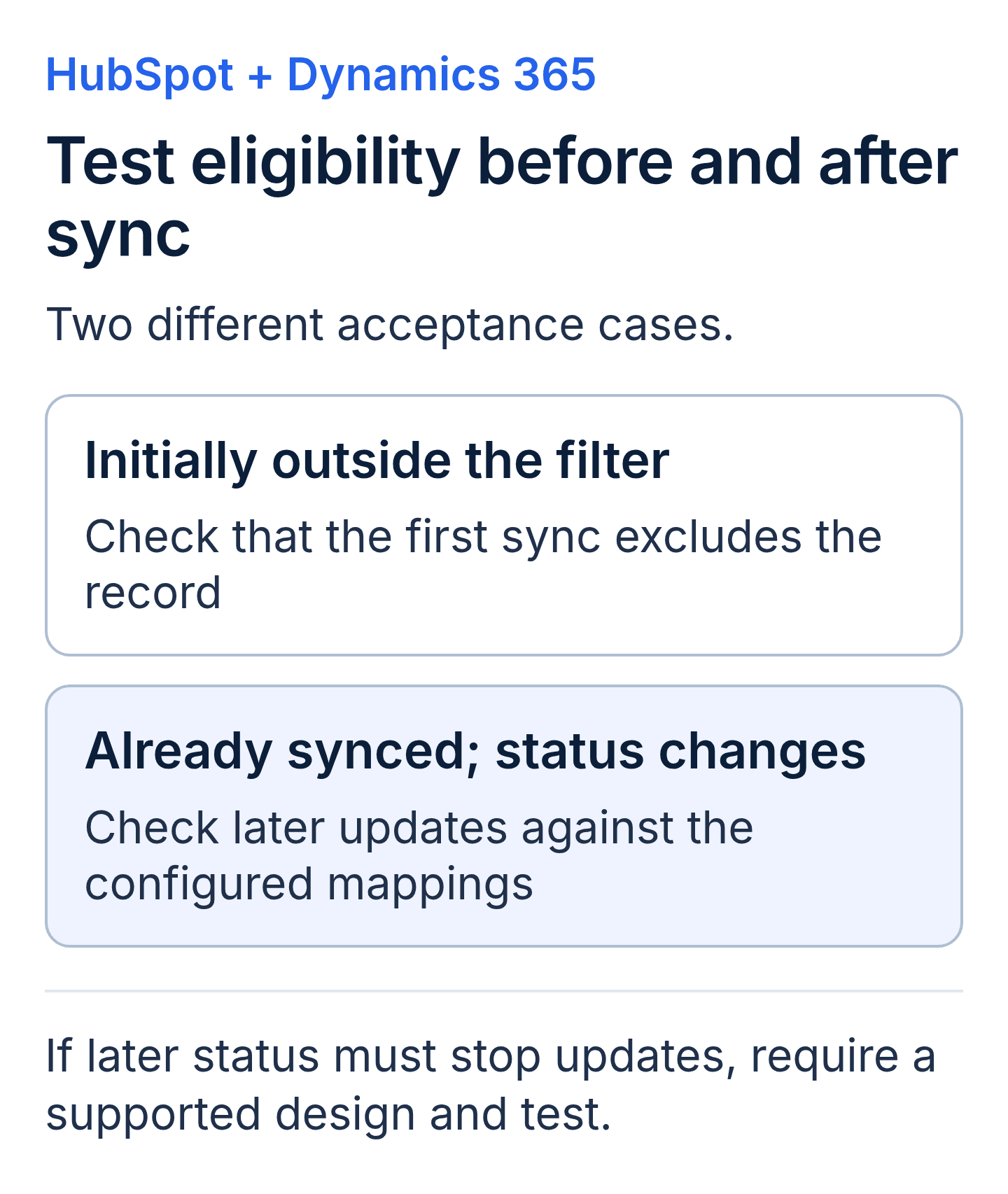
HubSpot data sync filters govern initial eligibility. Test later status changes separately against your required behavior and the supported design.
Validate permissions and customer relationships
According to Microsoft's security role guidance, roles govern permitted operations and record access levels. Have the environment owner review what the connection needs to read and change. A successful test under broad administrator access does not establish that the intended operating identity has suitable permissions.
Name the Dynamics environment and HubSpot account in the technical scope. HubSpot's integration guide documents support for two Dynamics 365 instances connected to HubSpot. If your organisation needs multiple environments, identify each one and verify the supported account arrangement before approving the architecture. Confirm which identity authorises the connection, who owns it and what happens when its access changes. Use the customer's approved credential process; documentation should identify ownership without embedding secrets in ordinary handover files.
Test associations as well as fields. A contact can arrive with the correct phone number but be linked to the wrong account. Include customers with similar names, multiple contacts and relationships that differ from the simplest sales example. Agree which records need business review when matching is uncertain. According to HubSpot's record matching guidance, changing a chosen matching field applies only to records not yet matched; paired records continue using their stored record IDs. Test initial matching separately from changes to an established pairing.
The overview of Dynamics 365 Customer Engagement provides context for the customer-facing applications. Keep finance or warehouse changes outside this integration scope unless they are separately defined and assigned to the relevant system owner.
Compare delivery proposals using acceptance evidence
User acceptance testing (UAT) is the business team's assessment of whether the connection meets the agreed process requirements. Ask each candidate to price the same scenarios, including new enquiries, existing customers, owner changes, conflicting values, rejected updates and exclusions.
For every scenario, specify the starting record, action, expected destination values and approver. Include a selected sales or marketing report where the handoff affects measurement. Agree filters and definitions before comparing totals across platforms; a lead count and an opportunity count represent different stages of work.
Request an exception log and a retesting process. Identify which failures block launch, which may be accepted with a deadline and who has authority to make that decision. A recorded transfer is evidence of movement, but business acceptance also checks whether the receiving team can use it correctly.
Use the CRM integration guide for broader concepts. Keep this proposal specific about your Dynamics environment, the HubSpot data model and the responsibilities each team has agreed to own.
Fund monitoring, corrections and future changes
Specify where operators will review sync health, who investigates a failure and how recovery is confirmed. Define an escalation path for permissions, source data, connector defects and approved mapping changes. Those categories can require different owners and different commercial treatment.
Reconciliation is the comparison of expected transfers with actual results. Include missing or incorrectly associated records, not just visible error messages. Set the review cadence according to the business impact and volume of the handoff. An overnight alert may need a different response from a low-priority reporting discrepancy.
Ask what happens when someone changes a required field, a sales stage or the account authorising the connection. Require an approval and retesting process for those changes. Agree how to pause processing and identify affected records if an unexpected overwrite occurs; stopping sync does not undo completed updates.
Make costs visible across discovery, mapping, initial population, data remediation, connector entitlements, testing and support. A bundled price can work if its assumptions and responsibilities are clear. Ask what would trigger additional fees and what the customer must supply before each stage can proceed.
Keep the approved record map, configuration decisions and operating instructions accessible to the people responsible for the system. Confirm what the customer receives at handover and who maintains it when the integration changes.
HubSpot Dynamics 365 integration glossary
- Field mapping: the defined relationship between a source field and a destination property.
- Initial sync: the first indexing and processing of eligible existing records when a sync begins.
- Incremental sync: the later processing of new records and changes under the configured rules.
- Conflict resolution: the supported rule that selects which value to retain when corresponding data disagrees.
Key takeaways
- A HubSpot Dynamics 365 integration scope must identify the exact Dynamics application, environment and sales handoff.
- The proposed connector needs verified object coverage, field mappings and purchased entitlements for the required process.
- Initial sync filters and later changes to already-synced records require separate acceptance scenarios.
- The operating agreement should assign permissions, error handling and reconciliation before launch.
HubSpot Dynamics 365 integration buyer FAQs
Which Dynamics product should a HubSpot integration scope name?
Name the actual application and environment supporting the customer process, such as Dynamics 365 Sales. Confirm compatibility and required records with the provider. Avoid treating the Dynamics product family as one interchangeable system or assuming a sales integration includes changes to finance applications.
Can the HubSpot Dynamics 365 connector handle custom fields and objects?
Review the documented pairings and your purchased capabilities. HubSpot lists custom objects and entities, and custom field mapping has a subscription requirement. Ask for a demonstration of your specific fields, relationships and process. A custom requirement does not automatically prove that new middleware is necessary.
Who decides conflicting values in a HubSpot Dynamics 365 integration?
The relevant business owner should approve the policy. The partner should explain how supported direction and conflict settings implement it and document any gap. Test updates from both systems. Do not assume that assigning one system as authoritative creates unlimited field-level control.
What evidence should we require before launching the HubSpot Dynamics 365 integration?
Require results for representative records, associations, ownership, conflicts, exclusions and failed updates. Include the intended operating permissions and named business sign-off. Keep unresolved issues and accepted exceptions visible, with an owner and an agreed next action.
Discuss the integration scope with Twelverays
Bring your record map, current Dynamics environment and marketing-to-sales handoff requirements to a discussion about Twelverays Dynamics 365 services. Contact Twelverays to define the connection, acceptance evidence and operating responsibilities your team needs.


