

The n8n vs Power Automate decision is a choice about how a defined workflow will run and who will operate it. A Power Automate vs n8n review should test the required connections, access, hosting and recovery against the same business process. Use an n8n and Power Automate comparison to identify the platform and delivery scope your team can maintain after the pilot.
Both products can support automated work between business systems. Their suitability depends on the selected capabilities, deployment and people responsible for them. A familiar vendor name or an appealing demonstration cannot establish those details for your organisation.
Start with one process and its accountable owner. An internal request moving through validation, approval and a destination system provides a useful example. Define what the requester, approver and receiving team need to see before choosing the technical design.
Start workflow automation platform selection with one scenario
Write a short test brief that both proposed designs must answer. Record the trigger, required information, approval decision, destination and confirmation of success. Include the conditions under which processing should stop or return to a person.
For an employee access request, a proposed flow could collect the request, confirm the responsible manager, record an approval and create a service ticket. It should not automatically grant access unless that action is explicitly required and authorised. Keep the requester's identity, approver and final action traceable in the acceptance evidence.
List the systems the flow must read and change. An application programming interface (API) allows software to exchange requests and data. Confirm that each required operation is available through a supported interface or another approved method, with the permissions your organisation will actually provide.
Separate interface-based work from desktop interaction. Microsoft's Power Automate licensing documentation describes cloud and desktop automation, including attended and unattended capabilities with different entitlements. If the process depends on a desktop application, include that dependency explicitly in the comparison. Ask each proposed design to identify the runtime, machine and additional components it requires.
Do not expand the pilot into a wider system replacement. A manual handoff may remain appropriate for a low-volume exception or an approval that needs judgement. The test should establish whether the selected automation boundary is useful.
Compare n8n and Power Automate operating requirements
Use the same review questions for both designs. The table identifies documented platform characteristics and the evidence still needed from your proposed implementation.
| Decision area | n8n proposal | Power Automate proposal | Buyer evidence |
|---|---|---|---|
| Deployment | Identify n8n Cloud or the exact self-hosted setup | Identify cloud flows, desktop flows and any required machines or gateways | Named services and operating owners |
| Connections | Demonstrate the required nodes, requests and credentials | Demonstrate the required connectors, actions and connections | Working operations with approved access |
| Access and governance | Show controls available in the selected edition and deployment | Show the applicable environment roles and data policies | Allowed and denied scenarios tested |
| Release and recovery | Define workflow, version and infrastructure responsibilities | Define flow changes and affected environment or machine responsibilities | Tested release and recovery procedure |
| Ongoing cost | Map the chosen subscription and infrastructure to the workload | Map user or capacity licenses and dependencies to the workload | Dated estimate with assumptions |
According to n8n's hosting documentation, self-hosting can use your infrastructure, on-premises resources or a private cloud. Its self-hosted editions have different licensing arrangements. A self-hosted installation is therefore a deployment choice, not proof that every paid capability is included or that operation has no cost.
Microsoft's Power Automate overview describes environments as boundaries for work, including development and wider use. Confirm which environments and roles the proposed flow will use. Do not assume that access in one environment establishes the same access elsewhere.
The n8n, Make and Zapier comparison covers that adjacent platform choice. Keep this evaluation focused on the actual n8n and Power Automate designs your team would operate.
Check automation governance with allowed and denied actions
Automation governance is the set of ownership decisions, access rules and change procedures used to control automated work. Establish who may create a workflow, approve a change, grant a connection and inspect execution information.
Ask each supplier to demonstrate access with the intended operating roles. A test performed through a broad administrator account does not show what a restricted operator or requester can do. Include a user who should be denied and a connection that should not be available.
According to Microsoft's data policy guidance, administrators can restrict connectors and, where supported, connector actions. The documentation explains that policy changes can affect both the maker experience and existing running resources. Include applicable policies in the design review and retest the flow when a policy change affects it.
For n8n, request evidence for the access and separation mechanisms in the exact edition and deployment being proposed. Self-hosting locates infrastructure responsibility; it does not, by itself, establish the customer's access policy, data-handling process or release controls.
Record the owners of stored credentials and connected-system permissions. Ask how a departing employee, changed authorization or replaced provider affects operation. Keep secret values in approved storage and describe the ownership arrangement in the handover record.
Use the Power Platform consulting overview for broader governance context. This decision needs a demonstrated policy and owner for the selected workflow, without treating a product feature as a compliance guarantee.
Compare automation operating cost using the same workload
Prepare one workload estimate with normal volume, peak demand, schedules, connected systems and expected data sizes. Include the proposed failure and recovery paths. Ask each supplier to explain which operations or resources drive the quoted charges.
Microsoft's licensing guidance distinguishes user licenses from capacity licenses and notes that rights included with other Microsoft products cover a limited set of Power Automate capabilities. Having Microsoft 365 does not establish that the proposed flow's full requirements are already licensed. Verify connectors, desktop operation and other selected capabilities against the current purchase.
For n8n, identify the actual edition, hosting arrangement and applicable subscription. Add self-hosted compute, storage and operational work where required. A free software edition can still require paid infrastructure and staff time; a managed subscription can still leave business monitoring and connected-system support with your team.
Keep implementation fees, recurring subscriptions, third-party usage and internal effort visible. Use the same currency and time period in both estimates. Ask which assumptions would change the total, such as additional users, a different execution pattern or another service required for a desktop step.
Compare the workload with an existing process where that remains a viable option. The decision can be to adopt one platform, retain the current approach or investigate an unresolved requirement. There is no useful universal cost winner without a defined workload and operating arrangement.
Test recovery before accepting a platform recommendation
Ask both designs to process a valid request, a repeated event, missing information and a safely simulated destination failure. Include a case where an early action succeeds and a later action fails. Record what the operator needs to check before retrying.
A repeated request should follow the approved business rule. If only one destination action is intended, require evidence that the implementation prevents an unwanted duplicate. Neither a successful first run nor a generic retry feature establishes that behaviour.
For n8n, the current Error Trigger documentation states that error workflows respond to automatic workflow errors rather than manually run workflows. If automatic alerting is part of the design, include an authorised automatic test. A manual demonstration alone is insufficient evidence for that alert path.
For Power Automate, ask the supplier to show the selected flow's failure details, alert route and recovery procedure in the intended environment. Include any machine or gateway dependency in that demonstration. Do not treat Microsoft's platform availability commitments as a guarantee that a particular business record will be recovered correctly.
Define what a restart can and cannot reverse. Stopping a workflow does not withdraw messages already sent or remove records already accepted by another system. Recovery needs a business reconciliation step with an authorised owner.
Make the pilot produce a decision and a handover
Agree the pilot boundary, permitted actions and acceptance criteria before the test begins. Set its duration around access, representative scenarios and reviewer availability rather than adopting an arbitrary standard number of weeks.
Classify requirements as essential or optional. Document the evidence for each and any unresolved assumption. An essential requirement that remains untested should stay visible in the decision record, even if the demonstration otherwise looks convincing.
Ask the intended operator to use the runbook to locate a failed request, assess its impact and escalate or recover it within their role. Record any task that requires skills or access the team does not yet have. That gap belongs in the support or training scope.
Compare the final designs on accepted behaviour, operating ownership and documented cost. Use what Power Automate does as background where stakeholders need it. The recommendation should explain which requirements the selected design satisfies and which limitations the buyer is accepting.
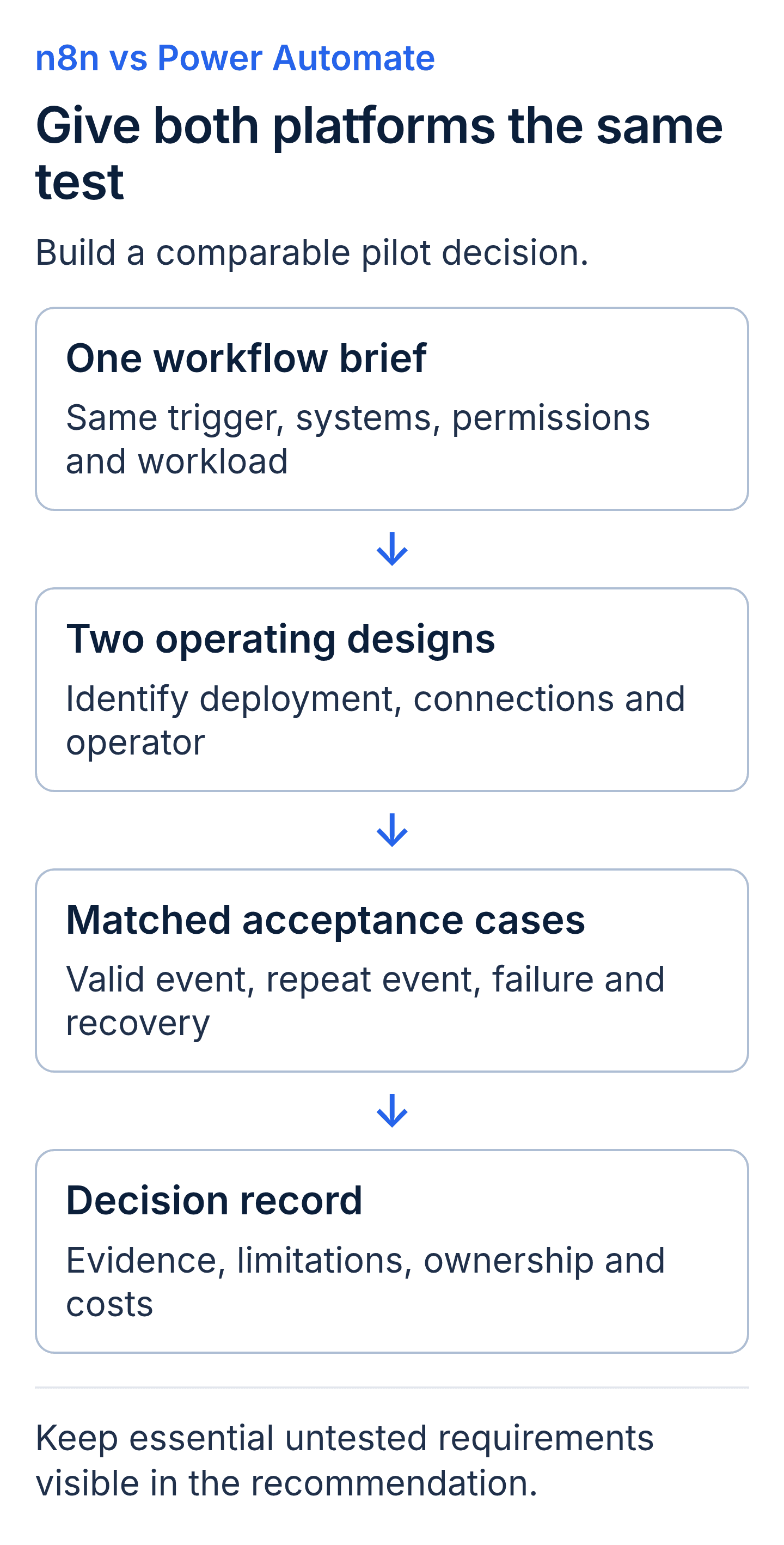
A proposed pilot comparison for n8n and Power Automate. Use the same requirements and acceptance cases, then record where each proposed configuration meets them or needs more evidence.
n8n and Power Automate glossary
- Workflow: the defined sequence of actions and decisions used to complete an automated process.
- Trigger: the event or schedule that starts a workflow.
- Connector: a packaged interface exposing supported operations for another service.
- Connection: the configured authorization used to access a connected service.
- Environment: an administrative boundary for related Power Platform resources and work.
- Desktop automation: automated interaction with applications through a machine's desktop interface.
- Acceptance criterion: an observable condition the proposed design must satisfy.
- Runbook: the instructions for routine operation, failure handling and escalation.
Key takeaways
- An n8n vs Power Automate decision should test the same business workflow and required access.
- Deployment choice, licensed capabilities and operational responsibility must be verified separately.
- Cost comparisons need the same workload, time period and treatment of internal effort.
- A pilot should leave accepted test results, unresolved limitations and an operating owner.
n8n vs Power Automate buyer FAQs
Does using Microsoft 365 settle the platform choice?
No. It provides context for existing accounts and services, but the proposed operations, permissions and licenses still need verification. Test the required workflow with the intended roles and compare the ongoing responsibilities. Familiarity is one input to the decision.
How should a desktop step affect the comparison?
Name the application, machine conditions and exact actions required. Power Automate has documented desktop automation capabilities, but their entitlements and operating requirements still matter. Ask any alternative design to demonstrate the required behaviour and identify additional components or manual steps.
Can n8n and Power Automate coexist?
A combined design is possible when its interfaces, permissions and operating boundaries are supported. Require a demonstration of the handoff between them and assign failure ownership across that boundary. Include the added subscriptions, monitoring and maintenance in the comparison.
What should a platform-selection pilot deliver?
Request the workflow design, test results, limitations, workload estimate and operating guide. Name who accepts the result and who handles future changes. The pilot should support an explicit decision, including further investigation when an essential requirement remains unresolved.
Discuss the workflow your team will operate
Bring one process map, required systems and the constraints your operating team must work within. Include known desktop steps, access policies and support responsibilities. Discuss workflow automation with Twelverays, or contact the team to scope the comparison and acceptance evidence.


