

Power Platform managed services are contracted operational support for the apps, flows and dependencies identified in an agreement. A Power Platform managed support proposal should explain who detects problems, restores approved behaviour and authorises changes. Compare Power Automate support services against the assets your business actually runs, the consequences of interruption and the evidence required to accept the provider's work.
An existing estate may include a customer-request app, a lead-routing flow and an integration that updates another system. Their owners and support needs can differ. Start with those named processes and their dependencies before agreeing a recurring fee.
This article concerns ongoing support. Use the Power Platform consulting overview for initial-build and wider governance questions. A support proposal needs its own coverage boundaries, operating records and transition plan.
Define Power Platform maintenance scope with an asset register
Give candidates the same initial asset inventory. For each app or flow, record the business process, environment, accountable owner, important connections and known issues. Identify the hours when a failure would affect users and the consequences of delayed work.
Include dependencies outside the provider's direct control. A flow may rely on a customer-managed connection or a field in another application. Ask who investigates that dependency and who is authorised to change it.
The following matrix is a proposed coverage document, not a statement of Twelverays inclusions.
| Coverage item | Boundary to record | Evidence for accepting support |
|---|---|---|
| Existing app | Named app, users and approved tasks | Intended roles can complete agreed scenarios |
| Automated flow | Trigger, actions and expected destination result | Run evidence and business reconciliation |
| Connection | Service, authorization owner and required operations | Tested access and documented escalation |
| Environment | Included administrative tasks and customer responsibilities | Configuration record and assigned owners |
| Planned change | Approved request and affected assets | Test results, release record and acceptance |
| Unassessed asset | Discovery needed and temporary handling | Explicit decision to include, exclude or investigate |
Ask how new discoveries enter coverage. An unlisted flow might need a separate assessment, or the agreement might include an agreed discovery process. Resolve that treatment explicitly rather than assuming either unlimited coverage or automatic exclusion.
Bring the inventory to a discussion about Twelverays workflow automation services. Identify which current processes need operational support and which need a separately defined redesign.
Separate managed services from Microsoft product features
Microsoft's Managed Environments overview describes premium administrative capabilities such as sharing limits, usage insights and data policies. Managed Environments is a product capability. A managed-services agreement is the contract assigning people and responsibilities to operate your selected resources.
Ask which capabilities the proposed support process uses and whether your environment has the required entitlements. Enabling a product feature does not assign an incident owner, establish coverage hours or purchase a provider's response commitment.
A managed solution is a different concept again. According to Microsoft's solution documentation, solutions support application lifecycle management (ALM), and managed solutions are deployment artifacts for downstream environments. That terminology does not establish that a support supplier is monitoring the deployed application.
Use the Microsoft Power Platform overview when stakeholders need broader product context. Keep the support agreement specific about what is installed, what the provider will do and what remains with your team.
Put incidents and changes in the Power Apps support agreement
Define an incident as an interruption or deviation from approved behaviour. Define a change request as a proposal to alter that behaviour. These working definitions should be reconciled with the terms in the actual agreement.
Consider a customer-request app that can no longer submit an approved form. Restoring its agreed submission process is an incident task. Adding another approval stage is a change request. Both may be covered by the same commercial arrangement, but they need different evidence and approval decisions.
Ask who detects the issue, assesses business impact, communicates status, investigates dependencies and approves restoration. A responsibility table should name the customer and provider roles at each step. Include the route for an issue that requires Microsoft or another vendor.
Specify service windows and severity criteria. A failed lead handoff during the sales team's working day can need different handling from a delayed internal report. Use your operating requirements to negotiate targets instead of copying a generic priority label.
Distinguish the initial response, restoration of usable service and a permanent correction. An acknowledgement does not establish that users can work again, while an accepted workaround may restore operation before the underlying issue is fully resolved. Define which event each contractual target measures.
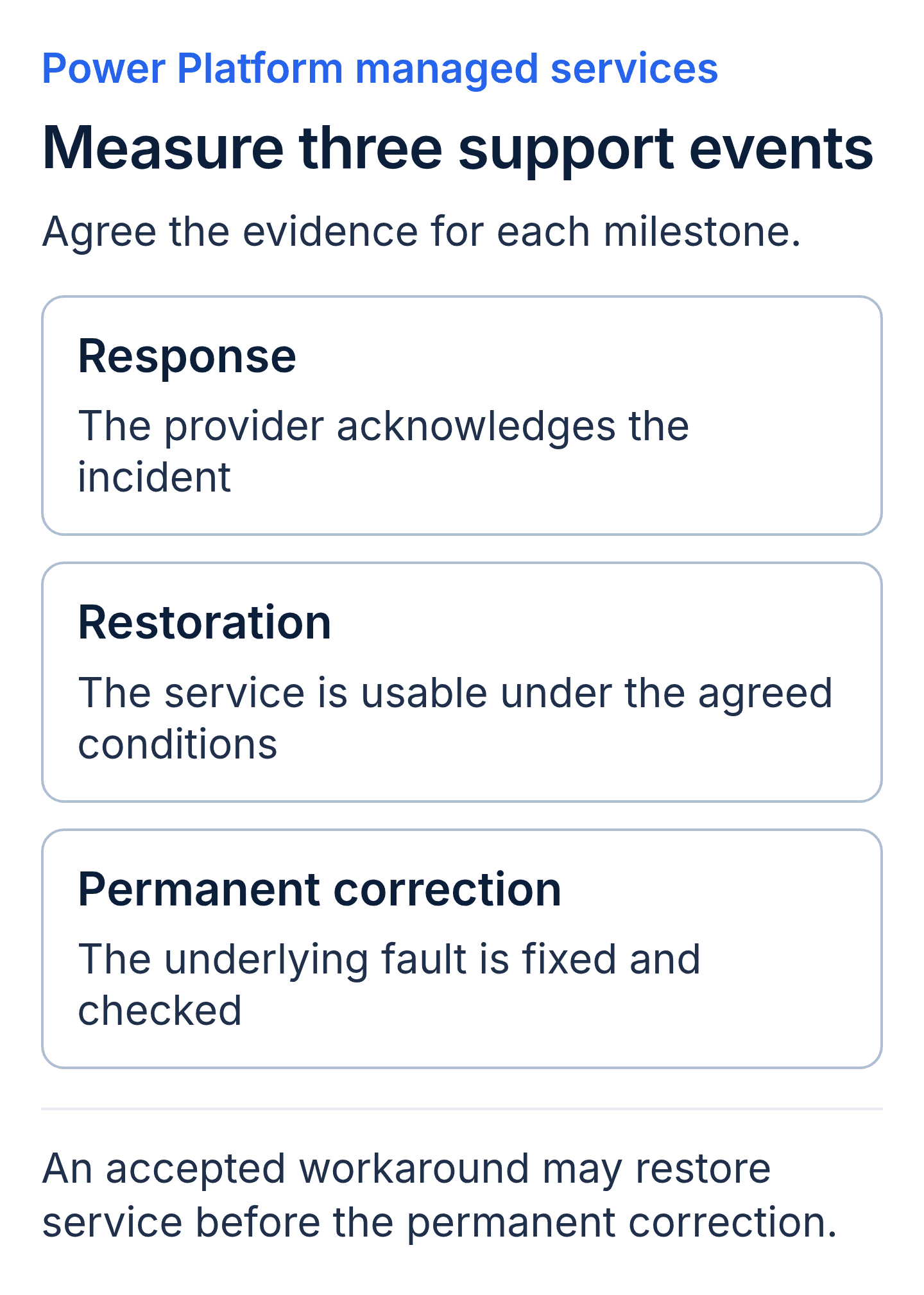
Define these milestones separately in the support agreement. The article does not promise a response or restoration time; the proposed service terms must supply those commitments.
Require evidence for Power Automate support services
Ask what the provider monitors and what the monitoring can detect. Include the selected flows, their trigger behaviour, connected systems and the route by which an operator receives an issue. Agree how someone notices missing work as well as visible failures.
Request a sample incident record with confidential details removed. It should identify the affected asset, observation time, business impact, investigation, actions taken and acceptance decision. A dashboard status is one piece of evidence; the record should explain the result for the process your team relies on.
Review flow execution details alongside destination records. If an early step created a record and a later step failed, the operator must understand that partial completion before rerunning the flow. A successful retry should not be accepted without checking for missing or duplicated business actions.
Agree a recovery test using controlled inputs and authorised procedures. Include an unavailable destination, a rejected update and a partly completed handoff where those cases matter. Name the expected result and the person who can approve it.
The Power Automate introduction supplies broader workflow context. For a support purchase, ask the provider to demonstrate the recovery procedure for your actual configuration and record its limits.
Establish Power Platform service ownership across identities
Keep the business owner, flow owner and connection owner visible. A business manager may approve the process, while an administrator manages the flow and another team controls access to a connected system. These roles should not be collapsed into one unnamed "service account."
According to Microsoft's cloud-flow ownership guidance, ownership affects management and can affect licensing. The documented transfer procedure differs between solution-aware and non-solution cloud flows. In-place ownership change is not available for non-solution-aware flows, so a provider transition must account for the supported method applicable to each flow.
The same guidance describes service principal application users and the need to share required connections with them. A service principal is an application identity; using one does not remove licensing, request-limit or connection requirements. Ask the administrator to verify the actual arrangement before accepting a continuity plan.
Avoid claiming that an employee's departure always stops every associated flow. Review what changes when that person's account, license or connection authorization changes. Plan and test the required ownership and access work before the transition where possible.
Record who can grant access, replace an authorization and revoke provider access. Keep secret values in the customer's approved storage. The support documentation should identify ownership and procedures without exposing credentials in a shared report.
Define release testing and recovery before planned changes
Ask the provider to document the approved change, affected assets, dependencies and test scope. Include customer reviewers and the evidence they need before production release. A minor-looking field change can affect several flows or reports, so assess the actual dependencies.
Microsoft's solution guidance distinguishes unmanaged source solutions from managed deployment artifacts. It also states that managed solutions cannot be exported and that uninstalling a managed solution can remove included customizations and associated data. Do not accept "uninstall the solution" as an unexamined rollback promise.
Request a recovery approach suited to the change. It may involve correcting configuration, restoring an approved state or reconciling data already changed in another system. State what the procedure can restore and what requires separate investigation.
For each release, retain the approved request, relevant source or configuration version, test results, deployment record and acceptance decision. Ask how the provider maintains that record when an urgent correction is needed outside the normal change window.
Specify whether new apps, major redesigns or additional integrations fit within retained capacity. They may be included by agreement or require another estimate. The useful boundary is the agreed work and approval process, not a universal rule that every new request needs a separate contract.
Make the service review and exit package usable
Agree what the recurring service review will show. Useful records include incidents opened and resolved, unresolved business impact, accepted releases, recurring failures and work consumed against the contract's charging basis. Choose a cadence that fits the estate and service commitments.
Ask the provider to distinguish platform incidents, implementation defects, source-data issues and new business requests. Those categories can involve different owners and approvals. A count of closed tickets alone does not explain whether an important unresolved problem still affects users.
Define the exit package at the start of the engagement. Request a current asset register, operating guides, open incidents, pending changes, configuration or source artifacts and the required customer access. Name the format and the person who will receive each item.
Have the incoming owner demonstrate selected tasks during handover: locate an affected asset, review a failed run, follow an escalation route and identify the approved release record. Record any remaining gap and its owner. Documentation is more useful when the next team can use it in the intended environment.
Compare proposals using the same estate, coverage windows and handover requirements. Identify setup assessment, recurring service charges, platform subscriptions and separately approved changes. Use actual quotes and customer workload assumptions rather than unverified market fee ranges.
Power Platform managed-support glossary
- Asset register: the inventory of apps, flows, connections and environments covered or awaiting a coverage decision.
- Criticality: the business consequence of an asset becoming unavailable or producing incorrect results.
- Incident: an interruption or deviation from the behaviour approved for the service.
- Change request: a proposed alteration to the approved behaviour or covered configuration.
- Restoration: returning the service to the usable state defined in the agreement, potentially through an accepted workaround.
- Service identity: the user or application identity used for an operational task or connection.
- Reconciliation: comparing expected business actions with the results in the affected systems.
- Runbook: the operating instructions for routine tasks, incidents, recovery and escalation.
Key takeaways
- Power Platform managed services should identify covered assets, dependencies and business owners.
- Microsoft Managed Environments and managed solutions are product concepts, not provider support commitments.
- Incident response, restoration, planned changes and new work need explicit evidence and approval boundaries.
- Ownership transitions and release recovery should use supported methods and a tested handover.
Power Platform managed services buyer FAQs
Does managed support include building new apps?
Only when the agreement defines that work or a process for approving it. Compare the included maintenance and change capacity with your expected requests. Ask how a new app or integration is assessed, estimated and accepted before assuming it is covered.
Is a response target the same as a restoration target?
No. Define the initial response and the return to usable service separately. Identify the event that starts and stops each measurement, applicable service windows and customer dependencies. A permanent fix may follow an accepted workaround under the agreed process.
Who handles a Microsoft platform incident?
Name who confirms the affected service, opens the vendor case where authorised and communicates status. Agree customer workarounds and escalation responsibilities. A support provider's contract should not promise control over Microsoft's engineering response unless the commitment is specifically established.
What happens when an employee or provider leaves?
Review ownership, connection authorization, licenses and required access for each affected asset. Use the supported transition method and test operation after the change. The handover should leave an accountable customer or replacement owner with the records needed to operate the service.
Discuss support for your existing apps and flows
Bring your asset inventory, open incidents and the service windows your teams need. Include known connection owners and any upcoming provider or employee transition. Contact Twelverays to discuss Power Platform support scope, recovery evidence and operating ownership.


